

Minecraft 1.20.1, 1.12.2용 Xavier Optimized 빌드
게임의 메커니즘을 변경하지 않고 바닐라 게임 경험을 개선하고 최적화하는 모드를 포함한 모드팩입니다.
 Fabric
 Forge
ForgeXavier Optimized 모드팩 정보
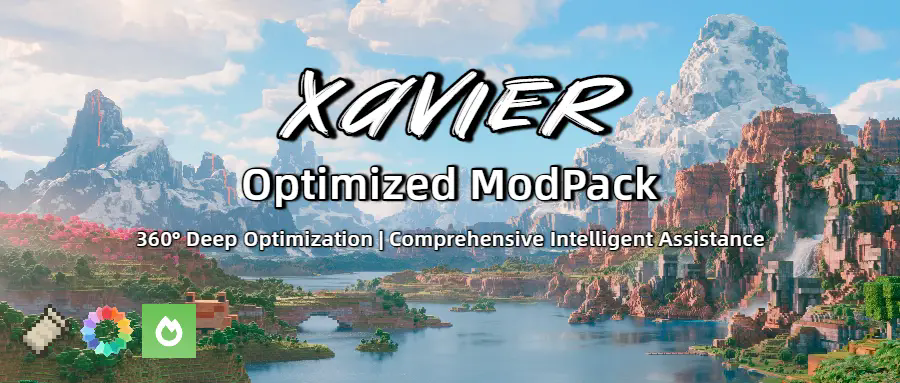
Xavier Optimized is a highly optimized Minecraft modpack designed to deliver higher FPS gains than ordinary optimization packs. The modpack's ultimate goal is to maximize the vanilla survival experience without altering the game's core mechanics. It features FPS/MSPT optimization, enhanced mod compatibility, and survival utility tools.
Downloading and using this modpack means that you have agreed to the Terms of Service and Disclaimer.

简体中文 | Wiki
Notice: Work in Progress
This introduction is currently incomplete and actively being updated. Check back later for more details.
⭐Hyper Optimization
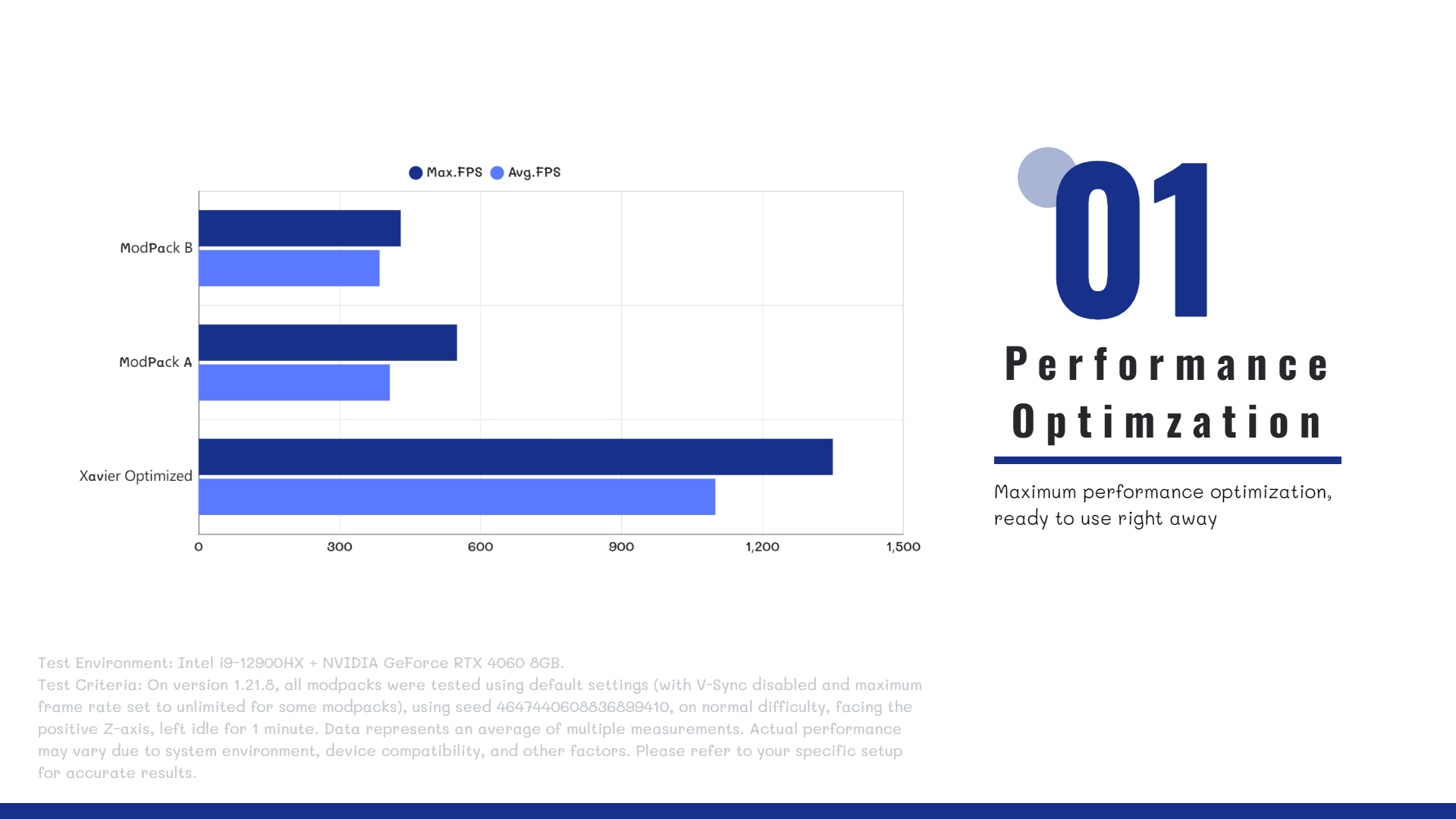
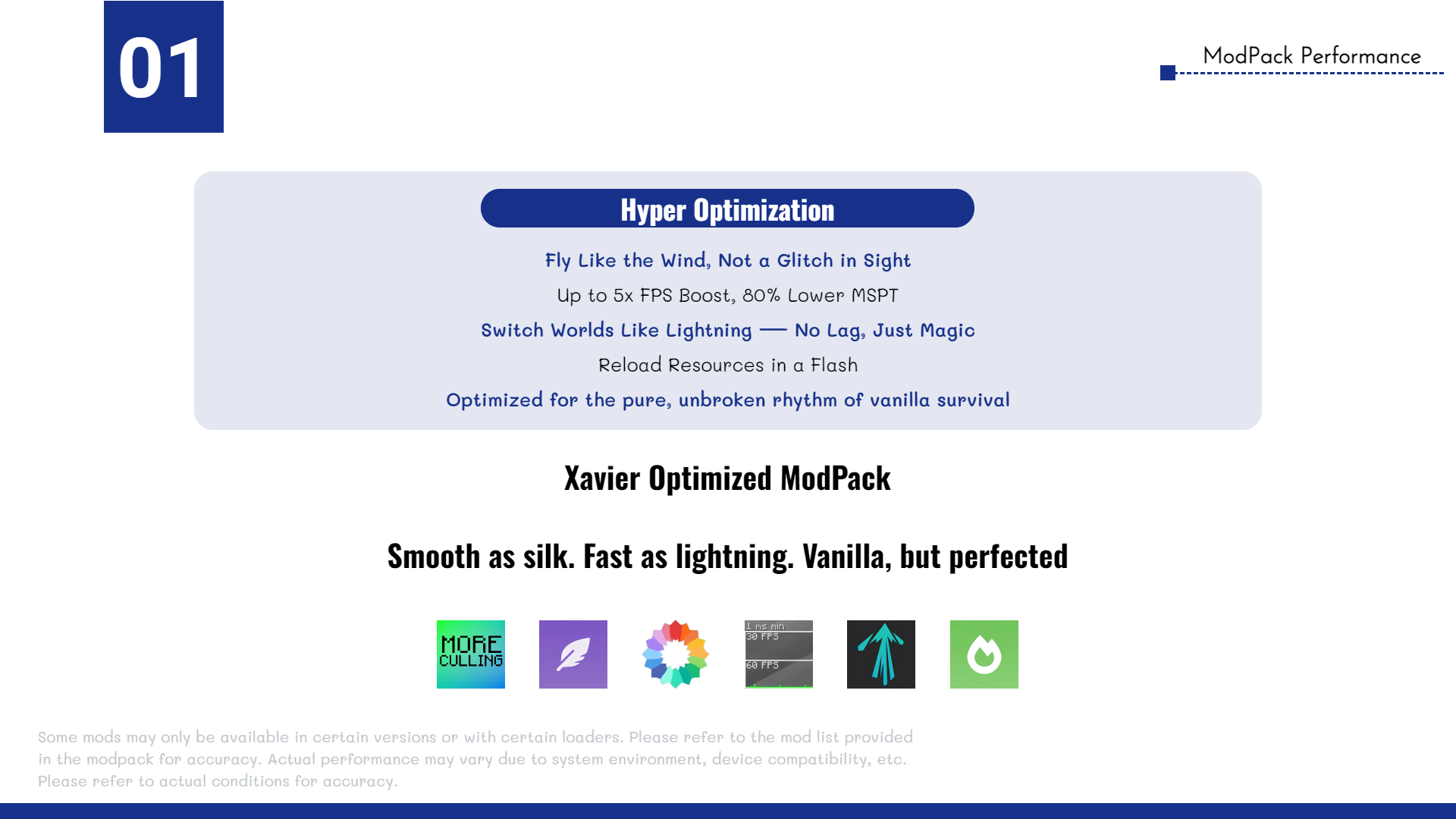
The Xavier Optimized modpack includes a wide range of high-performance optimization mods, such as Sodium, Lithium, More Culling, and more, ensuring maximum efficiency, stability, and smooth gameplay. All selected mods are carefully tested to be safe for both single-player worlds and multiplayer servers.
Whether you're running the game on a modern high-end PC or a previous-generation entry-level device, Xavier Optimized delivers significant performance improvements.
🤔FAQ
Q: Does the modpack support multiplayer?
A: Yes! Xavier Optimized is compatible with most servers and allows vanilla clients to connect seamlessly.
Q: What mods are included in the pack?
A: To see the full list of mods, go to the Versions tab, select a version, and scroll down to view the included mods.
Q: Do I need to install the modpack on the server?
A: No. The modpack is client-side only and works on any server that accepts vanilla clients.
🔗 Author Link
Email: CerealAxis@xaviermc.top

Xavier Optimized 설치 방법
With Millida Launcher
Install Millida Launcher
The launcher is free: download it at millida.net/launcher and sign in with any nickname.
Click “Install” on this page
The launcher opens and installs the modpack for Minecraft 1.8–1.21.11 on Fabric or Forge automatically.
Launch the game
A profile with it appears in the launcher: click “Play”.
Manually
Download the modpack archive
In the version list above, pick the file Xavier Optimized 1.21.11 (Fabric) 1.0.0.mrpack (188 KB).
Import it into a launcher
A launcher that supports modpacks (Millida Launcher, Prism) takes the archive via “Add modpack”, then “From file”. No need to unpack it yourself.
Allocate memory
Modpacks need more memory than the plain game: set 4–6 GB in the profile settings.
Minecraft 1.21.11 runs on Java 21: with a different Java version the game may close right after launch.
버전
의존성 포함
| Minecraft | 로더 | 파일 | 작업 |
|---|---|---|---|
| 1.21.11 | Fabric | 1.21.11188 KB | |
| 1.21 | Fabric | 1.2157.2 KB | |
| 1.20.1 | Fabric | 1.20.152.6 KB | |
| 1.18.2 | Fabric | 1.18.21.1 MB | |
| 1.17.1 | Fabric | 1.17.12.1 MB | |
| 1.16.5 | Fabric | 1.16.5965 KB | |
| 1.12.2 | Forge | 1.12.21.1 MB | |
| 1.8.9 | Forge | 1.8.9445 KB |
실행에 필요한 것
- Cherished Worlds이미 포함됨
- More Culling이미 포함됨
- Dependency이미 포함됨
- Cloth Config API이미 포함됨
- Reese's Sodium Options이미 포함됨
- AppleSkin이미 포함됨
- Fabric Language Kotlin이미 포함됨
- Dependency이미 포함됨
- Entity Culling이미 포함됨
- Dependency이미 포함됨
- Indium이미 포함됨
- Fabric API이미 포함됨
- Dependency이미 포함됨
- Sodium Extra이미 포함됨
- Dependency이미 포함됨
- Concurrent Chunk Management Engine (Fabric)이미 포함됨
- Chat Heads이미 포함됨
- Remove Reloading Screen이미 포함됨
- Dynamic Crosshair이미 포함됨
- Krypton이미 포함됨
- Lithium이미 포함됨
- CustomSkinLoader이미 포함됨
- Crash Assistant이미 포함됨
- ModernFix이미 포함됨
- Dependency이미 포함됨
- Dependency이미 포함됨
- No Chat Reports이미 포함됨
- Dependency이미 포함됨
- Language Reload이미 포함됨
- Better Selection이미 포함됨
- LambDynamicLights이미 포함됨
FAQ
Which Minecraft versions does Xavier Optimized work on?
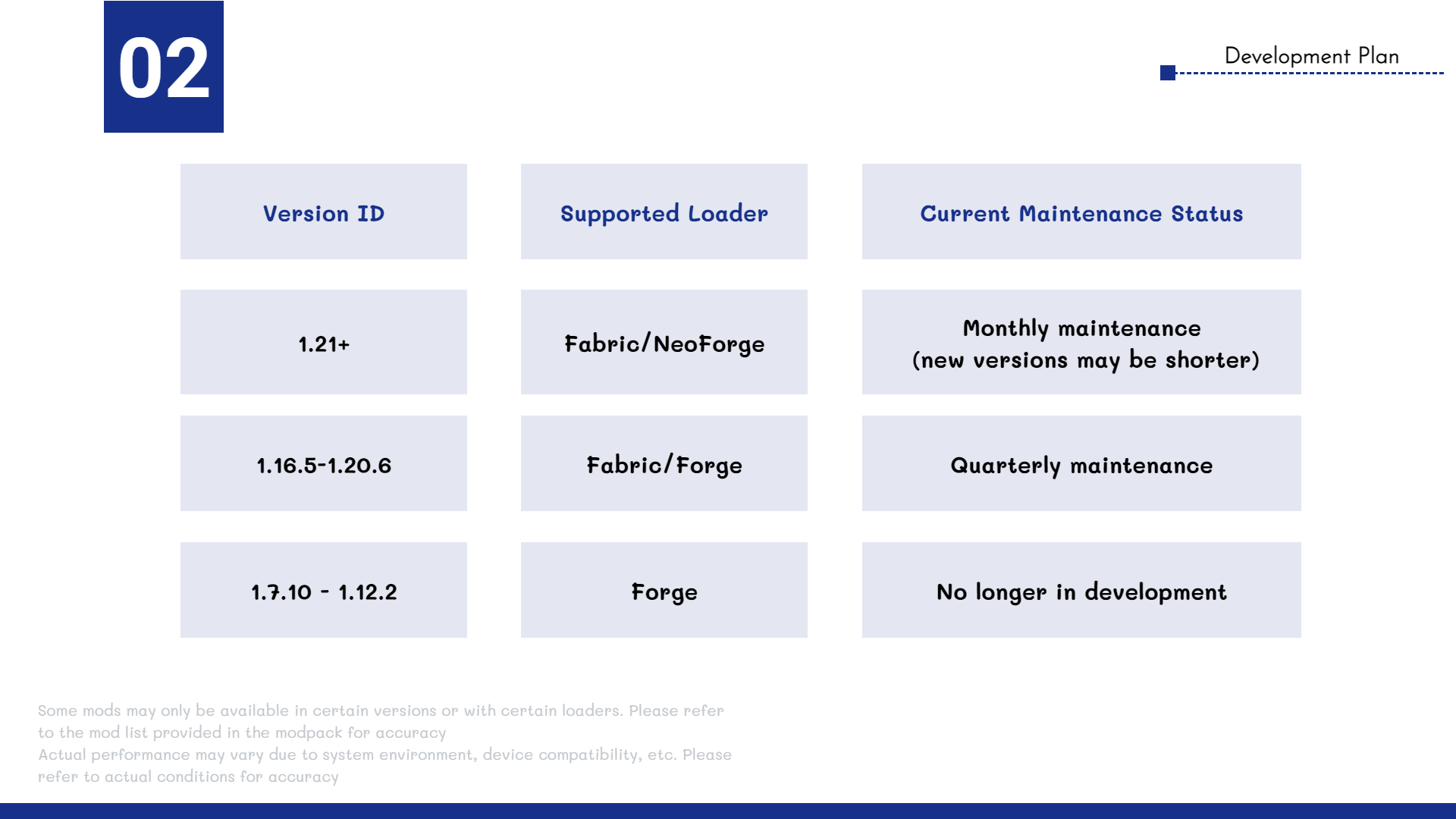
There are files for 1.8–1.21.11, 13 versions in total. The newest is 1.21.11.
Is Xavier Optimized for Forge or Fabric?
There are files for Fabric: 1.16–1.21.11 and for Forge: 1.8–1.12.2.
Which mods are in the Xavier Optimized modpack?
Mods in the modpack include Cherished Worlds, More Culling, Dependency, Cloth Config API, Reese's Sodium Options, AppleSkin, Fabric Language Kotlin, Entity Culling and 16 more.
Which Java does Xavier Optimized need?
Minecraft 1.21.11 runs on Java 21. If the game closes right after launch, the usual cause is the wrong Java version in the profile settings.
Where can I download Xavier Optimized safely?
On this page: the file Xavier Optimized 1.21.11 (Fabric) 1.0.0.mrpack (188 KB) is stored on Millida’s server, with no link shorteners. SHA-1 checksum: f4d1a91608a13735f5ce04226e3ff2528368068e.
리뷰
Xavier Optimized의 첫 평가를 남겨 보세요


