

- 조회수
- 16 조회수
- 업데이트됨
- 업데이트됨 03.10.2026
- 1.20.1
 Fabric
- 클라이언트와 서버
Epic Lands 모드팩 정보
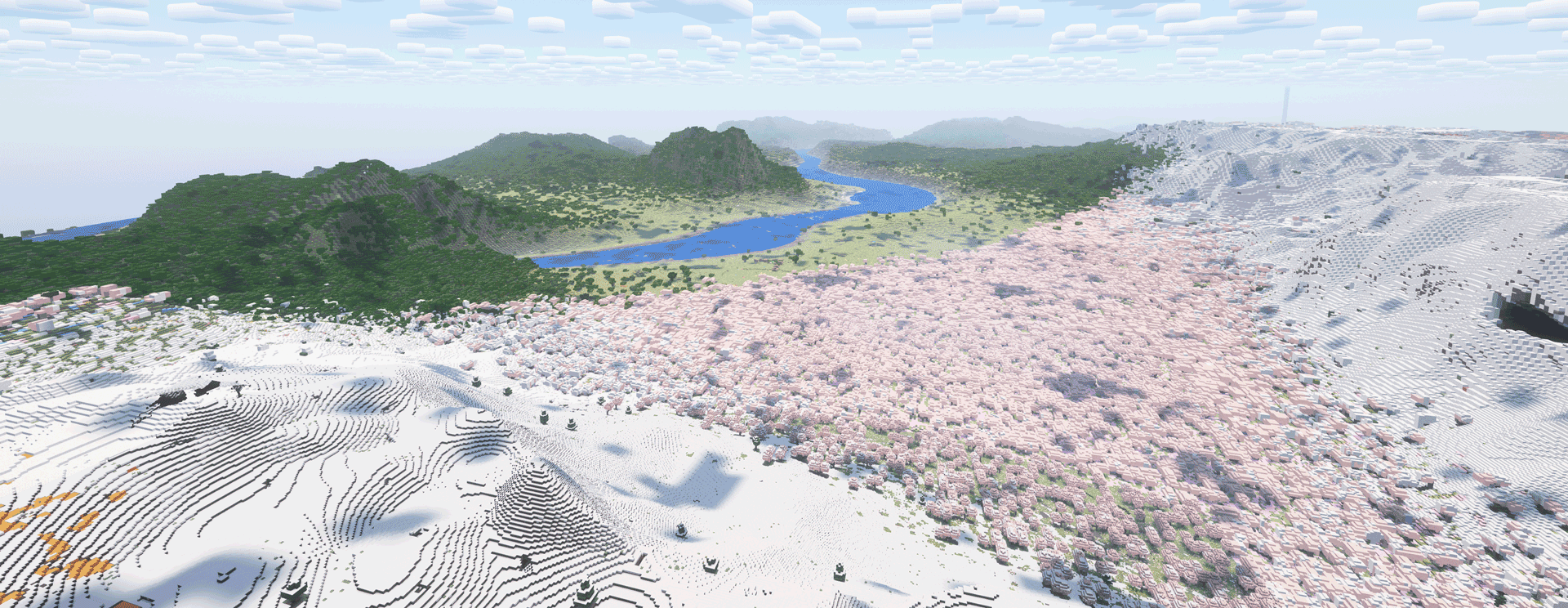
Welcome to Epic Lands, a hyper-realistic terrain generation modpack designed for smooth gameplay.
This modpack is based on the mod Epic Terrain.

I made this for people who love ultra realistic landscapes and beautiful world generation, with high-resolution textures and good shaders. It's also great for video creators looking to make visually impressive Minecraft content.
The mods, texture packs, and shaders used in this modpack are very resource-intensive and won't run well on budget or low-end systems. I have a Ryzen 9 5900X and an RTX 3060, and while the game runs well, terrain generation with Distant Horizons can be slow at high render distances.
I made the map that i generated pulic so you can see what it looks like. Download here
To enhance the experience further, I recommend getting the best-looking texture pack from Hodilton. For shaders, sadly SEUS PTGI E12 (free), is not compatible with Distant Horizon, but Bliss or Complementary are still decent.
If you have a bug, join the discord, accept the rules and go to Help, then send a message with your problem and ping @amilex
This modpack is the property of amilexx. Copying, modifying, distributing, or using this modpack for commercial purpose is strictly prohibited without written permission.
All rights reserved.

Epic Lands 설치 방법
With Millida Launcher
Install Millida Launcher
The launcher is free: download it at millida.net/launcher and sign in with any nickname.
Click “Install” on this page
The launcher opens and installs the modpack for Minecraft 1.20.1 on Fabric automatically.
Launch the game
A profile with it appears in the launcher: click “Play”.
Manually
Download the modpack archive
In the version list above, pick the file Epic Lands 1.0.0.mrpack (20 KB).
Import it into a launcher
A launcher that supports modpacks (Millida Launcher, Prism) takes the archive via “Add modpack”, then “From file”. No need to unpack it yourself.
Allocate memory
Modpacks need more memory than the plain game: set 4–6 GB in the profile settings.
On a server
Use the “To server” button
On Millida Hosting, the button at the top of the page uploads the file to your server and restarts it for you.
Invite friends: they install the same modpack
To join the server, every player needs the same modpack version.
Minecraft 1.20.1 runs on Java 17: with a different Java version the game may close right after launch.
버전
의존성 포함
| Minecraft | 로더 | 파일 | 날짜 | 작업 |
|---|---|---|---|---|
| 1.20.1 | Fabric | 1.20.120.2 KB |
실행에 필요한 것
- Epic Terrain이미 포함됨
- rotrBLOCKS이미 포함됨
- PBR JG이미 포함됨
- Complementary Shaders - Reimagined이미 포함됨
- Entity Culling이미 포함됨
- Indium이미 포함됨
- Iris Shaders이미 포함됨
- Photon Shaders이미 포함됨
- Mod Menu이미 포함됨
- FerriteCore이미 포함됨
- FastQuit이미 포함됨
- Mod Loading Screen이미 포함됨
FAQ
Which Minecraft versions does Epic Lands work on?
Only Minecraft 1.20.1: there are no files for other versions.
Is Epic Lands for Forge or Fabric?
Only for Fabric: 1.20.1.
Which mods are in the Epic Lands modpack?
Mods in the modpack include Epic Terrain, rotrBLOCKS, PBR JG, Complementary Shaders - Reimagined, Entity Culling, Indium, Iris Shaders, Photon Shaders and 4 more.
Which Java does Epic Lands need?
Minecraft 1.20.1 runs on Java 17. If the game closes right after launch, the usual cause is the wrong Java version in the profile settings.
Where can I download Epic Lands safely?
On this page: the file Epic Lands 1.0.0.mrpack (20 KB) is stored on Millida’s server, with no link shorteners. SHA-1 checksum: 065d6fec29639300776ffcaaadffed246d631c1c.
리뷰
Epic Lands의 첫 평가를 남겨 보세요


