
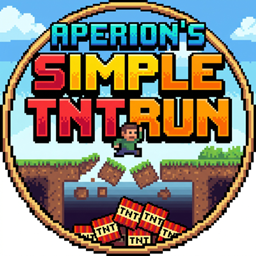
Minecraft 26.20용 Simple TNTRUN 지도
클래식하고 빠른 템포의 파쿠르 생존 게임을 마인크래프트 베드락 에디션 월드에서 바로 즐겨보세요. 계속 움직이고, 아래를 내려다보지 말고, 마지막까지 살아남으세요!
Simple TNTRUN 맵 정보
🏃‍♂️ How to Play
The rules are simple: Run and stay alive! Every block you step on will disappear shortly after. If you fall to the bottom of the stage, you are eliminated. Use your parkour skills and Double Jumps to outlast your opponents. The last player remaining wins the match!
✨ Features
Custom UI Menus: Easily create rooms, join active matches, and check room statuses using the built-in UI items.
Action Bar HUD: Track the match duration, number of alive players, and your remaining Double Jumps right on your screen.
Anti-Cheat & Safe Leave: The game handles players leaving mid-match safely. If the host leaves, the room is safely disbanded and the arena is instantly repaired.
Auto Arena Reset: No manual resetting required! The stage perfectly restores itself after every match.
🎁 Custom Items (Optional)
When creating a room, the host can enable "Custom Items". If enabled, special power-ups will drop from the sky randomly every 10 seconds to spice up the gameplay!
Feather (Default): Double Jump to save yourself from falling.
Snowball: Knockback Snowball - Hit your enemies to push them off!
Egg: Blindness Egg - Blinds the player it hits.
Sugar: Speed Sugar - Grants you a temporary speed boost.
Slimeball: +2 Extra Jumps - Replenishes your double jump stock.
Magma Cream: Sabotage Cream - Blinds all other surviving players in the arena.
TNT: Explosive Steps - For 10 seconds, the blocks in a 3x3 radius around your feet will break!
Nether Star: Floor Restorer - Magically restores up to 30 destroyed blocks in the arena.
⚙️ Setup
Apply the Behavior Pack to your world.
Enable Beta APIs in your world's experimental settings.
Build your stages and update the coordinates inside the script, or just jump into the action if you already have arenas set up!
Please use this form for bug reports, update requests, and feature suggestions. →https://docs.google.com/forms/d/e/1FAIpQLSesBt2y9EJ0saXTYVAdFEKeMeDETeiFerzpOA80VsRuifYaiQ/viewform
Simple TNTRUN 설치 방법
With Millida Launcher
Install Millida Launcher
The launcher is free: download it at millida.net/launcher and sign in with any nickname.
Click “Install” on this page
The launcher opens and installs the map for Minecraft 26.20 automatically.
Launch the game
A profile with it appears in the launcher: click “Play”.
Manually
Download the map archive
Pick the file TNT RUNV1.2.mcworld (4.7 MB).
Unpack it into the saves folder
The world folder (with level.dat inside) must sit directly in .minecraft/saves.
Open the world
“Singleplayer”: the map will be in your world list.
On a server
Replace the world folder
Stop the server and put the map folder in place of world (or set its name in level-name).
Use the “To server” button
On Millida Hosting, the button at the top of the page uploads the file to your server and restarts it for you.
버전
의존성 포함
| Minecraft | 로더 | 파일 | 날짜 | 작업 |
|---|---|---|---|---|
| 26.20 | — | TNT RUNV1.2.mcworld4.7 MB |
FAQ
Which Minecraft versions does Simple TNTRUN work on?
Only Minecraft 26.20: there are no files for other versions.
Where can I download Simple TNTRUN safely?
On this page: the file TNT RUNV1.2.mcworld (4.7 MB) is stored on Millida’s server, with no link shorteners. SHA-1 checksum: 5f03dc710390c2d002db8b258a86a3e54414ac2e.
리뷰
Simple TNTRUN의 첫 평가를 남겨 보세요



