
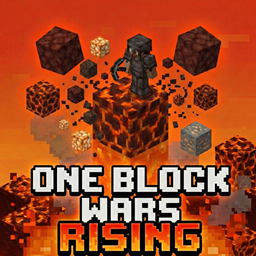
Minecraft 26.30용 One Block Wars -Rising- 지도
"One Block Wars: Rising"은 제 창작물 "One Block Wars"에 긴장감 넘치는 "Rising Lava" 메커니즘을 추가하는 새로운 미니게임 애드온입니다. 발밑의 블록에서 자원을 모으고, 다가오는 용암을 피해 탑을 쌓고, 경쟁자를 걷어차세요!
One Block Wars -Rising- 맵 정보
Please use this form for bug reports, update requests, and feature suggestions. →https://docs.google.com/forms/d/e/1FAIpQLSesBt2y9EJ0saXTYVAdFEKeMeDETeiFerzpOA80VsRuifYaiQ/viewform
🎮 Features
Regenerating One Block: Break the block under you to get resources. The block evolves and gives better items over time.
Rising Lava: From the middle of the game, lava starts rising from Y=-60. The lower layers transform into a death zone.
Economy & Shop System: Sell unwanted blocks to earn "Gold" and buy powerful weapons and special items.
Unique Items: Features many custom items to expand your strategy, such as the "Instant Tower" that builds a wall in an instant, "Web Bomb" to hinder enemies, and "Auto Miner" that mines automatically.
Fully Automated Game Flow: Teleporting participants, map generation, game start, and cleanup are all managed automatically with a single command.
🕹️ How to Play
- Game Start
Once all participants are ready, type !start in the chat. The map will be generated automatically, and players will be teleported to their floating islands.
- Game Phases
Phase 1: Preparation [10 min]
PvP Disabled, No lava.
Keep mining the One Block, gear up, and expand your base upwards.
Phase 2: Lava Rising [10 min]
PvP Enabled!
Lava Starts Rising! The level gradually rises from Y=-60. Water turns into Lava.
The Central Island (Mid) unlocks, offering rare chests and ores.
Upon death, inventory is scattered, but equipped armor is kept.
Phase 3: Elimination [5 min]
Lava pauses temporarily.
No Respawn (Elimination Mode). If you die, it's Game Over.
Phase 4: Sudden Death
Home blocks disappear!
Lava resumes rising until the building height limit. The final battle with no escape!
- Special Items
Some of the powerful items you can buy at the Shop (Right-click Emerald):
🧱 Instant Tower: Instantly generates a stone brick tower with ladders, allowing you to escape to high ground.
🏗️ Scaffold Tower: Instantly stacks 10 scaffolding blocks.
🤖 Auto Miner: Automatically continues to mine your One Block for you.
🕸️ Web Bomb: Throws a bomb that scatters cobwebs upon impact to trap enemies.
🛡️ Safety Platform: Generates a temporary glass floor beneath your feet to prevent fall damage.
🛠️ Admin Commands
!start: Starts the game.
!stop (or !reset): Forcibly stops the game, resets the map, and returns to the lobby.
⚠️ Notes
Recommended Environment: Minecraft Bedrock Edition (Latest Version)
Settings: Please enable "Beta APIs" in Experimental Features.
Players: Recommended for 2 or more players (Solo play is possible for checking behavior or practicing building).
Now, grab the victory before the lava swallows you whole!
One Block Wars -Rising- 설치 방법
With Millida Launcher
Install Millida Launcher
The launcher is free: download it at millida.net/launcher and sign in with any nickname.
Click “Install” on this page
The launcher opens and installs the map for Minecraft 26.30 automatically.
Launch the game
A profile with it appears in the launcher: click “Play”.
Manually
Download the map archive
Pick the file One Block Wars_RisingV2.1.mcworld (8.1 MB).
Unpack it into the saves folder
The world folder (with level.dat inside) must sit directly in .minecraft/saves.
Open the world
“Singleplayer”: the map will be in your world list.
On a server
Replace the world folder
Stop the server and put the map folder in place of world (or set its name in level-name).
Use the “To server” button
On Millida Hosting, the button at the top of the page uploads the file to your server and restarts it for you.
버전
의존성 포함
| Minecraft | 로더 | 파일 | 날짜 | 작업 |
|---|---|---|---|---|
| 26.30 | — | One Block Wars_RisingV2.1.mcworld8.1 MB |
FAQ
Which Minecraft versions does One Block Wars -Rising- work on?
Only Minecraft 26.30: there are no files for other versions.
Where can I download One Block Wars -Rising- safely?
On this page: the file One Block Wars_RisingV2.1.mcworld (8.1 MB) is stored on Millida’s server, with no link shorteners. SHA-1 checksum: e9928b4574dc3b127634ce1f871bb17306ad0182.
리뷰
One Block Wars -Rising-의 첫 평가를 남겨 보세요



