
Minecraft 1.21, 1.21.101용 Funtopia World 지도
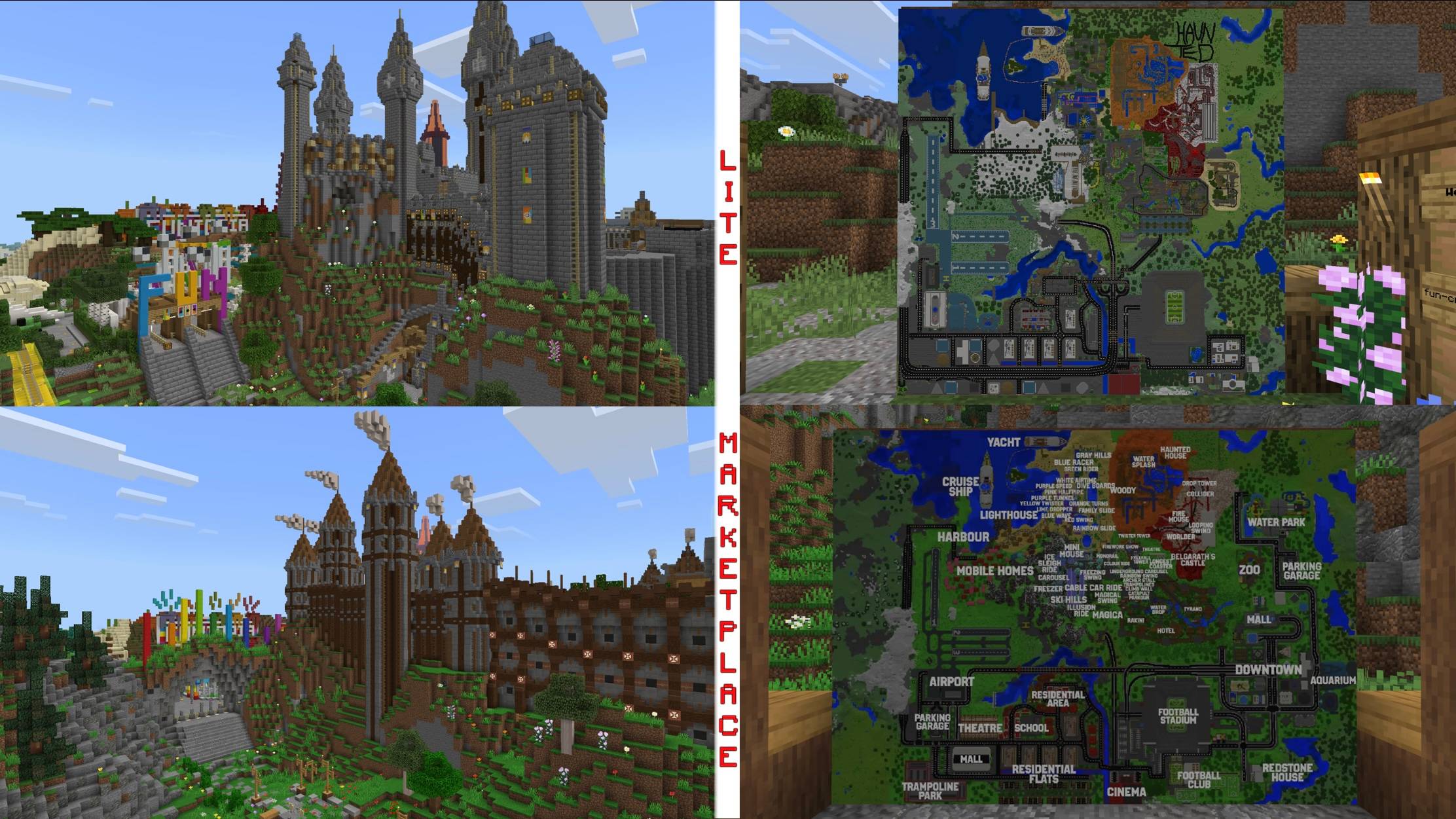
Funtopia World에 오신 것을 환영합니다 - 모든 것을 갖춘 세계! 50개 이상의 놀이기구와 2척의 유람선이 있는 Funtopia Park의 12개 테마 구역에 들어가거나 Funtopia City로 가서 트램폴린 파크, 동물원, 쇼핑몰, 영화관, 극장, 경기장, 워터파크 또는 아쿠아리움에 입장하세요!
Funtopia World 맵 정보
Welcome to Funtopia World - The world that has it all! Enter Funtopia Park's 12 themed areas with more than 50 rides and 2 cruise ships or go to Funtopia City and enter a trampoline park, zoo, mall, cinema, theatre, stadium, water park or an aquarium!
First released on October 31st 2018 as a theme park, Funtopia World now includes a big city! And on top of that: an updated version is now available on the official Minecraft Marketplace!
Funtopia World 설치 방법
With Millida Launcher
Install Millida Launcher
The launcher is free: download it at millida.net/launcher and sign in with any nickname.
Click “Install” on this page
The launcher opens and installs the map for Minecraft 1.20–1.21.101 automatically.
Launch the game
A profile with it appears in the launcher: click “Play”.
Manually
Download the map archive
Pick the file Funtopia World LITE.mcworld (43 MB).
Unpack it into the saves folder
The world folder (with level.dat inside) must sit directly in .minecraft/saves.
Open the world
“Singleplayer”: the map will be in your world list.
On a server
Replace the world folder
Stop the server and put the map folder in place of world (or set its name in level-name).
Use the “To server” button
On Millida Hosting, the button at the top of the page uploads the file to your server and restarts it for you.
버전
의존성 포함
| Minecraft | 로더 | 파일 | 날짜 | 작업 |
|---|---|---|---|---|
| 1.21.101 | — | Funtopia World LITE.mcworld43 MB |
FAQ
Which Minecraft versions does Funtopia World work on?
There are files for 1.21.101, 1.21, 1.20. The newest is 1.21.101.
Where can I download Funtopia World safely?
On this page: the file Funtopia World LITE.mcworld (43 MB) is stored on Millida’s server, with no link shorteners. SHA-1 checksum: 7378bf2ebcbdafead6cc13ee1bef37d5b6354300.
리뷰
Funtopia World의 첫 평가를 남겨 보세요



