
Minecraft 1.21.80용 Fantasy Medieval City 지도
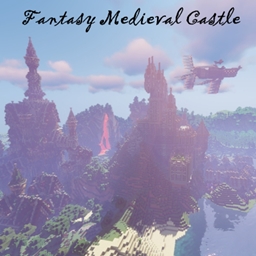
판타지 중세 성 v.1.28.1. 수많은 거대 구조물이 있는 크리에이티브 맵. 탐험과 생존의 정수.
Fantasy Medieval City 맵 정보
Fantasy Medieval is a creative map, created from scratch where we can find enormous structures decorated in detail.
The map has several updates, where different structures of various styles have been introduced.
We highlight structures from previous updates such as: The main village, with houses in the surrounding area; flying islands with buildings, a large industrial and energy area, a large port city, a Japanese mansion with its floating port, and many more structures.
With the <mark class="marker-green">new update</mark> we will be able to highlight much larger structures:
- Flying boats have been added: a sailing boat, a large double boat and two Japanese-style boats.
- Two large castles together, with their respective abandoned villages.
- A city sunk in the sea, wrapped in roots.
- A floating mesh temple.
- A large ice city.
Fantasy Medieval A has had several updates, in which structures have been added and the size of the map increased significantly.
You can highlight large structures such as: The island of statues, the port city, the industrial and energy zone, small houses and towns, our desert town, the great tower of the magicians, floating islands and many more structures.
With the <mark class="marker-green">new update</mark>, many more creations have been added, decorated and set in the medieval style.
These creations are the following:
- A large ice city has been created, large and created on top of a rock.
- Two large castles have been built, close to each other, with a small lava waterfall and decorated (but the interiors are abandoned).
- A city submerged and protected by large roots that cover it.
- A floating mesh temple, decorated and illuminated.
- Three different flying ships: A flying sailboat, a double zeppelin-style boat and Two Japanese style boats
Fantasy Medieval City 설치 방법
With Millida Launcher
Install Millida Launcher
The launcher is free: download it at millida.net/launcher and sign in with any nickname.
Click “Install” on this page
The launcher opens and installs the map for Minecraft 1.21.80 automatically.
Launch the game
A profile with it appears in the launcher: click “Play”.
Manually
Download the map archive
Pick the file Fantasy Medieval 1.21.8.mcworld (42 MB).
Unpack it into the saves folder
The world folder (with level.dat inside) must sit directly in .minecraft/saves.
Open the world
“Singleplayer”: the map will be in your world list.
On a server
Replace the world folder
Stop the server and put the map folder in place of world (or set its name in level-name).
Use the “To server” button
On Millida Hosting, the button at the top of the page uploads the file to your server and restarts it for you.
버전
의존성 포함
| Minecraft | 로더 | 파일 | 날짜 | 작업 |
|---|---|---|---|---|
| 1.21.80 | — | Fantasy Medieval 1.21.8.mcworld41.8 MB |
FAQ
Which Minecraft versions does Fantasy Medieval City work on?
Only Minecraft 1.21.80: there are no files for other versions.
Where can I download Fantasy Medieval City safely?
On this page: the file Fantasy Medieval 1.21.8.mcworld (42 MB) is stored on Millida’s server, with no link shorteners. SHA-1 checksum: bd4437dba3c1daa175a89b86f37674bdb35c8349.
리뷰
Fantasy Medieval City의 첫 평가를 남겨 보세요



