

CorewarMC 맵 정보
Disclaimer:
You are allowed to play and record on CorewarMC.
What you are NOT allowed to do:
- Claim the map as your creation.
- Redistribute the map without our consent.
- Modify the map.
- Modify the datapack.
- Make money with our map. (e.g. using CorewarMC in a minecraft network with in-game ranks)
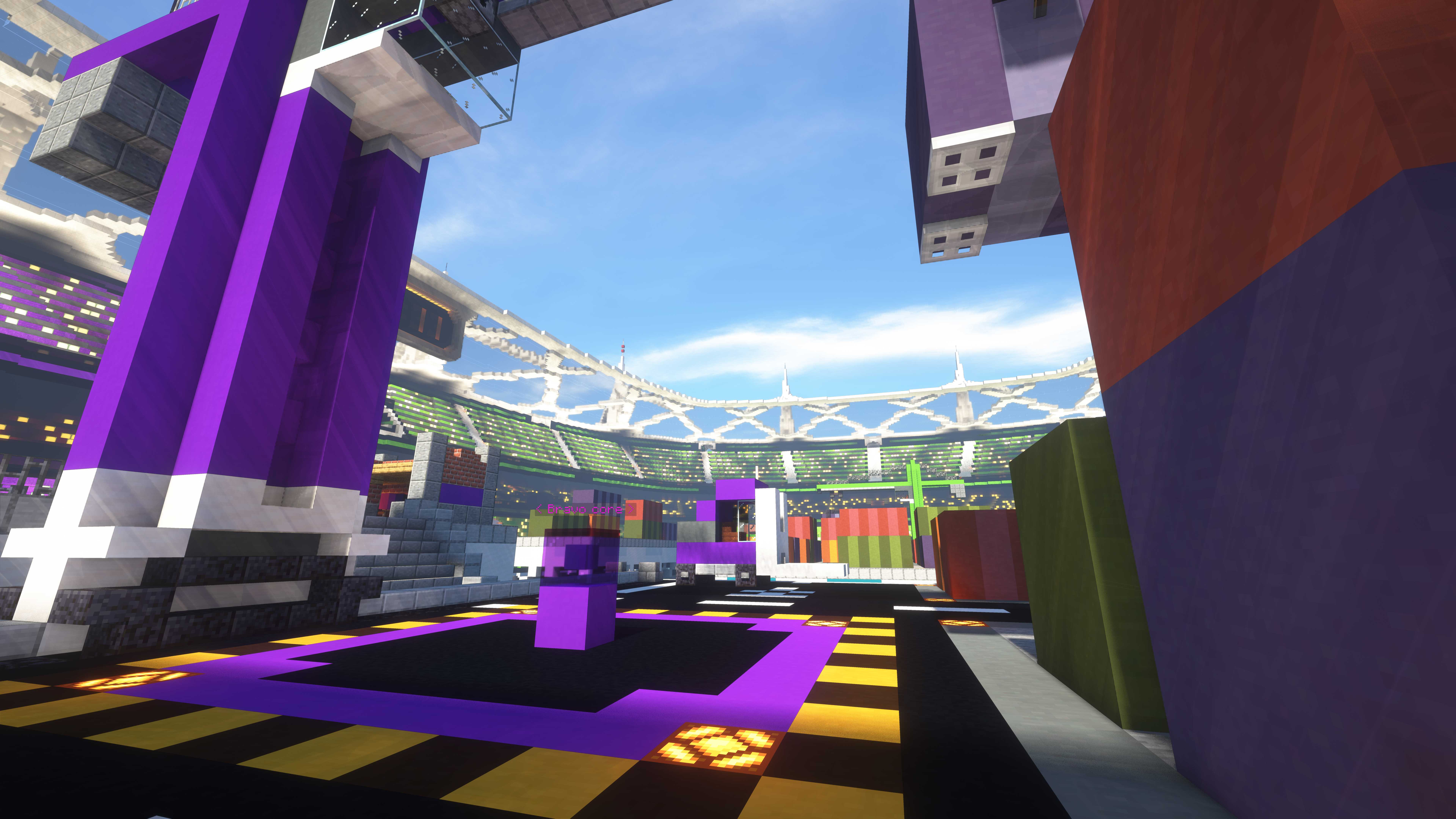
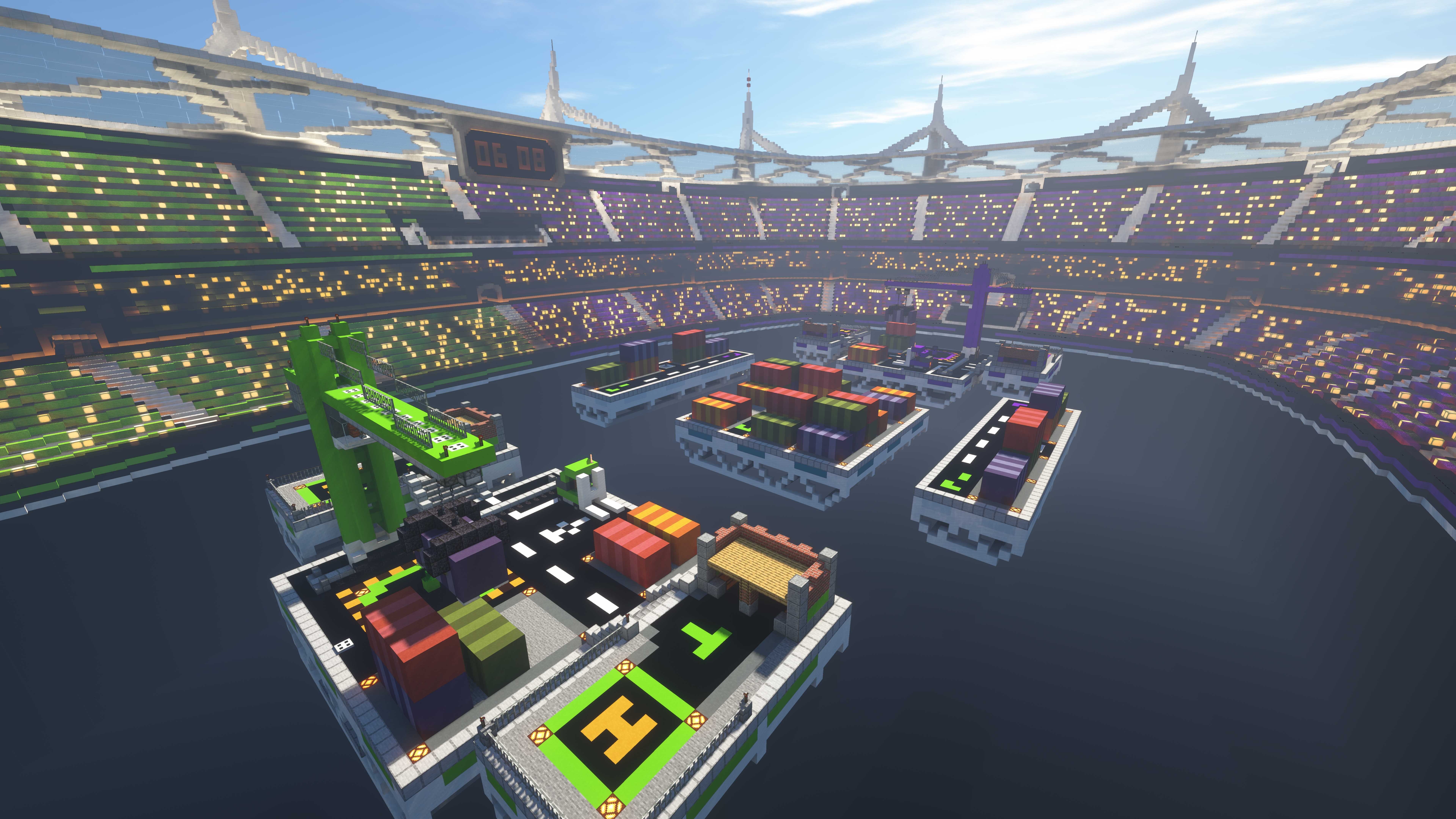
Like Rush or The Tower, CorewarMC is a void based PVP map where two teams clash in order to destroy the enemy core. Each base has chests with stuff (blocks, redstone, etc) to prepare attacks or build your defences. When you die, you can access a shop with limited supply to sneak in the enemy team or defend your base. Other useful resources are available at the middle of the map. Beware! Dying gives 1 shopping point to all your enemies, so suicide is not an option.
We recommend you to play from 3v3 to 5v5.
Your objective is to destroy the enemy core and defend yours. By default, every 5 minutes your respawn time increase by 5 seconds until reaching 30 seconds. When the timer reach 0, cores will enter in overload. By default in this phase, cores will lose 1hp every 5 seconds and respawn time will return to 5 seconds. NOW a draw can be triggered if both core reach 0hp at the same time.
We are currently reconcidering this gamemode. Is it cool enought? Is it fun? Is it played? And do we have to rework the arena? This gamemode could be re-imlplemented if all the previous questions are answered.
Corewar 2.0 trailer by Uranium_49.
Join us on Guilded:
CorewarMC 설치 방법
With Millida Launcher
Install Millida Launcher
The launcher is free: download it at millida.net/launcher and sign in with any nickname.
Click “Install” on this page
The launcher opens and installs the map for Minecraft 1.19.3 automatically.
Launch the game
A profile with it appears in the launcher: click “Play”.
Manually
Download the map archive
Pick the file corewarmc_2.1.3.zip (15 MB).
Unpack it into the saves folder
The world folder (with level.dat inside) must sit directly in .minecraft/saves.
Open the world
“Singleplayer”: the map will be in your world list.
On a server
Replace the world folder
Stop the server and put the map folder in place of world (or set its name in level-name).
Use the “To server” button
On Millida Hosting, the button at the top of the page uploads the file to your server and restarts it for you.
버전
의존성 포함
| Minecraft | 로더 | 파일 | 날짜 | 작업 |
|---|---|---|---|---|
| 1.19.3 | — | CorewarMC 2.1.315.3 MB |
FAQ
Which Minecraft versions does CorewarMC work on?
Only Minecraft 1.19.3: there are no files for other versions.
Where can I download CorewarMC safely?
On this page: the file corewarmc_2.1.3.zip (15 MB) is stored on Millida’s server, with no link shorteners. SHA-1 checksum: 6df48d9b1bb954e21ac5fc4021376b5f12245020.
리뷰
CorewarMC의 첫 평가를 남겨 보세요



