

Minecraft 1.20.1, 1.21.1용 Undeepslated 데이터 팩
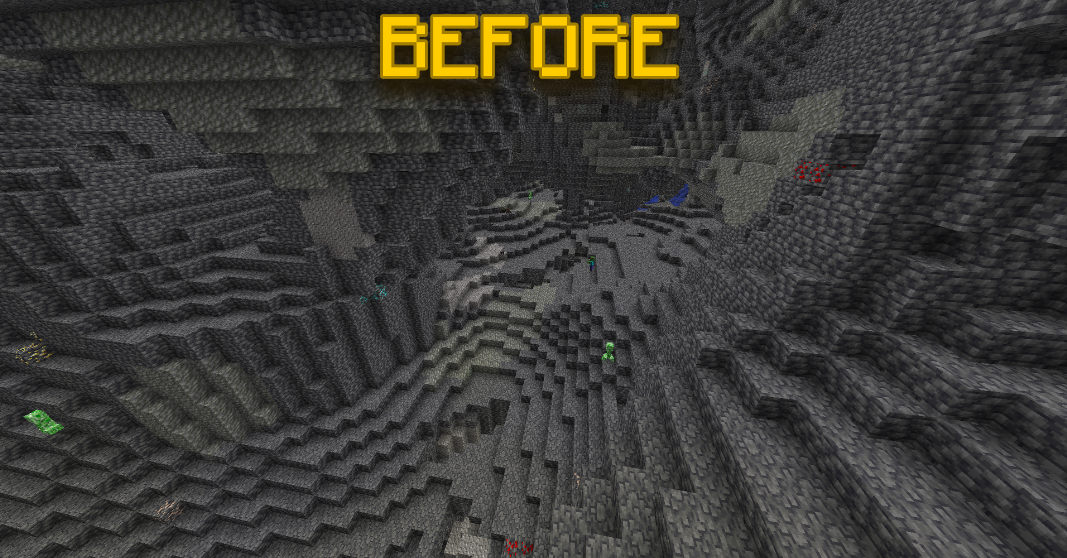
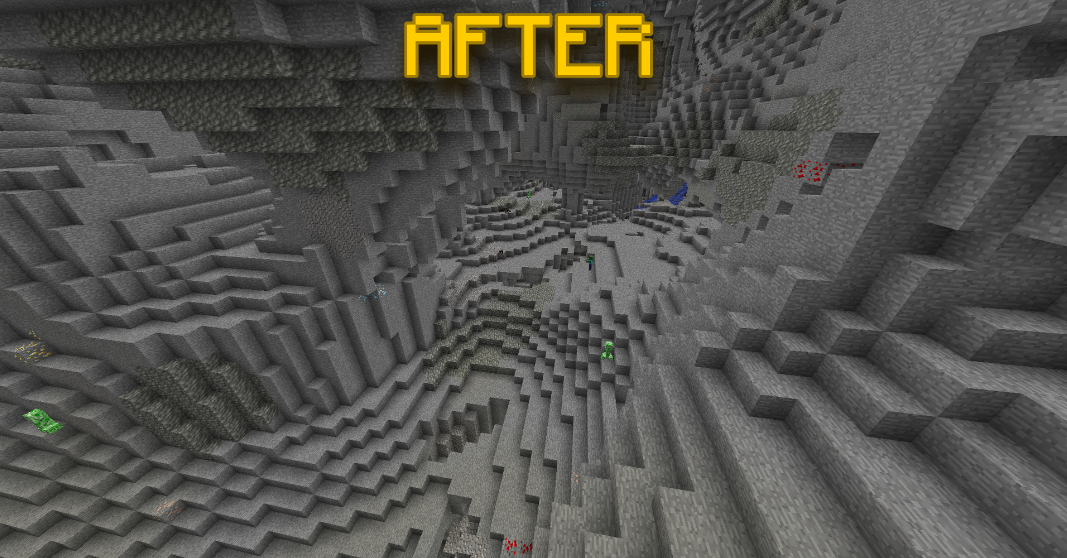
깊은 지하의 심층암을 일반 돌로 바꿔주는 간단한 데이터팩/모드!
- 조회수
- 24 조회수
- 업데이트됨
- 업데이트됨 26.09.2026
- 1.18 — 1.21.11
 데이터 팩
데이터 팩- 클라이언트와 서버
Undeepslated | By Wilozyx
Undeepslated is a world-generation-focused datapack & mod which aims to remove deepslate blocks and deepslate ores from the underground of worlds, instead, Y levels -64 to 0 are generated with regular stone, aswell as regular stone ores!
Undeepslated is very simplistic and only alters the overworld's noise settings & configured placed ore features, datapacks/mods that change/add/remove things like biomes, structures, features, etc should work!
Made with ❤️

NOTE:
All my work is 100% public property, feel free to use this in your own modpacks/datapacks, or edit/modify/tweak it as much as you like!

SOCIALS:
- Youtube: [[YT LINK]](https://www.youtube.com/@wilozyx)
- Planet Minecraft: [[PMC LINK]](https://www.planetminecraft.com/member/wilozyx/)
- Curseforge: [[CF LINK]](https://www.curseforge.com/members/wilozyx/projects)
- Discord: Wilozyx
( Feel free to message me on discord for any issues, suggestions, etc! <3 )
Undeepslated 설치 방법
With Millida Launcher
Install Millida Launcher
The launcher is free: download it at millida.net/launcher and sign in with any nickname.
Click “Install” on this page
The launcher opens and installs the data pack for Minecraft 1.18–1.21.11 automatically.
Launch the game
A profile with it appears in the launcher: click “Play”.
Manually
Download the archive
Pick the file Undeepslated - v1.0.0 - 1.21.11.zip (14 KB) for your game version.
New world: “Data Packs”
When creating a world, click “Data Packs”, drag the archive into the window, then move it to “Selected”.
Existing world: the datapacks folder
Put the archive into saves/<world>/datapacks and type /reload in game.
On a server
Archive goes into the server world’s datapacks
The world/datapacks folder on the server; players do not need to install anything.
Reload the data
Type /reload in the server console or restart the server.
Use the “To server” button
On Millida Hosting, the button at the top of the page uploads the file to your server and restarts it for you.
버전
의존성 포함
| Minecraft | 로더 | 파일 | 날짜 | 작업 |
|---|---|---|---|---|
| 1.21.11 | 데이터 팩 | 1.21.1113.8 KB | ||
| 1.21.10 | 데이터 팩 | 1.21.1013.8 KB | ||
| 1.21.1 | 데이터 팩 | 1.21.113.7 KB | ||
| 1.20.6 | 데이터 팩 | 1.20.613.7 KB | ||
| 1.19.4 | 데이터 팩 | 1.19.413.7 KB | ||
| 1.18.2 | 데이터 팩 | 1.18.213.7 KB |
FAQ
Which Minecraft versions does Undeepslated work on?
There are files for 1.18–1.21.11, 20 versions in total. The newest is 1.21.11.
Does Undeepslated work on a server?
Yes: the data pack goes into the datapacks folder of the server world, and players do not need to install anything.
Where can I download Undeepslated safely?
On this page: the file Undeepslated - v1.0.0 - 1.21.11.zip (14 KB) is stored on Millida’s server, with no link shorteners. SHA-1 checksum: 762a310f65ed7ec3e212c9ba3a85754e717cf7ce.
리뷰
Undeepslated의 첫 평가를 남겨 보세요


