

Minecraft 1.20.1, 1.21.1용 Trims Expanded 데이터 팩
Trims Expanded는 방어구 장식을 만들 때 사용되는 재료를 확장하여 바닐라 게임이 제공하는 것 이상으로 방어구 세트를 꾸밀 수 있게 하는 것을 목표로 합니다!
- 조회수
- 37 조회수
- 업데이트됨
- 업데이트됨 03.09.2026
- 1.20 — 1.21.3
 데이터 팩
데이터 팩- 클라이언트와 서버
Notice: I've been swamped with a lot of work and resposibilities as of late and can't currently commit any time to updating this datapack to later versions until further notice! Thank you for your support!
(Please make sure you install the required resource pack as it is needed for the data pack to function correctly!)

New Trim Materials!
Armadillo Scute
Breeze Rod
Coal
Dragon's Breath
Echo Shard
Enchanted Golden Apple
Ender Pearl
Fire Charge
Glowstone Dust
Leather
Nether Brick
Poisonous Potato
Popped Chorus Fruit
Prismarine Shard
Rabbit Hide
Slime Ball

New Patterns!
Pattern - Material - Obtain From
| Danger | Mossy Cobblestone | Dungeon | | Plated | Smooth Stone | Weaponsmith/Armourer Chest | | Shell | Sandstone | Buried Treasure | | Margin | Smooth Stone | Weaponsmith/Armourer Chest | | Verdant | Packed Mud | Sniffer Digging | | Heart | Pink Concrete | Cat Morning Gift | | ??? | Block of Emerald | Crafting | | ??? | Netherrack | Crafting | | ??? | Block of Gold | Crafting |
Hint for finding crafting recipes
Look closely at the gallery's preview images, you may find the required items in them.
Once you have them, use those instead of a template in their crafting recipes!
This data pack is compatible with:
(Make sure to place the Trims Expanded resource pack above other packs if you're using them!)
- Trimmable Tools (Apollo)
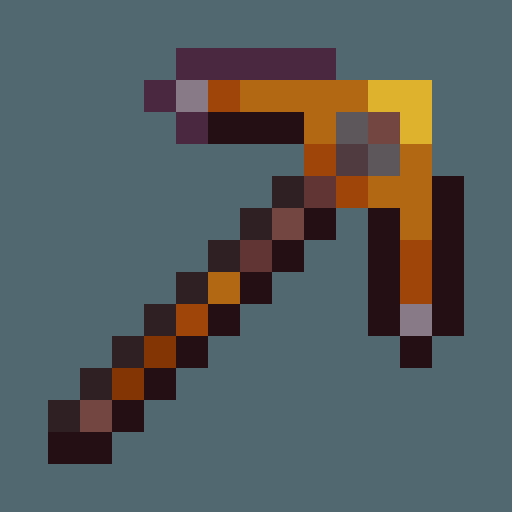
- Patterns do not currently work with tools.
Trimmable Tools Config
"patterns": [ "minecraft:bolt", "minecraft:coast", "minecraft:dune", "minecraft:eye", "minecraft:flow", "minecraft:host", "minecraft:raiser", "minecraft:rib", "minecraft:sentry", "minecraft:shaper", "minecraft:silence", "minecraft:snout", "minecraft:spire", "minecraft:tide", "minecraft:vex", "minecraft:ward", "minecraft:wayfinder", "minecraft:wild", "trimsexpanded:danger", "trimsexpanded:plated", "trimsexpanded:shell", "trimsexpanded:margin", "trimsexpanded:verdant", "trimsexpanded:heart", "trimsexpanded:drip", "trimsexpanded:suspicious", "trimsexpanded:pride" ], "materials": [ "minecraft:amethyst", "minecraft:copper", "minecraft:diamond", "minecraft:emerald", "minecraft:gold", "minecraft:iron", "minecraft:lapis", "minecraft:netherite", "minecraft:quartz", "minecraft:redstone", "trimsexpanded:coal", "trimsexpanded:echo", "trimsexpanded:ender", "trimsexpanded:glowstone", "trimsexpanded:leather", "trimsexpanded:netherbrick", "trimsexpanded:prismarine", "trimsexpanded:rabbit", "trimsexpanded:slime", "trimsexpanded:flame", "trimsexpanded:dragon", "trimsexpanded:rainbow", "trimsexpanded:armadillo", "trimsexpanded:breeze", "trimsexpanded:amberpotato", "trimsexpanded:chorus" ] }
- Elytra Trims (KikuGie)
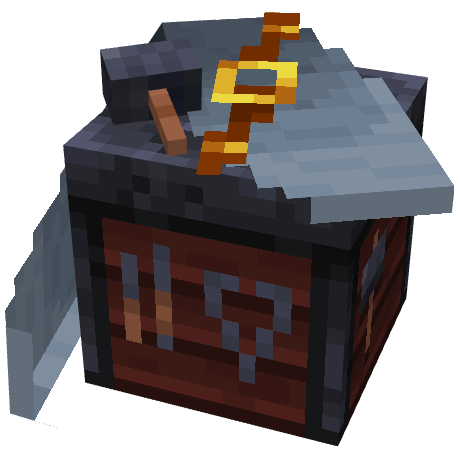
- Only on versions before 1.21.2.
- More Armor Trims (masik16u)

- TaTe's Extra Trims (AverageTaTeMan)
- The material switching and removing trim mechanics introduced with this data pack do not work with the new materials added by Trims Expanded.
- Frost Armour Trim (SingularityGames)
- Alex's Caves (AlexModGuy, Noonyeyz)

Trims Expanded 설치 방법
With Millida Launcher
Install Millida Launcher
The launcher is free: download it at millida.net/launcher and sign in with any nickname.
Click “Install” on this page
The launcher opens and installs the data pack for Minecraft 1.20–1.21.3 automatically.
Launch the game
A profile with it appears in the launcher: click “Play”.
Manually
Download the archive
Pick the file Trims Expanded Datapack v1_4_1.zip (138 KB) for your game version.
New world: “Data Packs”
When creating a world, click “Data Packs”, drag the archive into the window, then move it to “Selected”.
Existing world: the datapacks folder
Put the archive into saves/<world>/datapacks and type /reload in game.
On a server
Archive goes into the server world’s datapacks
The world/datapacks folder on the server; players do not need to install anything.
Reload the data
Type /reload in the server console or restart the server.
Use the “To server” button
On Millida Hosting, the button at the top of the page uploads the file to your server and restarts it for you.
버전
의존성 포함
| Minecraft | 로더 | 파일 | 작업 |
|---|---|---|---|
| 1.21 | 데이터 팩 | 1.21138 KB | |
| 1.20.1 | 데이터 팩 | 1.20.1138 KB |
실행에 필요한 것
- Dependency선택 사항
- Dependency선택 사항
FAQ
Which Minecraft versions does Trims Expanded work on?
There are files for 1.20–1.21.3, 11 versions in total. The newest is 1.21.3.
Does Trims Expanded work on a server?
Yes: the data pack goes into the datapacks folder of the server world, and players do not need to install anything.
Where can I download Trims Expanded safely?
On this page: the file Trims Expanded Datapack v1_4_1.zip (138 KB) is stored on Millida’s server, with no link shorteners. SHA-1 checksum: 91d9378e27f2dfb034c050a28cf46e97a1230f6e.
리뷰
Trims Expanded의 첫 평가를 남겨 보세요


