

Minecraft 1.21.1, 1.21용 Random Mob Sizes 데이터 팩
세계의 모든 몹 크기를 무작위로 만드세요. (원하는 대로 설정할 수 있습니다) [최적화 + 호환성]
- 조회수
- 52 조회수
- 업데이트됨
- 업데이트됨 26.09.2026
- 1.21 — 26.3
 데이터 팩
데이터 팩- 클라이언트와 서버
Random Mob Sizes
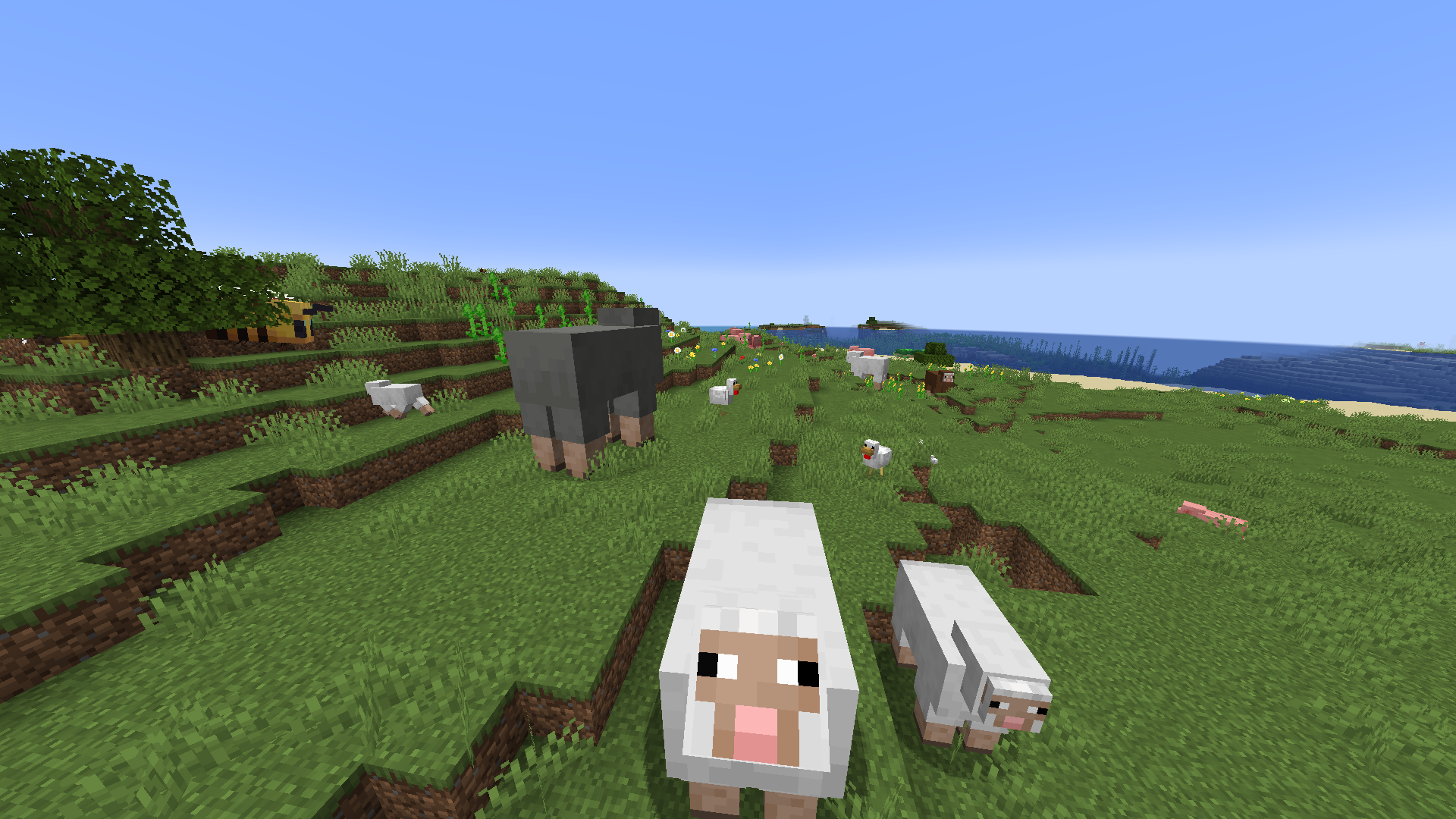
This datapack provides a funny game experience by randomizing every mob sizes in your world! 🎲 🎮
The default scale is 0.75-1.25 but can be configured as you want with the command /function random_mob_sizes:config ⚙️
The datapack is optimized, meaning it do not add any lag to your world/server! ⚡️
You can also configure per-mob behavior to fine‑tune size ranges and health scaling for specific entities. 🎯

Configuration ⚙️
Run the helper command to configure the pack:
- ▶️ Execute /function random_mob_sizes:config
- 💬 This prints clickable messages in chat that prefill commands you can edit and send.
What you can configure (from the in-game helper):
- 📏 Value range for sizes: 0.0625 – 16.0
- 🌐 Default global range: min_size = 0.75, max_size = 1.25
- ❤️ Health scaling toggle: whether mob health scales with their size (enabled by default)
- 🏃 Speed scaling toggle: whether mob movement speed scales with their size (disabled by default)
- ⚔️ Damage scaling toggle: whether mob attack damage scales with their size (disabled by default)
Global settings examples 🛠️:
- ➖📏 Set minimum size
- /data modify storage random_mob_sizes:config min_size set value 0.75
- ➕📏 Set maximum size
- /data modify storage random_mob_sizes:config max_size set value 1.25
- 🔁❤️ Enable/disable health scaling
- /data modify storage random_mob_sizes:config health_scale set value false
- Use true to enable, false to disable.
- 🔁🏃 Enable/disable speed scaling
- /data modify storage random_mob_sizes:config speed_scale set value true
- Use true to enable, false to disable.
- 🔁⚔️ Enable/disable damage scaling
- /data modify storage random_mob_sizes:config damage_scale set value true
- Use true to enable, false to disable.
Per-mob overrides (optional) 🐾:
- 🧬 You can override the global settings for a specific mob type. Provide any subset of keys; omitted keys fall back to the global values.
- 🐔 Example for chickens:
- /data modify storage random_mob_sizes:config mobs."minecraft:chicken" set value {min_size:0.75,max_size:1.25,health_scale:true,speed_scale:false,damage_scale:false}
- 🔁 Replace minecraft:chicken with the desired entity ID (e.g., minecraft:zombie).
💡 Tip: You can re-run /function random_mob_sizes:config at any time to show the clickable helpers again.
Technical / Compatibility 🔧
Mobs concerned by the datapack are:
- mobs with a "Brain" NBT 🧠
- not players 👤
- not armor stands 🛡️
- not entities having the following Tags: random_mob_sizes.checked, smithed.entity, smithed.strict, global.ignore 🏷️
Meaning modded mobs can be concerned! 🎯
If you want to revert all loaded entities to their original size, you can type /execute as @e run attribute @s scale base reset.
Random Mob Sizes 설치 방법
With Millida Launcher
Install Millida Launcher
The launcher is free: download it at millida.net/launcher and sign in with any nickname.
Click “Install” on this page
The launcher opens and installs the data pack for Minecraft 1.21–26.3 automatically.
Launch the game
A profile with it appears in the launcher: click “Play”.
Manually
Download the archive
Pick the file RandomMobSizes_datapack.zip (20 KB) for your game version.
New world: “Data Packs”
When creating a world, click “Data Packs”, drag the archive into the window, then move it to “Selected”.
Existing world: the datapacks folder
Put the archive into saves/<world>/datapacks and type /reload in game.
On a server
Archive goes into the server world’s datapacks
The world/datapacks folder on the server; players do not need to install anything.
Reload the data
Type /reload in the server console or restart the server.
Use the “To server” button
On Millida Hosting, the button at the top of the page uploads the file to your server and restarts it for you.
버전
의존성 포함
| Minecraft | 로더 | 파일 | 날짜 | 작업 |
|---|---|---|---|---|
| 26.3 | 데이터 팩 | 26.320 KB | ||
| 26.3 | 데이터 팩 | 26.319.7 KB | ||
| 26.2 | 데이터 팩 | 26.219.9 KB | ||
| 26.1 | 데이터 팩 | 26.119.9 KB | ||
| 1.21.11 | 데이터 팩 | 1.21.1119.9 KB | ||
| 1.21 | 데이터 팩 | 1.2116 KB |
리뷰
Random Mob Sizes의 첫 평가를 남겨 보세요


