

Minecraft 1.21.1, 1.21용 Ore Detector 데이터 팩
이 데이터팩은 게임에 광물 탐지기를 추가합니다. 광물 탐지기는 근처에 광물이 있는지 보여줍니다.
- 조회수
- 38 조회수
- 업데이트됨
- 업데이트됨 20.08.2025
- 1.21 — 26.2
 데이터 팩
데이터 팩- 클라이언트와 서버
💎 Ore Detector
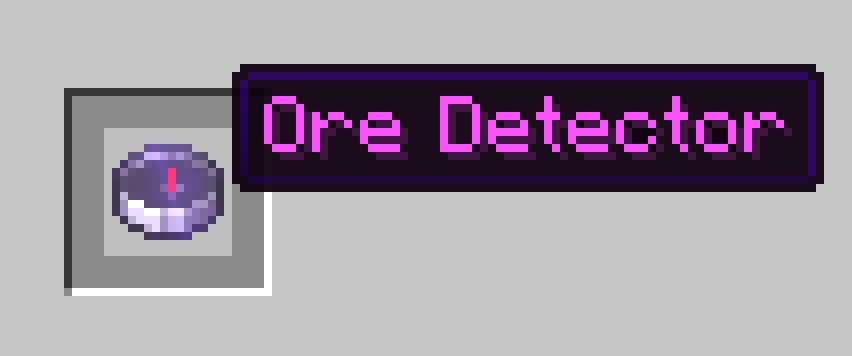
This datapack adds ore detector to the game. The ore detector shows if there is ore nearby.
✨ Features
- Ore detection up to 10x10x10 blocks
- Detection within 5 seconds
- 5 seconds cooldown
- !! The compass does not show the location of the ore !!
- Detecting deepslate ores

🧪 Recipe
You can get ore detector by placing the items in the crafting table with a compass in the middle and amethyst on all 4 sides.

💠 Ore Values
- Diamond:★★★★
- Deepslate Diamond:★★★★
- Emerald:★★★☆
- Deepslate Emerald:★★★★★★★★★★
- Gold:★★★☆
- Deepslate Gold:★★★☆
- Lapis:★★☆☆
- Deepslate Lapis:★★☆☆
- Redstone:★★☆☆
- Deepslate Redstone:★★☆☆
- Iron:★★☆☆
- Deepslate Iron:★★☆☆
- Coal:★☆☆☆
- Deepslate Coal:★☆☆☆
- Copper:★☆☆☆
- Deepslate Copper:★☆☆☆

🧱 Compatibility
- This datapack works on versions 1.21.2 and above
📦 Installation
- Download the datapack .zip file.
- Place it in your world's datapacks folder.
- Use /reload after joining the world.
- You're all set! Move around and see your coordinates at the bottom of your screen.
🌐 ITITAN Hosting
💬 Feedback and Request
If you have a request or feedback, please write them in to my discord 3geetr.
Ore Detector 설치 방법
With Millida Launcher
Install Millida Launcher
The launcher is free: download it at millida.net/launcher and sign in with any nickname.
Click “Install” on this page
The launcher opens and installs the data pack for Minecraft 1.21–26.2 automatically.
Launch the game
A profile with it appears in the launcher: click “Play”.
Manually
Download the archive
Pick the file ore_detector_data_pack.zip (13 KB) for your game version.
New world: “Data Packs”
When creating a world, click “Data Packs”, drag the archive into the window, then move it to “Selected”.
Existing world: the datapacks folder
Put the archive into saves/<world>/datapacks and type /reload in game.
On a server
Archive goes into the server world’s datapacks
The world/datapacks folder on the server; players do not need to install anything.
Reload the data
Type /reload in the server console or restart the server.
Use the “To server” button
On Millida Hosting, the button at the top of the page uploads the file to your server and restarts it for you.
버전
의존성 포함
| Minecraft | 로더 | 파일 | 날짜 | 작업 |
|---|---|---|---|---|
| 26.2 | 데이터 팩 | 26.212.8 KB |
리뷰
Ore Detector의 첫 평가를 남겨 보세요


