

Minecraft 1.20.1, 1.21.1용 AFK Dim Names 데이터 팩
플레이어가 자리를 비우면 이름을 흐리게 표시합니다. 머리 위와 서버 목록에 표시됩니다.
- 조회수
- 38 조회수
- 업데이트됨
- 업데이트됨 02.09.2026
- 1.13 — 1.21.8
 데이터 팩
- 클라이언트와 서버
AFK Dim Names
An add-on for Detect AFK Players.
Dims player names when they go AFK. This works by adding them to a team called afk. If players are on a team already when they go AFK, they will not be added to the AFK team.
The afk team can be modified. An example is to add the "AFK" prefix or suffix to player names:
/team modify afk prefix "AFK "
By default, only the name color is changed. This is to give you the freedom to decide what you do and don't need!
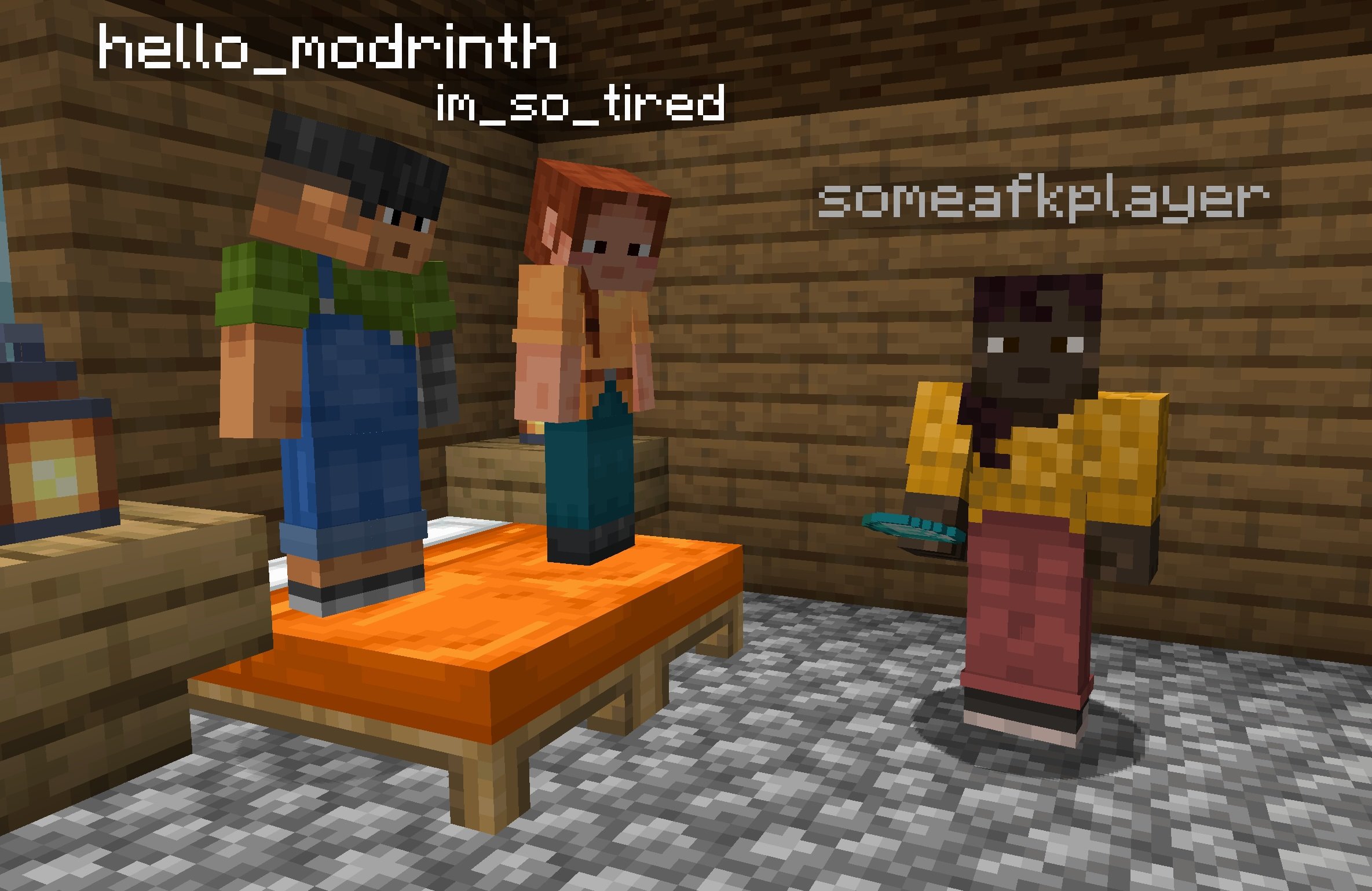
To disable collision with AFK players:
/team modify afk collisionRule never
This datapack is stupidly simple and is a good place to start if you want to see a reference for how to integrate with Detect AFK Players. The code is MIT licensed and open source, so feel free to modify it as you want.
AFK Dim Names 설치 방법
With Millida Launcher
Install Millida Launcher
The launcher is free: download it at millida.net/launcher and sign in with any nickname.
Click “Install” on this page
The launcher opens and installs the data pack for Minecraft 1.13–1.21.8 automatically, together with its dependencies: Detect AFK Players.
Launch the game
A profile with it appears in the launcher: click “Play”.
Manually
Download the archive
Pick the file afk-dim-names+v1.3.0+mc1.18-1.21.5.zip (52 KB) for your game version.
New world: “Data Packs”
When creating a world, click “Data Packs”, drag the archive into the window, then move it to “Selected”.
Existing world: the datapacks folder
Put the archive into saves/<world>/datapacks and type /reload in game.
On a server
Archive goes into the server world’s datapacks
The world/datapacks folder on the server; players do not need to install anything.
Reload the data
Type /reload in the server console or restart the server.
Use the “To server” button
On Millida Hosting, the button at the top of the page uploads the file to your server and restarts it for you.
버전
의존성 포함
| Minecraft | 로더 | 파일 | 날짜 | 작업 |
|---|---|---|---|---|
| 1.19.2 | 데이터 팩 | 1.19.252 KB | ||
| 1.18.2 | 데이터 팩 | 1.18.252 KB | ||
| 1.17.1 | 데이터 팩 | 1.17.13.3 KB | ||
| 1.15.2 | 데이터 팩 | 1.15.23.3 KB | ||
| 1.14.4 | 데이터 팩 | 1.14.43.3 KB | ||
| 1.16.5 | 데이터 팩 | 1.16.53.3 KB | — |
실행에 필요한 것
리뷰
AFK Dim Names의 첫 평가를 남겨 보세요


