
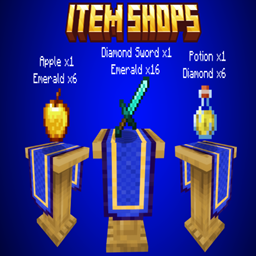
Minecraft 1.21.132용 Item Shops Addon
만들고, 팔고, 거래하세요! 이 애드온은 마인크래프트 베드락 에디션에 사용자 정의 상점을 추가합니다. 가격을 설정하고, 통화(에메랄드나 다이아몬드 등)를 선택하며, 사용하기 쉬운 UI로 판매를 관리하세요. 생존 월드와 멀티플레이 서버에 완벽합니다.
Item Shops Addon 애드온 정보
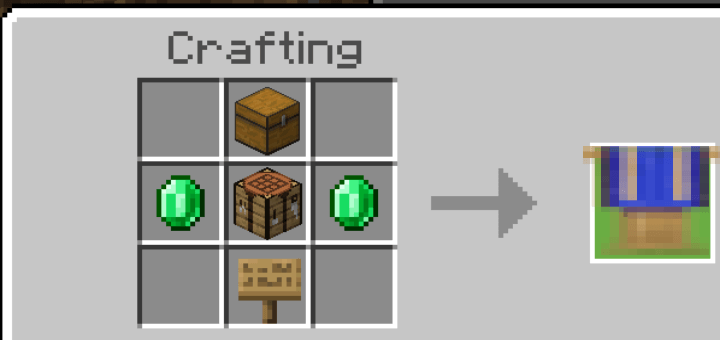
HOW TO CRAFT: -To craft the item shops you need a crafting table.
RECIPE: 1x Crafting Table 2x Emerald 1x Oak Sign 1x Chest
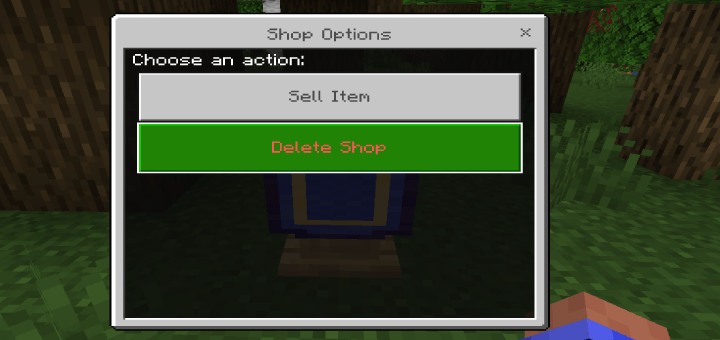
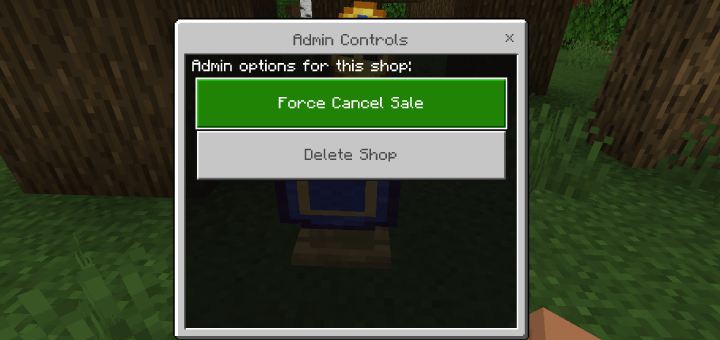
HOW TO REMOVE: -The shops are not breakable, to remove the shops there are 3 options
- Be the player that placed down the shop.
- Change gamemode to creative.
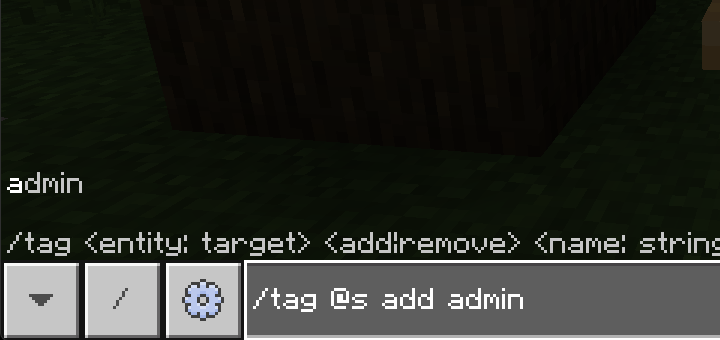
- Give yourself the admin tag using the command "/tag @s add admin"
when you have either one of those three options when you interact with the shops it will display the option to remove the shop. -When pressed it will drop the block and any item that was for sale.
To give yourself the admin tag use this command "/tag @s add admin"
HOW TO SELL: -To sell an item place the item you want to sell in your inventory and interact with the shop and select "Sell Item" -A dropdown will appear with all the items inyour inventory, select the item you want to sell and click "Submit"
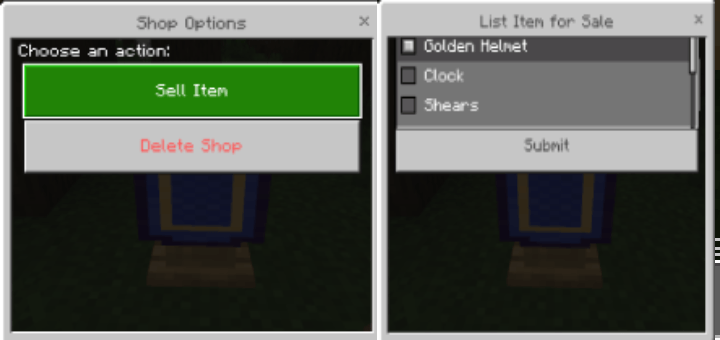
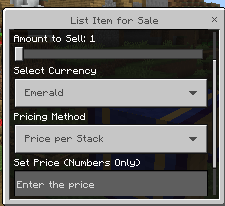
-When selling an item you get a few options
- "Shop name": this option allows you to rename your shop.
- "Amount to Sell": Sets the amount of the item you are selling.
- "Select Currency": Allows you to change what item you want to use as currency, to use a different item simply place the item in your inventory and it will be listed in the currency options.
- To sell items using scoreboard create a scoreboard and it will be list in the currency section.
- "Pricing method": allows you to sell each item individually or sell the whole stack by a set price
- "Set Price": Allows you to set the amount of the item you selected as currecy.
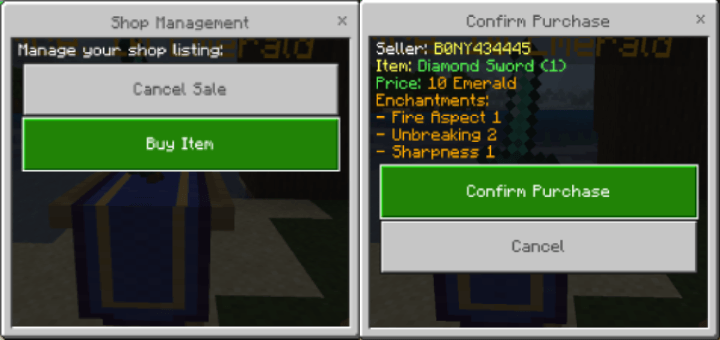
HOW TO CANCEL THE SALE: -If you place an item for sale and no longer wish to sell it interact with the shop and select "Cancel Sale". -The item that was for sale will return to your inventory.
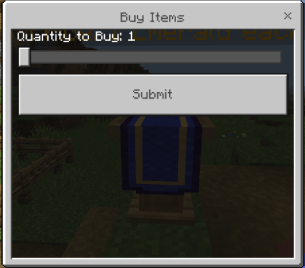
HOW TO BUY: -To buy the item you interact with the shop and select "Buy Item" you will get a confirmation page showing you the items you are buying and the price. -If you do not have enough of the item the player set as currency the sale will NOT gotrough and will be canceled.
- If the items are being sold individually you will get a form with
a slider, select the amount you want to purchase. each item is priced individually. -
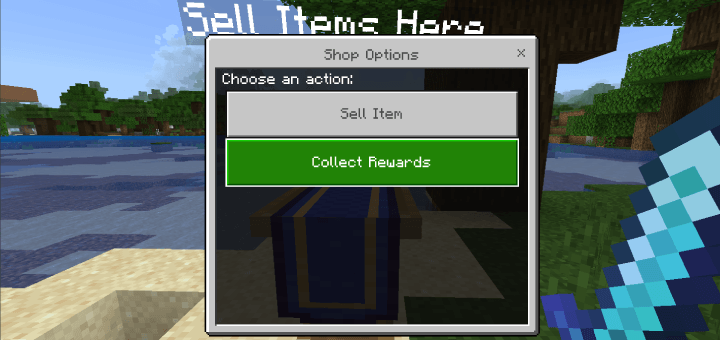
HOW TO COLLECT REWARD: -After the item has sold to collect your reward interact with any shop and select "Collect Rewards" and you will receive the rewards from all the items you have sold.
버전
| Minecraft | 로더 | 파일 | 날짜 | 작업 |
|---|---|---|---|---|
| 1.21.120 | — | Item Shops v3 by BONY162.mcaddon1.8 MB |
FAQ
Which Minecraft versions does Item Shops Addon work on?
There are files for 1.21.120–1.21.132, 8 versions in total. The newest is 1.21.132.
Where can I download Item Shops Addon safely?
On this page: the file Item Shops v3 by BONY162.mcaddon (1.8 MB) is stored on Millida’s server, with no link shorteners. SHA-1 checksum: 72275611214f97cd8b61ef4fd6573784ea01fd5b.
리뷰
Item Shops Addon의 첫 평가를 남겨 보세요
