

World Porter リソースパックについて
Unfortunately, due to recent changes to Minecraft: Bedrock's Ore UI in version 26.10, this pack is no longer guaranteed to work. If you have found a workaround, please let us know so we can inform the users on this page.
World Porter
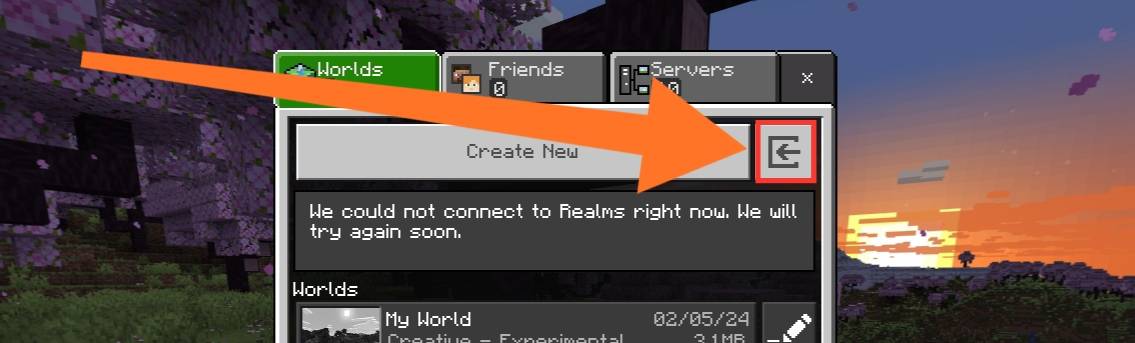
A simple texture pack to reveal the hidden world import and export buttons.
For mobile players who don't get a proper world import/export button.
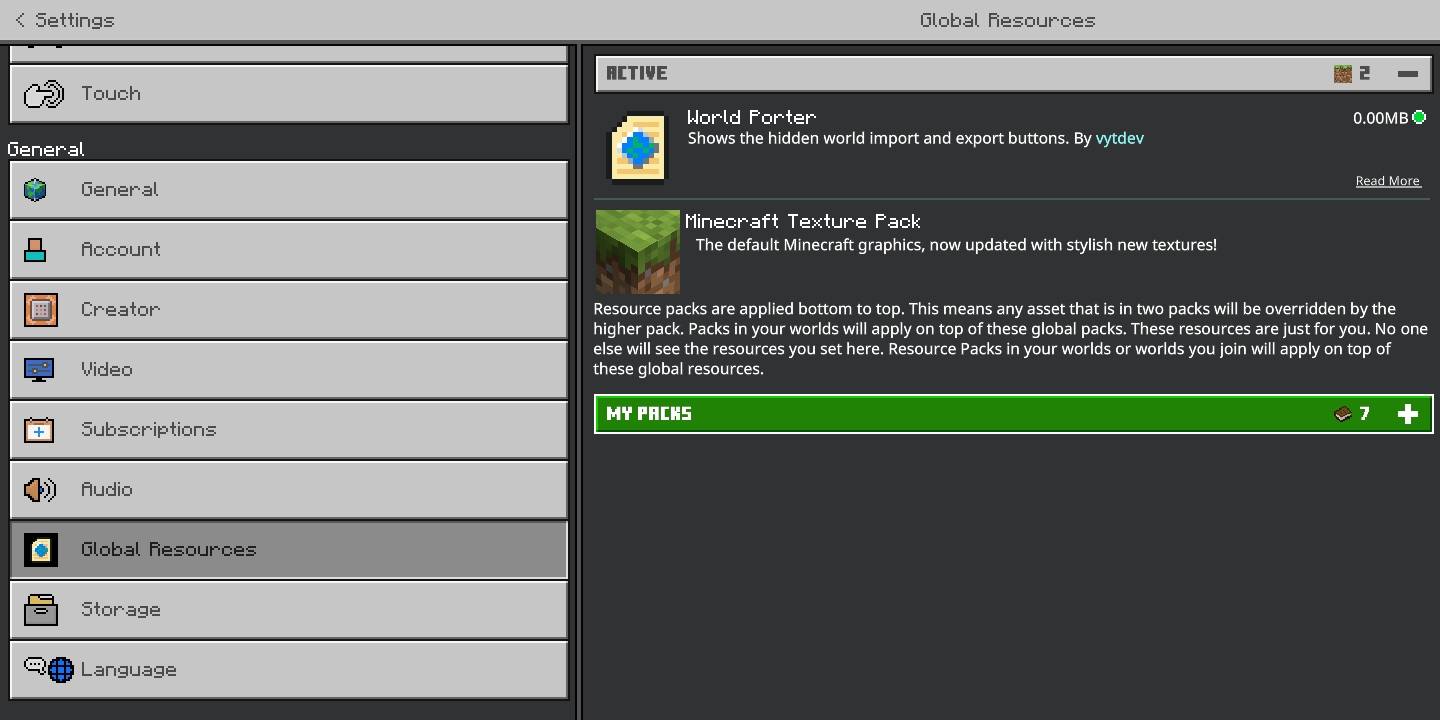
If you're on the recent Minecraft versions, you might have to open the world first (with this pack already enabled in Global Resources) then go to world settings, in order to access the Export World and Export Template buttons.
Features
This pack is useful when you're transferring your worlds from "Application" to "External Storage". This pack will show the following buttons:
- Import world button
- Export world button
- Export template button
This add-on has been tested and functions correctly with Minecraft: Bedrock Edition 1.20.50 and above, expected to work with 1.18 and above.
Screenshots
Import button (no longer visible after OreUI):
Export world and template button:
Installation
Follow these steps:
- Download the texture pack.
- Import to Minecraft.
- Open Settings » Global Resources, and activate the pack.
Now you're done setting it up!
License
Copyright (c) 2024-2026 Vincent Yanzee J. Tan. Licensed under the MIT License. See LICENSE for more details. You can view the source code here.
[alt1]: https://mcpedl.com/import-export-button-unhider-for-mcpe/
World Porterのインストール方法
With Millida Launcher
Install Millida Launcher
The launcher is free: download it at millida.net/launcher and sign in with any nickname.
Click “Install” on this page
The launcher opens and installs the resource pack for Minecraft 1.20.50–26.10 automatically.
Launch the game
A profile with it appears in the launcher: click “Play”.
Manually
Download the archive
Pick the file world-porter.mcpack (3 KB) for your game version. No need to unpack it.
Put it in the resourcepacks folder
The easiest way: “Options”, then “Resource Packs”, then “Open Pack Folder”, and drag the archive there.
Enable the pack
In the same window, move the pack to the right-hand “Selected” column and click “Done”.
バージョン
依存関係あり
| Minecraft | ローダー | ファイル | 日付 | 操作 |
|---|---|---|---|---|
| 1.21.30 | — | v1.0.12.7 KB |
レビュー
World Porterの最初の評価を書きませんか



