
Minecraft 26.40用Saturation リソースパック
このパックはMinecraftのテクスチャの彩度を高め、世界により豊かな色とより鮮やかで生き生きとした外観を与えながら、元の視覚スタイルをそのまま維持します。
Saturation
This pack boosts the saturation of Minecraft’s textures, making the world look more vibrant, colorful, and lively. It enhances blocks, items, and environments with richer tones while keeping the original style intact.
The saturation in the preview images was increased externally to make them look better. In-game textures will not appear that strong.
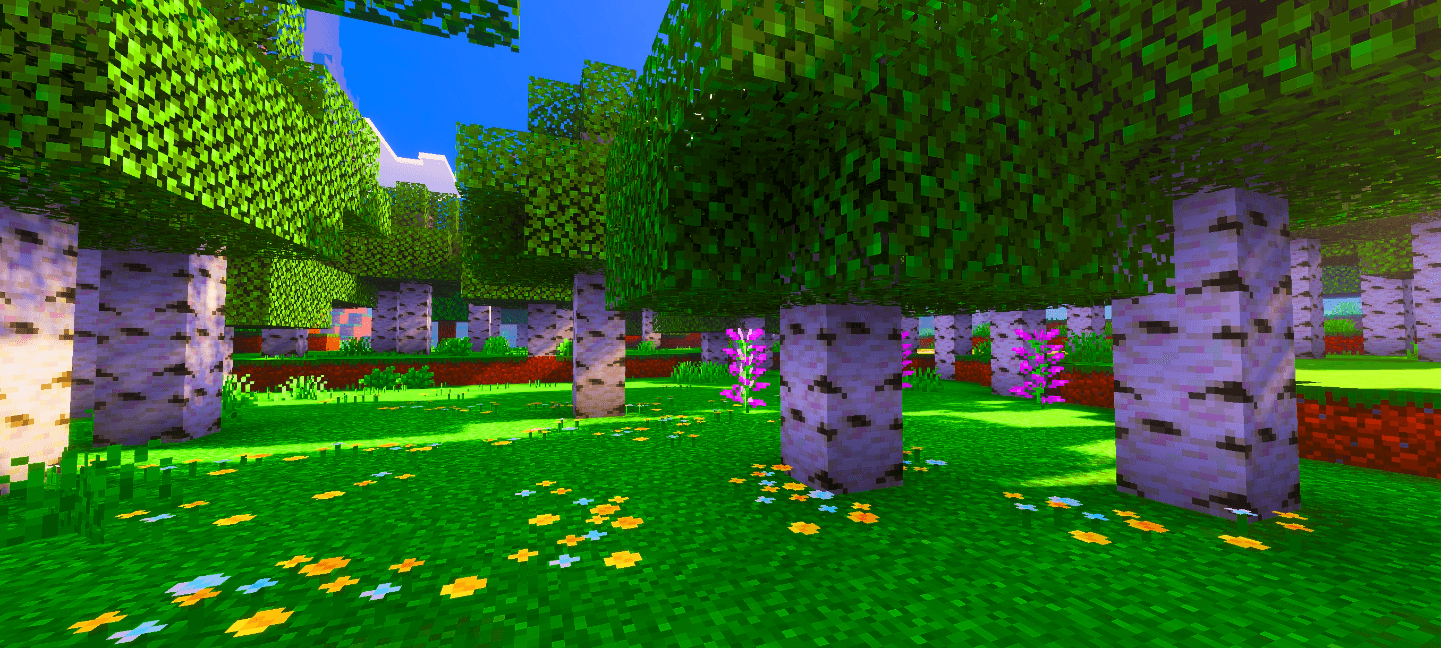
I will also release additional versions soon with different saturation levels, allowing you to choose how much saturation you prefer. This feature is still in development, so it may take some time, but updates will continue. If you have any feedback or want to report something, the comments section is open for you.

Saturationのインストール方法
With Millida Launcher
Install Millida Launcher
The launcher is free: download it at millida.net/launcher and sign in with any nickname.
Click “Install” on this page
The launcher opens and installs the resource pack for Minecraft 26.40 automatically.
Launch the game
A profile with it appears in the launcher: click “Play”.
Manually
Download the archive
Pick the file Saturation.mcpack (13 MB) for your game version. No need to unpack it.
Put it in the resourcepacks folder
The easiest way: “Options”, then “Resource Packs”, then “Open Pack Folder”, and drag the archive there.
Enable the pack
In the same window, move the pack to the right-hand “Selected” column and click “Done”.
バージョン
依存関係あり
| Minecraft | ローダー | ファイル | 日付 | 操作 |
|---|---|---|---|---|
| 26.40 | — | Saturation.mcpack13.2 MB 3 |
レビュー
Saturationの最初の評価を書きませんか



