
Minecraft 26.50用Outline Visuals リソースパック
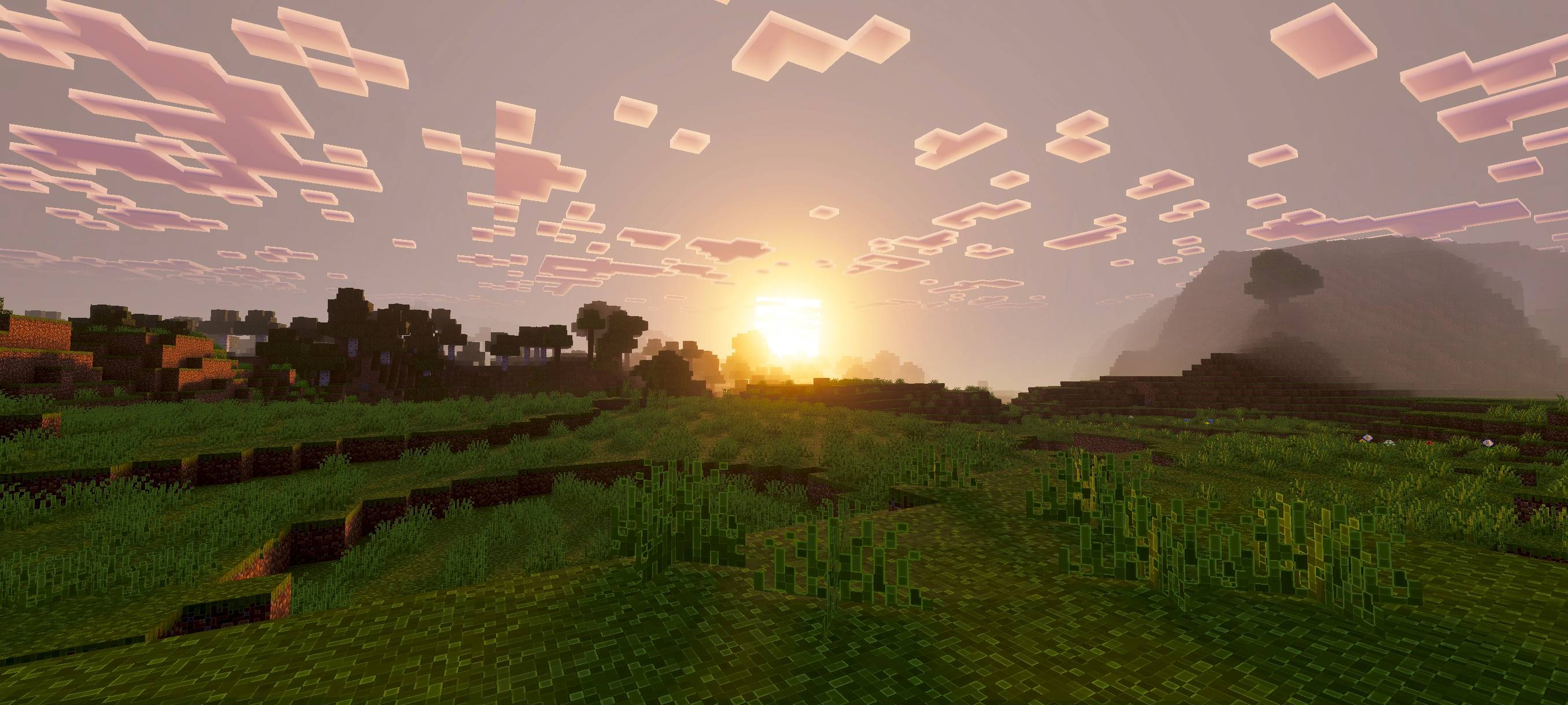
このパックは、よりクリーンな色、より滑らかなライティング、改善された水の見た目、ブロックを際立たせるシャープな輪郭でゲームの雰囲気を高め、より美的で没入感のある世界を作り出し、より良いゲームプレイを実現します。
Outline Visuals
Outline Visuals enhances Minecraft’s atmosphere with cleaner colors, smoother lighting, improved water effects, and sharp outlines that make blocks and items stand out. This pack makes the world more immersive, warm, and visually appealing.
If you want the standalone outline-only version, download Outline Texture Pack.
Note
To use this pack, you must keep Vibrant Visuals enabled. Without it, shader and visual effects will not work.

Outline Visualsのインストール方法
With Millida Launcher
Install Millida Launcher
The launcher is free: download it at millida.net/launcher and sign in with any nickname.
Click “Install” on this page
The launcher opens and installs the resource pack for Minecraft 26.50 automatically.
Launch the game
A profile with it appears in the launcher: click “Play”.
Manually
Download the archive
Pick the file Outline Visuals Low.mcpack (14 MB) for your game version. No need to unpack it.
Put it in the resourcepacks folder
The easiest way: “Options”, then “Resource Packs”, then “Open Pack Folder”, and drag the archive there.
Enable the pack
In the same window, move the pack to the right-hand “Selected” column and click “Done”.
バージョン
依存関係あり
| Minecraft | ローダー | ファイル | 日付 | 操作 |
|---|---|---|---|---|
| 26.50 | — | Outline Visuals Low.mcpack14.5 MB |
レビュー
Outline Visualsの最初の評価を書きませんか



