

Minecraft 26.40用Glowing Tools リソースパック
光る鉱石を採掘しても、作ったツールが実際に光を放たないのでは意味がありませんよね?
Glowing Tools リソースパックについて
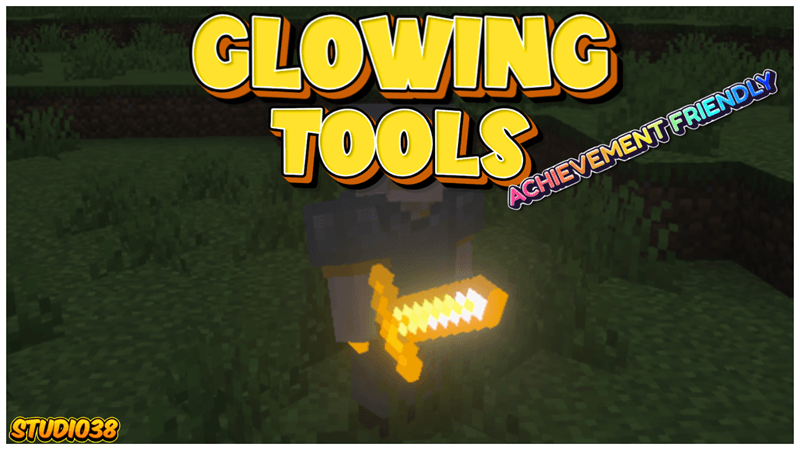
Project Description:
What is the point of mining glowing ores when the tools you craft do not actually emit light? With this texture pack, your hard-earned gear will finally shine as brightly as the materials used to create them, adding a vibrant and immersive aesthetic to your world.
Important Information:
- 💯This Project is 100% achievement compatible.
- ✅No Experiments will need to be activated to play.
- 👨‍💼No Player files are used in this project.
- 💫Vibrant Visuals will need to be activated for some features.
- 💡All tools have a glow.
- ⭐Lightweight project.
- 💻Have something to say? Join the Discord.


All Iron, Gold, Diamond and Netherite tools will Glow, even when placed on the floor.
Glowing Toolsのインストール方法
With Millida Launcher
Install Millida Launcher
The launcher is free: download it at millida.net/launcher and sign in with any nickname.
Click “Install” on this page
The launcher opens and installs the resource pack for Minecraft 26.40 automatically.
Launch the game
A profile with it appears in the launcher: click “Play”.
Manually
Download the archive
Pick the file Glowing Tools (V0.04).mcpack (26 KB) for your game version. No need to unpack it.
Put it in the resourcepacks folder
The easiest way: “Options”, then “Resource Packs”, then “Open Pack Folder”, and drag the archive there.
Enable the pack
In the same window, move the pack to the right-hand “Selected” column and click “Done”.
バージョン
依存関係あり
| Minecraft | ローダー | ファイル | 日付 | 操作 |
|---|---|---|---|---|
| 26.40 | — | Glowing Tools (V0.04).mcpack26.5 KB |
FAQ
Which Minecraft versions does Glowing Tools work on?
Only Minecraft 26.40: there are no files for other versions.
Where can I download Glowing Tools safely?
On this page: the file Glowing Tools (V0.04).mcpack (26 KB) is stored on Millida’s server, with no link shorteners. SHA-1 checksum: a952c4b0255720e75a0c70670d415fa15619516e.
レビュー
Glowing Toolsの最初の評価を書きませんか



