

Minecraft 1.21, 26.20用Fog rtx リソースパック
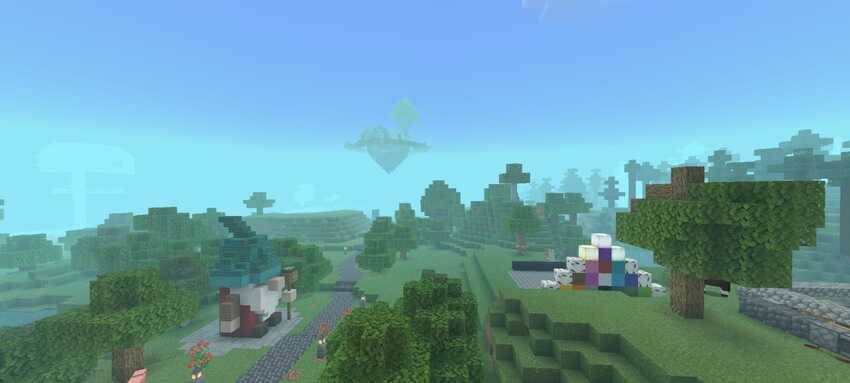
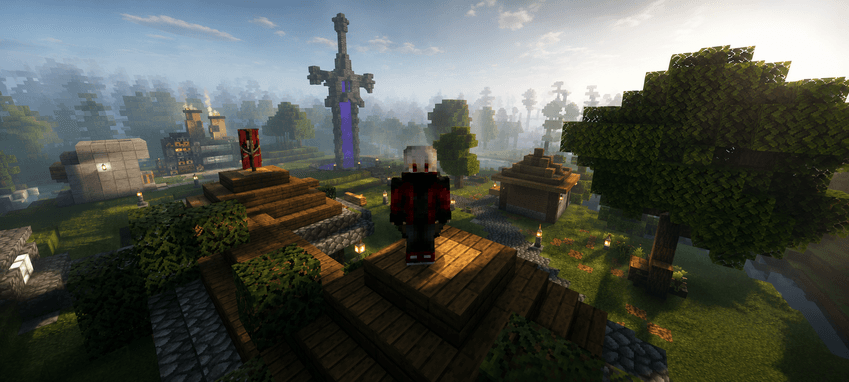
RTXの霧をシミュレートするテクスチャで、リアルなもや効果を生み出し、シーンに奥行きと没入感を加えます。Minecraftオリジナルとパッチに対応
Fog rtx リソースパックについて
Detailed Description of an RTX Fog Texture
An RTX fog texture replicates the volumetric lighting and atmospheric scattering effects found in advanced ray-traced environments, producing a smooth, layered fog that reacts naturally. When applied to a Minecraft world, this texture creates the illusion of depth, slightly obscuring distant objects and giving the environment a cinematic look.
Compatible with Minecraft original and patch
Fog rtxのインストール方法
With Millida Launcher
Install Millida Launcher
The launcher is free: download it at millida.net/launcher and sign in with any nickname.
Click “Install” on this page
The launcher opens and installs the resource pack for Minecraft 1.21–26.20 automatically.
Launch the game
A profile with it appears in the launcher: click “Play”.
Manually
Download the archive
Pick the file Fogrtx.mcpack (2.2 MB) for your game version. No need to unpack it.
Put it in the resourcepacks folder
The easiest way: “Options”, then “Resource Packs”, then “Open Pack Folder”, and drag the archive there.
Enable the pack
In the same window, move the pack to the right-hand “Selected” column and click “Done”.
バージョン
依存関係あり
| Minecraft | ローダー | ファイル | 日付 | 操作 |
|---|---|---|---|---|
| 1.21 | — | Fogrtx.mcpack2.2 MB |
FAQ
Which Minecraft versions does Fog rtx work on?
There are files for 26.20, 26.0, 1.21. The newest is 26.20.
Where can I download Fog rtx safely?
On this page: the file Fogrtx.mcpack (2.2 MB) is stored on Millida’s server, with no link shorteners. SHA-1 checksum: fd011416e7ec2e1012855afc80ce2a7088805310.
レビュー
Fog rtxの最初の評価を書きませんか



