
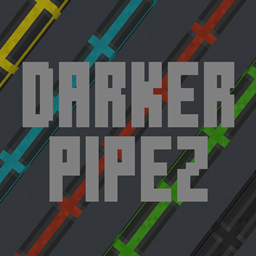
Minecraft 26.2用Darker Pipez リソースパック
明るいPipezのテクスチャをより暗く控えめな色調に置き換える。視覚的な雑然さに別れを告げ、プロジェクトを圧迫しない洗練された流線型のパイプにこんにちは。
Darker Pipez リソースパックについて
Twitter | Twitch | YouTube | Discord
Darker Pipez
- Subtle Sophistication: Replacing the default Pipez textures with darker, more muted tones. This creates a less visually intrusive look that blends seamlessly with your surrounding environment.
- Focus on Functionality: By toning down the vibrancy of the pipes, Darker Pipez allows the functionality of your intricate piping systems to take center stage. This is particularly beneficial for showcasing complex automation setups within your projects.
- Streamlined Workflow: The darker color scheme reduces visual clutter, making it easier to navigate your base and identify specific pipes within your projects.
Darker Pipezのインストール方法
With Millida Launcher
Install Millida Launcher
The launcher is free: download it at millida.net/launcher and sign in with any nickname.
Click “Install” on this page
The launcher opens and installs the resource pack for Minecraft 26.2 automatically.
Launch the game
A profile with it appears in the launcher: click “Play”.
Manually
Download the archive
Pick the file Darker Pipez.zip (118 KB) for your game version. No need to unpack it.
Put it in the resourcepacks folder
The easiest way: “Options”, then “Resource Packs”, then “Open Pack Folder”, and drag the archive there.
Enable the pack
In the same window, move the pack to the right-hand “Selected” column and click “Done”.
バージョン
依存関係あり
| Minecraft | ローダー | ファイル | 日付 | 操作 |
|---|---|---|---|---|
| 26.2 | — | Darker Pipez118 KB |
FAQ
Which Minecraft versions does Darker Pipez work on?
Only Minecraft 26.2: there are no files for other versions.
Where can I download Darker Pipez safely?
On this page: the file Darker Pipez.zip (118 KB) is stored on Millida’s server, with no link shorteners. SHA-1 checksum: 3ebe9387873b760f429a2efc05846878ab14302e.
レビュー
Darker Pipezの最初の評価を書きませんか



