

Minecraft 1.20.1, 1.21.1用i hate shadows シェーダー
Fullbrightシェーダー、すべての影を追放しました。👋どういたしまして。
 Fabric
 OptiFine
i hate shadows シェーダーについて
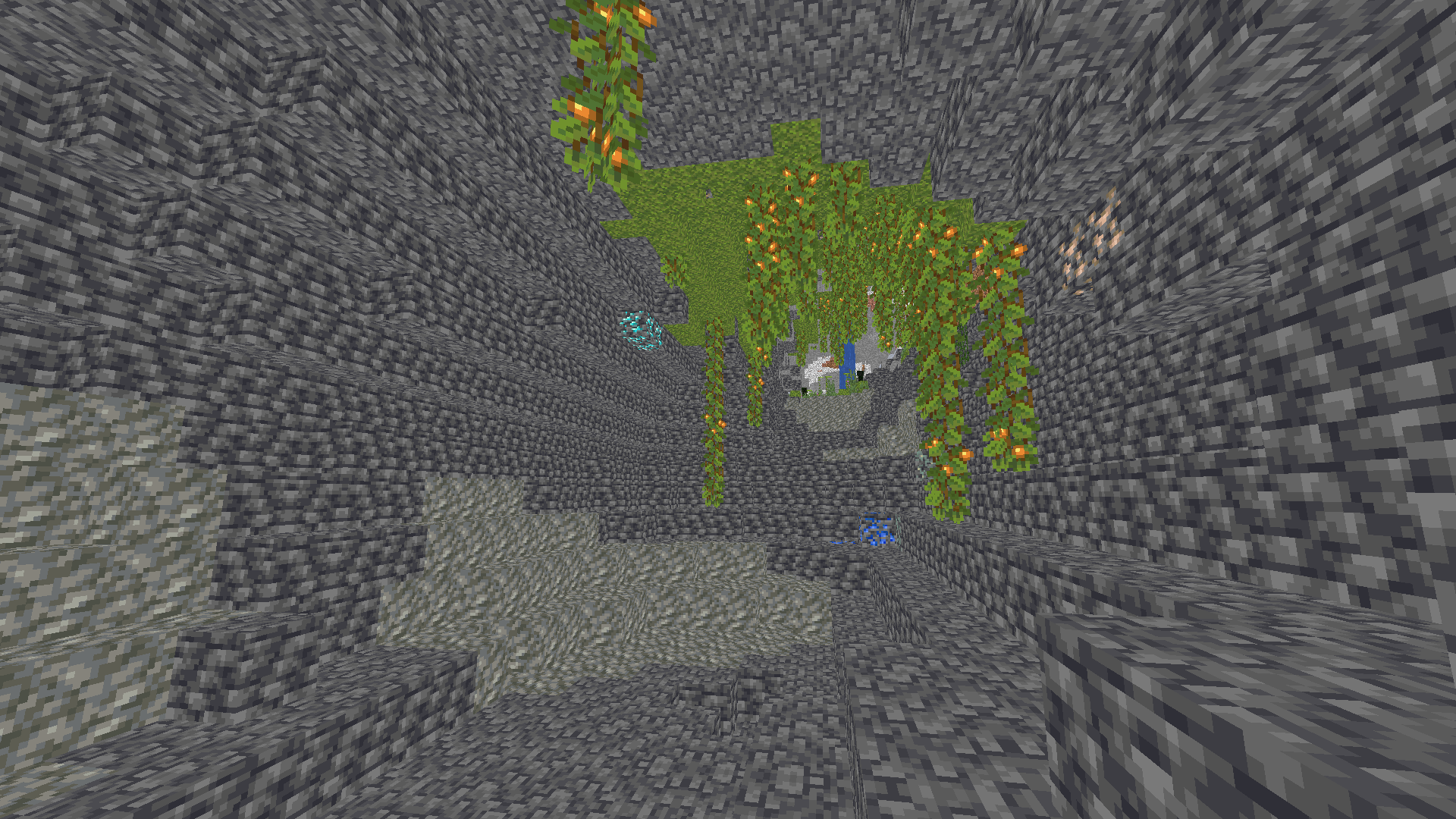
✨ I REALLY HATE SHADOWS… i hate shadows is a lightweight Minecraft shader that does one thing — and does it perfectly: it removes every single shadow. 🌞
No dark corners, no spooky vibes — just pure, bright daylight everywhere you look. Perfect for players who love minimal visuals, boosted performance, and a world that never hides in the dark.

🌟 Features
- ❌ No shadows at all
- ⚡ FPS-friendly, super lightweight
- 🌞 Always bright, clean visuals
- 🎮 Works great on low-end systems


🧠 Lamapi: Next-Gen Open Source AI
Pushing the boundaries of accessible intelligence. Whether you need lightweight efficiency or industrial-grade reasoning, the Next Series delivers.

Why build with Lamapi?
- ⚡ High Efficiency: From compact 1B models to powerful 70B reasoning engines.
- 🌍 Multilingual Mastery: Optimized for superior performance in English & Turkish.
- 🛠️ Ready to Deploy: State-of-the-art open weights available immediately.
Explore our models and start building:
🔗 https://huggingface.co/Lamapi
🚀 KCB Hosting: Power Meets Reliability
Looking for a host that takes your gaming experience as seriously as you do? We provide robust infrastructure ensuring smooth gameplay and enterprise-grade uptime.
Why switch to us?
- 💎 7-Day Free Trial: Experience the quality risk-free (No commitment).
- 🛡️ 99.9% Uptime SLA: Your server stays online, guaranteed.
- ⏰ 24/7 Support: Expert help whenever you need it.
🔥 Experience the difference with 25% off your first month,
Use code XSORAS
Deploy your server now:
🌐 https://kcbhosting.com
💬 https://discord.gg/kcbhosting
Shadows removed, forever.

i hate shadowsのインストール方法
With Millida Launcher
Install Millida Launcher
The launcher is free: download it at millida.net/launcher and sign in with any nickname.
Click “Install” on this page
The launcher opens and installs the shaders for Minecraft 1.8–26.3 automatically.
Launch the game
A profile with it appears in the launcher: click “Play”.
Manually
Install Iris or OptiFine
Without a shader mod the game cannot see shaders. Install it for the same Minecraft version.
Download the shader archive
Pick the file i hate shadows 1.1.zip (5 KB) and do not unpack it.
Put it in the shaderpacks folder
“Options”, then “Video Settings”, then “Shader Packs”, then “Open Shader Pack Folder”, and drag the archive there.
Select the shaders
In the same window, click the pack name and “Apply”.
バージョン
依存関係あり
| Minecraft | ローダー | ファイル | 日付 | 操作 |
|---|---|---|---|---|
| 26.3 | Iris, OptiFine | 26.35 KB 3 | ||
| 1.17.1 | Iris, OptiFine | 1.17.1897 B | ||
| 1.15.2 | Iris, OptiFine | 1.15.2897 B | ||
| 1.14.4 | Iris, OptiFine | 1.14.4897 B | ||
| 26.2 | Iris, OptiFine | 26.2897 B | — | |
| 26.1 | Iris, OptiFine | 26.1897 B | — | |
| 1.21.11 | Iris, OptiFine | 1.21.11897 B | — | |
| 1.21 | Iris, OptiFine | 1.21897 B | — |
FAQ
Which Minecraft versions does i hate shadows work on?
There are files for 1.8–26.3, 75 versions in total. The newest is 26.3.
What do I need to run i hate shadows?
Shaders are loaded through Iris or OptiFine: without one of them the game cannot see them.
Where can I download i hate shadows safely?
On this page: the file i hate shadows 1.1.zip (5 KB) is stored on Millida’s server, with no link shorteners. SHA-1 checksum: 2f1eea378b1edbd7891f2d4c20864ea7bf44711e.
レビュー
i hate shadowsの最初の評価を書きませんか


