

OwnGarden プラグインについて
Grow custom trees !
How does it work ?
Well, it is simple : first you have to plant a sapling (any type you want). Then let it grows or use some bonemeal. When the sapling is ready to become a tree, the plugin replaces the horrible default Minecraft tree by a nice custom schematic. The custom schematic is randomly picked from a list (where you can add, remove or edit available schematics per sapling type).
NOTE : This plugin needs to have WorldEdit installed on your server (it is used to load and past legacy, sponge schematics and NBT structure files).
Configuration
Your server must be stopped before editing config.yml.
KEY POSSIBLE VALUES DESCRIPTION
enable
updater true or false Enables Skyupdater.
metrics true or false Enables bStats.
schematics
directory directory The root directory of where to pick schematics.
random-rotation true or false Whether schematics should be randomly rotated.
check-height true or false (Experimental) Whether the plugin should check for a floor before pasting a schematic.
remove-worldedit-metadata true or false Whether the plugin should try to edit the schematics and remove all WorldEdit metadata (at startup).
sapling
oak list of files Oak trees schematics.
spruce list of files Spruce trees schematics.
birch list of files Birch trees schematics.
jungle list of files Jungle trees schematics.
acacia list of files Acacia trees schematics.
dark-oak list of files Dark oak trees schematics.
mushroom
brown list of files Huge brown mushrooms schematics.
red list of files Huge red mushrooms schematics.
If you want to disable the plugin for a tree type, just put the blank list [] instead of a list of files.
Commands and permissions
Just one command : /owngarden (or /own-garden) which displays some informations about the plugin, the loaded schematics, etc... This command requires the permission owngarden.command.
Screenshots and videos
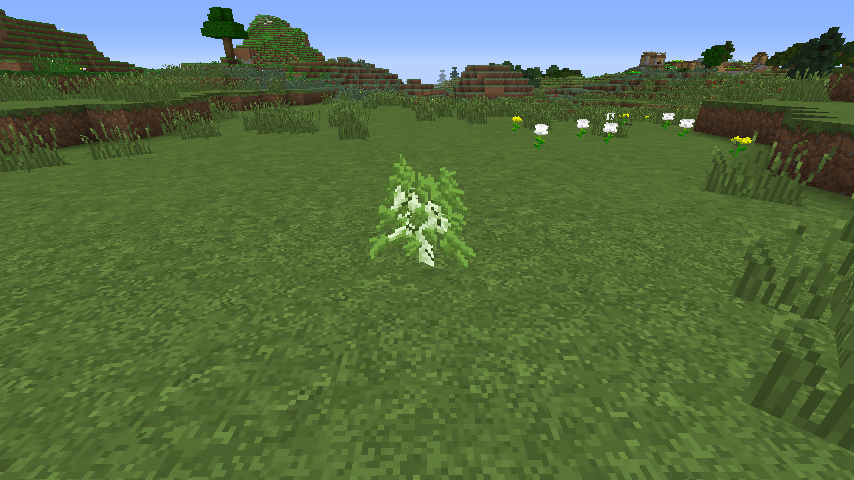
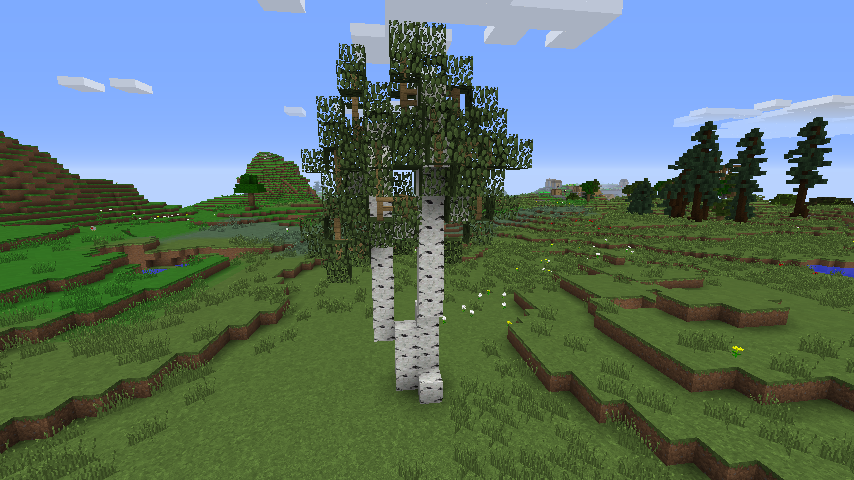
If you have a YouTube channel and wanna make a video, please post it below ;)
Bugs, improvements and feature requests
Got a bug ? Have a feature request ? Then post a ticket here !
Services included in the plugin
This plugin utilizes bstats.org metrics system, which means that the following information is collected and sent to bstats.org :
- A unique identifier.
- The server's version of Java.
- Whether the server is in offline or online mode.
- The plugin's version.
- The server's version.
- The OS version/name and architecture.
- The core count for the CPU.
- The number of players online.
- The Metrics version.
This plugin uses the Skyupdater, which means that the following may occur :
- Connection to curseforge.com.
- Plugin version compared against version on curseforge.com.
- Downloading of the plugin from curseforge.com if a new version is found.
Every third party service can be disabled in the configuration file. Check the documentation here for more information.
Credits and source code
OwnGarden (concept and logo) comes from an idea of Noxon. Big thanks to him.
A lot of thanks to Eremilion and Murokmakto for their trees schematics.
The source code is available here and is licensed under GNU GPL v3.
Donations
Development costs time and time is the money of life. Please feel free to donate.
OwnGardenのインストール方法
A server on Paper or Spigot
The plugin runs on the server core for Minecraft 1.15–1.16; players do not need to install anything.
File goes into the plugins folder
Download the file OwnGarden.jar (1.9 MB) and put it into the server’s plugins folder.
Restart the server
On startup the plugin creates its own settings folder in plugins.
Use the “To server” button
On Millida Hosting, the button at the top of the page uploads the file to your server and restarts it for you.
Minecraft 1.16 runs on Java 8: with a different Java version the game may close right after launch.
バージョン
依存関係あり
| Minecraft | ローダー | ファイル | 日付 | 操作 |
|---|---|---|---|---|
| 1.16 | — | OwnGarden v0.2.51.9 MB |
FAQ
Do players need to install OwnGarden?
No, the plugin goes only on the server, into the plugins folder: players do not need to download anything.
Which Java does OwnGarden need?
Minecraft 1.16 runs on Java 8. If the game closes right after launch, the usual cause is the wrong Java version in the profile settings.
Where can I download OwnGarden safely?
On this page: the file OwnGarden.jar (1.9 MB) is stored on Millida’s server, with no link shorteners. SHA-1 checksum: da096f728b30fa1754aa89c62ea8c6c5533dec1b.
レビュー
OwnGardenの最初の評価を書きませんか


