

Turn your images into pixel art!
Features
Easily create Pixel Art builds of your images.
- No need to edit images before importing. Re-sizes images automatically to fit into the world!
- Import from an image file or URL. Supports most image formats and transparency.
- Import pixel art in 20 different orientations.
- Customizable color-to-block palette.
- Manage configuration settings with one simple command.
- Throttle block placement and set a (TPS and RAM %) threshold to prevent lag.
- Optionally apply dithering into your pixel art! (Apply dithering manually.)
- Undo the last import.
Note: This page written for R: llamaArt v1.6 for CB/Spigot 1.10.2-R0.1
Video Tutorial
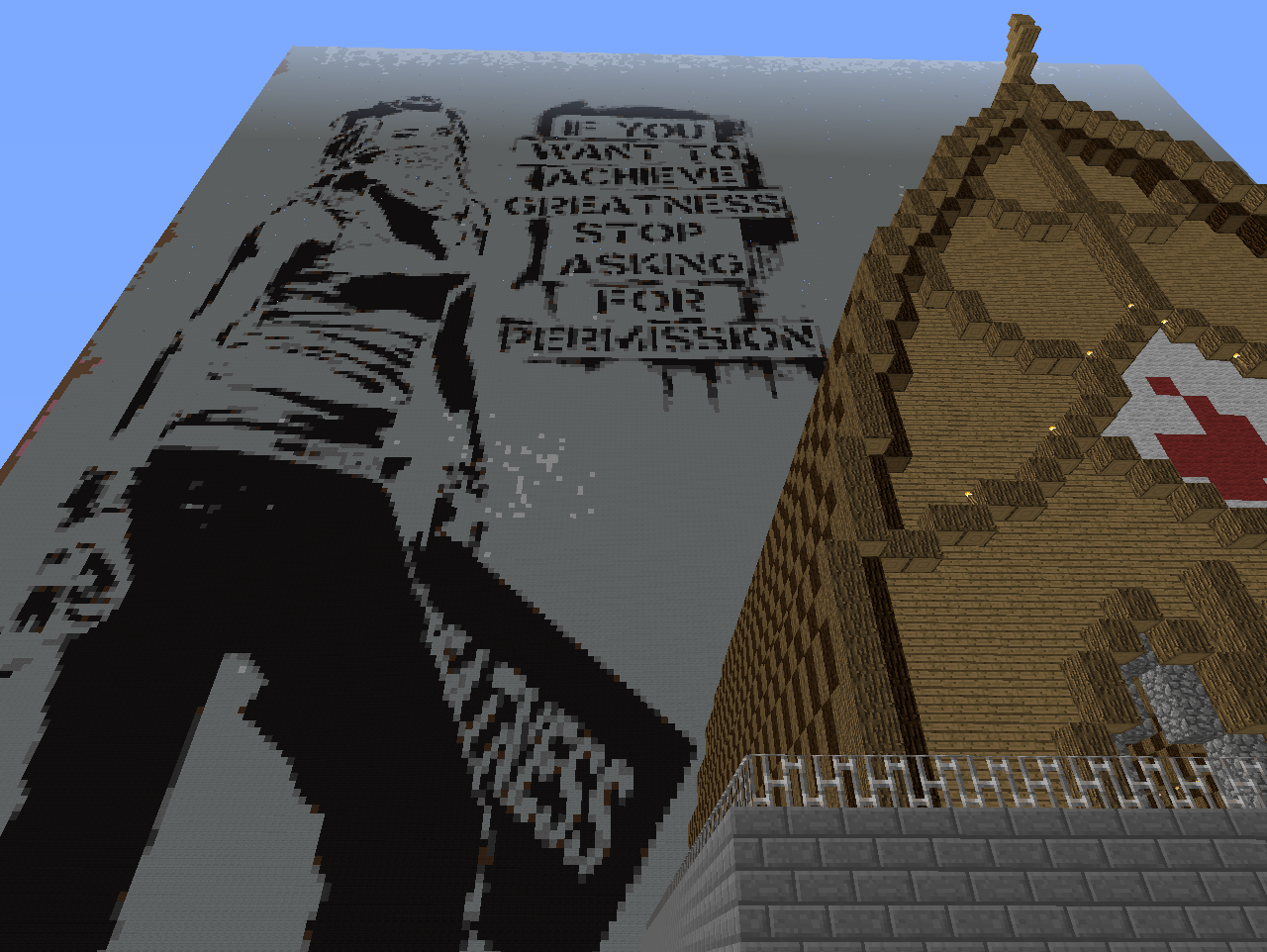
ScreenShots
- Click here!
Commands
Command: Description: Permission: Default: Console:
/art /art [image:URL] [orientation] [dither] [invert] The dither and invert fields are optional. llamaart.art OPs No
Legend: N:North, S:South, E:East, W:West, F:Flat, D:Diagonal
Orientations Upright: N, E, S, W, NE, NW, SE, SW. Flat: NEF, NWF, SEF, SWF. Diagonal: NDE, NDW, EDN, EDS, SDE, SDW, WDN, WDS.
/art status List the status of the configuration.
/art throttle # Throttles block placement '# blocks-per-tick' (minimum of 1). 20
/art RAM # Utilization threshold that will limit to '1 blocks-per-tick' when RAM falls below RAM #. It will increase back to set throttle once % of RAM is available (between 2 and 100). 30
/art TPS # Utilization threshold that will limit to '1 blocks-per-tick' when Ticks Per Second falls below TPS #. It will increase back to set throttle once Ticks Per Second is available (between 2 and 19). 17
/art list List the image files in the plugin directory.
/art toggle check Toggles checking for pixel conflicts. A pixel conflict is a pixel that cannot be matched to a color in the palette. off
/art toggle palette Toggles if the color palette should be applied to the image. Turn palette off if you want to apply it yourself. This can sometimes produce a better image quality. Click here for a tutorial on applying the palette manually. on
/art toggle transparent Toggles removing of existing blocks in the transparent areas of the pixel art. on
/art undo UN-does the last import.
/art reload Reload the configuration file.
/art log Logs a list of pixel conflicts detected in the last loaded image to PixelConflicts.html in the plugins\llamaArt folder.
Usage Examples
/art myimage.png n Builds myimage.png upright and to the North.
/art myimage.jpg s dither Builds myimage.jpg upright and to the South with dithering.
/art throttle 2 Sets the maximum blocks that can be placed per tick to 2.
/art ram 95 If RAM falls below 95%, throttle block placement until RAM is above 95%.
/art tps 15 If Ticks Per Second falls below 15, throttle block placement until TPS is above 15.
/art http://oooorgle.com/images/FreeDomainRadio.png wdn dither Builds the FreeDomainRadio icon to the West and diagonally up to the North, with dithering.
/art myimage.bmp nw invert dither Builds myimage.bmp to the North-West, inverted with dithering.
/art myimage.png ndw dither Builds myimage.bmp to the North and diagonally up to the West, with dithering.
/art http://www.stsci.edu/~lbradley/seminar/images/sierpinski.gif se invert Builds Waclaw Sierpinski's fractal to the South-East and inverted.
Configuration
- Copy the .jar to your plugins folder.
- Restart your server.
- Provide a URL or copy the images you want to import to the plugins\llamaArt folder. Images are case-sensitive. No spaces in the image file names.
- Add the permission 'llamaart.art' to the player you wish to be able to use the /art command. We highly recommend OPs only! (Ops have access by default.)
Optionally:
- You can edit the color palette and create new pixel-to-block translations, Learn more.
- If you do not want to be informed of future updates, change "NotifyOpsWhenPluginUpdates" to false in the plugins/llamaArt/config.yml.
Statistics
This plugin contains MCStats, which will collect basic information about your server. Click here to learn more.
Support
For support and bug reporting please use the BukkitDev ticket system.
Previous Version Pages
R: llamaArt v1.5 for CB 1.7.9-R0.1 May 31, 2014 B: llamaArt v1.4 for CB 1.7.2-R0.2 Feb 08, 2014 B: llamaArt v1.3 for CB 1.7.2-R0.2 Jan 31, 2014
Known Caveats
To-Do
Suggestions for improvements and additions to the next build are welcome in the comments.
Source Code
<3 CopyHeart <3
Donate
llamaArt is currently maintained by one individual in his free time. The amount of time he spends improving on this project is down to personal motivation, he doesn't get paid to keep this updated. If you find this plugin is a valued part of your server, please consider making a donation.
Other Plugins by this Author
llama - A collection of useful commands for both players and staff. llamaGrapple - A simple yet configurable grapple hook. White-List Trust - Open your white-listed server when trusted players are online!
llamaArtのインストール方法
A server on Paper or Spigot
The plugin runs on the server core for Minecraft 1.10; players do not need to install anything.
File goes into the plugins folder
Download the file llamaArt.jar (67 KB) and put it into the server’s plugins folder.
Restart the server
On startup the plugin creates its own settings folder in plugins.
Use the “To server” button
On Millida Hosting, the button at the top of the page uploads the file to your server and restarts it for you.
Minecraft 1.10 runs on Java 8: with a different Java version the game may close right after launch.
バージョン
依存関係あり
| Minecraft | ローダー | ファイル | 日付 | 操作 |
|---|---|---|---|---|
| 1.10 | — | llamaArt v1.667.1 KB | ||
| — | — | llamaArt v1.466.1 KB |
FAQ
Which Minecraft versions does llamaArt work on?
Only Minecraft 1.10: there are no files for other versions.
Do players need to install llamaArt?
No, the plugin goes only on the server, into the plugins folder: players do not need to download anything.
Which Java does llamaArt need?
Minecraft 1.10 runs on Java 8. If the game closes right after launch, the usual cause is the wrong Java version in the profile settings.
Where can I download llamaArt safely?
On this page: the file llamaArt.jar (67 KB) is stored on Millida’s server, with no link shorteners. SHA-1 checksum: 784dfbd3a08c2d1128cfd31b531f1bc74d3cef90.
レビュー
llamaArtの最初の評価を書きませんか


