

Health Bar プラグインについて
Unmaintained
This plugin is no longer being developed.
It is advised to switch to any other similar plugin that is being actively developed.



Features
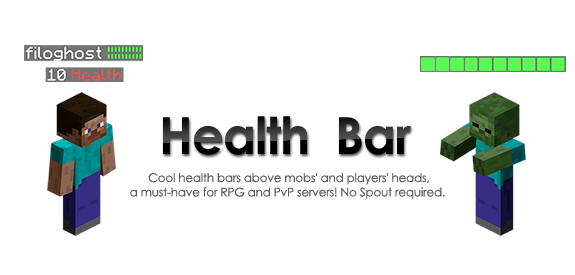
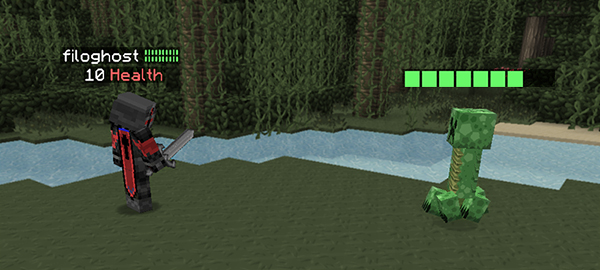
- Customize the text over a mob head (name, health and max health)!
- Customize the health bar for players, prefix + suffix, on the name tag, and for players (see the customization page)
- Option to always show health bars
- Health bars disappear after a configurable time
- No Spout or client mods required
- Easy drag and drop install
- World selection for mobs and players
- Will notify the console when an update is released on bukkit dev (on reload) and players with permission
- Shows amount of health below the player's tag (With configurable name, no health bars there. Why?)
- Shows on custom named mobs and restores the name after the bar has disappeared.

Image
Compatibility
This plugin is compatible with:
- Damage Indicator Holograms
- Colored Tags
- EpicBoss Gold Edition (set hooks -> epicboss: true)
- ScoreboardStats
- MobArena (set override-other-scoreboard: true)
- McMMO (use the latest version, it will be fine)
- Citizens (you can't turn off the health for citizens, under the name, because it's displayed on all the human entities)
- Permission Health
- Sentry for Citizens (v1.3.7+)
- Heroes (use latest version)

Not compatible with:
- NametagEdit - may crash players, alternative plugin: Colored Tags
- Other plugin that uses the scoreboard (but if the use the main scoreboard, you can try to turn off permission and world disabling to make them compatible)
- TagAPI (It could make players show 0 HP and hide team names; works with mob health bars)
Video tutorial
More languages: Portuguese by AbsintoJ
Other videos: youtube.com/watch?v=UzluUffNN-o by Techhut youtu.be/WCnYzl8kQbc by Ultibyte youtu.be/jYl5I8d9NGU by Failboat103
Health Barのインストール方法
A server on Paper or Spigot
The plugin runs on the server core for Minecraft 1.7.2–1.11; players do not need to install anything.
File goes into the plugins folder
Download the file HealthBar.jar (78 KB) and put it into the server’s plugins folder.
Restart the server
On startup the plugin creates its own settings folder in plugins.
Use the “To server” button
On Millida Hosting, the button at the top of the page uploads the file to your server and restarts it for you.
Minecraft 1.11 runs on Java 8: with a different Java version the game may close right after launch.
バージョン
依存関係あり
| Minecraft | ローダー | ファイル | 日付 | 操作 |
|---|---|---|---|---|
| 1.7.2 | — | Health Bar v1.8.378.5 KB | ||
| — | — | Health Bar v1.328.8 KB |
FAQ
Which Minecraft versions does Health Bar work on?
There are files for 1.11, 1.10, 1.9, 1.8, 1.7.4, 1.7.2. The newest is 1.11.
Do players need to install Health Bar?
No, the plugin goes only on the server, into the plugins folder: players do not need to download anything.
Which Java does Health Bar need?
Minecraft 1.11 runs on Java 8. If the game closes right after launch, the usual cause is the wrong Java version in the profile settings.
Where can I download Health Bar safely?
On this page: the file HealthBar.jar (78 KB) is stored on Millida’s server, with no link shorteners. SHA-1 checksum: 1d7cee05483e08e9c4271e72f0a811baaf1b3d43.
レビュー
Health Barの最初の評価を書きませんか



