
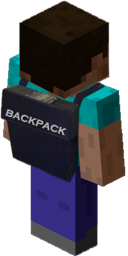
Minecraft用Backpack プラグイン
バックパック、走り回りながら追加のストレージが必要になったことはありませんか?これがあなたの問題の解決策です。
Everyone wants extra storage, Backpack!
Do not use the 1.6.x builds of backpack with a 1.7.x. server....
Backpack
Core Features
- Configurable Drop on death
- Uses Vault for Economy handler.
- Allow your players to expand their Backpack from 9 slots to a max of 54.
- Multiworld support with different Backpacks or Sharing!
- Overflow abilities from players main inventory. (Must have at least 1 open slot to make overflow abilities work).
- Blacklist Abilities - deny certain items in the Backpack
- Fully functional API.
Spout Enabled Features
[Requires SpoutPlugin ]
- Custom GUI for Upgrading Backpacks.
- Custom Hotkey assignments for opening Backpack.
Multi-Server Enabled
- This plugin is written for both Bukkit and Spout Servers.
Developers:
- AlmuraDev Team
Configuration
File: config.yml
General:
- use-economy: Whether or not to enable economy system for backpack purchase & upgrades.
- use-spout: Whether or not to enable SpoutPlugin based features.
Admin:
- control-panel: Enable or disable Admin Panel.
- hotkey: KEY_V {default keybinding inside of Spoutcraft to display Admin Panel}
Backpack:
- no-perm-default-size: 9 {default backpack size if no permissions system found}
- hotkey: KEY_B {default keybinding inside of Spoutcraft to open Backpack}
File: blacklist.yml
- Contains list of items you dont want users to save in their backpack.Follow file format automatically created. Use only names of materials, not numbers.
File: share.yml
- Contains list of backpack shareable worlds.
share: world: - world_nether - world_end
In this above configuration, WORLD is the name of the Parent World. The child objects below it will be the name of shared worlds from the parent. Simply modify the name of your Parent Worlds to get the specific world sharing you desire.
- If you used any previous build of Backpack prior to build 81, I would advise you that if you decide to use the world sharing feature, delete any world directory in your /backpacks/ directory that is now being shared. The existence of these now un-used files give troubles for the upgrade procedure under very specific circumstances.
Permissions
Here's a list of specific permissions nodes for this plugin and what each does.
- backpack.use = Allows the users to use the Backpack itself.
- backpack.upgrade = Allows for users to upgrade their Backpack.
- backpack.keepitems = Allows users to keep items in Backpack upon player death.
- backpack.noblacklist = Allows users to bypass the backpack blacklist.
- backpack.noupgradecost = Allows users to upgrade backpack for free.
- backpack.overflow = Allows item pickups to automatically go into the backpack if users inventory is almost full.
- backpack.share = Allows backpack to be shared across specified worlds from share.yml
- backpack.admin = Allows user to use Admin Panel.
- backpack.size.18 = Allow 18 Slot Backpack.
- backpack.size.27 = Allow 27 Slot Backpack.
- backpack.size.36 = Allow for 36 Slot Backpack.
- backpack.size.45 = Allow for 45 Slot Backpack.
- backpack.size.54 = Allow for 54 Slot Backpack.
Commands
- /backpack = Opens Backpack
- /backpack upgrade = Upgrades backpack
Addons
- SortStack
- Portables
Support
Support for this and all other AlmuraDev plugins can be found by joining our chat channel here:
Mibbit Chat Here
Hard Dependencies
- Bukkit 1.5.1+
Soft Dependencies
- SpoutPlugin [Needed for Hotkeys and Custom Interface] << Not Required
- Vault 1.2.15+ [Needed for Economy Support] << Not Required
Spoutcraft & SpoutPlugin
Get Spoutcraft & Spoutplugin Now! >> Get Spout!
Donations for this project can be directed here: PayPal: Click Here
Many thanks for your consideration.
Backpackのインストール方法
A server on Paper or Spigot
The plugin runs on the server core; players do not need to install anything.
File goes into the plugins folder
Download the file backpack-b148.jar (44 KB) and put it into the server’s plugins folder.
Restart the server
On startup the plugin creates its own settings folder in plugins.
Use the “To server” button
On Millida Hosting, the button at the top of the page uploads the file to your server and restarts it for you.
バージョン
依存関係あり
| Minecraft | ローダー | ファイル | 日付 | 操作 |
|---|---|---|---|---|
| — | — | Backpack-b14844.4 KB |
レビュー
Backpackの最初の評価を書きませんか



