

- ダウンロード
- 3 ダウンロード
- 閲覧
- 32 閲覧
- 更新日
- 更新日 22.10.2026
- 1.20.1
 Fabric
Zenith MODについて
このプロジェクトは Zenith Renewed に取って代わられました。Zenith Renewed は現在作業と更新が進められている Zenith のフォークです。Curseforge ページへはこちらをクリックしてください。
情報
Zenith は Shadows による Apotheosis mod の非公式 Fabric 移植版です。こちらから見つけることができます。
1.20 のバージョンには Zenith Attributes と FakerLib が必要です!
Zenith 1.20 は Apotheosis の Forge 版と同等の内容を持ち、以下のモジュールが利用可能です:
オリジナルの Forge コードは ShadowsofFire に、アートは Faellynna にクレジットがあります!
- エンチャントモジュール
エンチャントモジュールはエンチャントシステムの大幅な見直しと新しいエンチャントの追加に焦点を当てています。このモジュールにより、これまでの制限では到底許されなかったほど強力になれるだけでなく、冒険して世界を征服するのに役立つ刺激的な新しいエンチャントも導入されます。
- スポナーモジュール
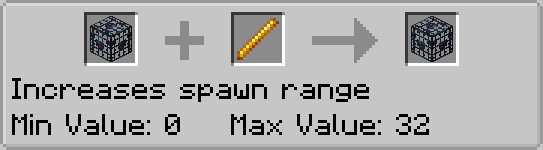
スポナーモジュールは Mob スポナーへのすべての変更の源です。これにより、既存のバニラのブロックとアイテムだけを使って複雑な Mob トラップを作ることができます。
- ガーデンモジュール
ガーデンモジュールには、垂直に成長するブロックのためのいくつかの拡張があります。具体的には、サトウキビ、サボテン、竹を以前より高い値まで成長させることができます。また、Mob を拾って運ぶためのアイテムも含まれています。
- ポーションモジュール
ポーションモジュールには新しいポーションが含まれ、以前は入手できなかったポーションの新しいレシピが追加され、ポーションの使用を支えるその他の新しいコンテンツもいくつか追加されます。
- 村モジュール
村モジュールは、村、村人、およびそれらに関連するブロックのための新しいコンテンツの導入に焦点を当てています。
- アドベンチャーモジュール
アドベンチャーモジュールは、ボス、宝石、そして装備のための新しいアフィックスシステムを追加します。
todo 画像
Zenith は Apotheosis の非公式移植版です。この Fabric 移植版について、彼らの Discord サーバーや GitHub リポジトリで助けを求めないでください。
Zenithのインストール方法
With Millida Launcher
Install Millida Launcher
The launcher is free: download it at millida.net/launcher and sign in with any nickname.
Click “Install” on this page
The launcher opens and installs the mod for Minecraft 1.20.1 on Fabric automatically.
Launch the game
A profile with it appears in the launcher: click “Play”.
Manually
Install Fabric
The loader must match the game version of the mod file, for example Minecraft 1.20.1. After installing it, a separate profile appears in your launcher.
Download the file for your version
In the version list above, pick the file zenith-1.2.5-1.20.1.jar (5.8 MB) for your game version.
Put it in the mods folder
The folder is inside .minecraft (Windows: %appdata%\.minecraft\mods). If it does not exist, create it.
Launch the loader profile
Open “Mods” in the main menu: Zenith should be in the list.
Minecraft 1.20.1 runs on Java 17: with a different Java version the game may close right after launch.
バージョン
依存関係あり
| Minecraft | ローダー | ファイル | 日付 | 操作 |
|---|---|---|---|---|
| 1.20.1 | Fabric | zenith-1.2.5-1.20.15.8 MB 3 | ||
| 1.20.1 | Fabric | zenith-0.2.4-1.20.12.4 MB |
FAQ
Which Minecraft versions does Zenith work on?
Only Minecraft 1.20.1: there are no files for other versions.
Is Zenith for Forge or Fabric?
Only for Fabric: 1.20.1. There are no files for Forge or NeoForge: a mod for another loader will not start.
Does Zenith need other mods?
The author lists no required dependencies: the Fabric loader is enough.
Which Java does Zenith need?
Minecraft 1.20.1 runs on Java 17. If the game closes right after launch, the usual cause is the wrong Java version in the profile settings.
Where can I download Zenith safely?
On this page: the file zenith-1.2.5-1.20.1.jar (5.8 MB) is stored on Millida’s server, with no link shorteners. SHA-1 checksum: 529bc6770f2c2d6a88d6db35b335bc8d61bdb11f.
レビュー
Zenithの最初の評価を書きませんか


