
YUNoMakeGoodMap MODについて
SkyBlockマップをプレイしたことがあり、ずる賢い誰かがやって来てヴォイドの端や乾いた土地にたどり着いた経験はありませんか?
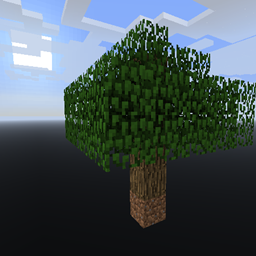
このModはそれを修正し、ワールド自体を完全にヴォイドとして生成します。
開始時の構造物を選択すれば、あとは進むだけです。
これだけではあまり役に立ちませんが、Ex Nihiloのようなものがあれば、好きなものを作成できます。
公式ダウンロードページはこちらです。広告で私を直接支援できます。また、すべての旧バージョンのアーカイブもあります。ただし、このプロジェクトはCurseシステムでModパックを作成する人々を支援するために作られました。ですので、自由にModパックを作成し、これをリンクしてください!ユーザーとしてもここからダウンロードできます。今後のすべてのバージョンは両方のサイトに同時に公開されます。
YUNoMakeGoodMapのインストール方法
With Millida Launcher
Install Millida Launcher
The launcher is free: download it at millida.net/launcher and sign in with any nickname.
Click “Install” on this page
The launcher opens and installs the mod for Minecraft 1.12 automatically.
Launch the game
A profile with it appears in the launcher: click “Play”.
Manually
Download the file for your version
In the version list above, pick the file YUNoMakeGoodMap-1.12-6.3.0.29.jar (175 KB) for your game version.
Put it in the mods folder
The folder is inside .minecraft (Windows: %appdata%\.minecraft\mods). If it does not exist, create it.
Launch the loader profile
Open “Mods” in the main menu: YUNoMakeGoodMap should be in the list.
Minecraft 1.12 runs on Java 8: with a different Java version the game may close right after launch.
バージョン
依存関係あり
| Minecraft | ローダー | ファイル | 日付 | 操作 |
|---|---|---|---|---|
| 1.12 | — | YUNoMakeGoodMap-1.12-6.3.0.29.jar175 KB |
FAQ
Which Minecraft versions does YUNoMakeGoodMap work on?
Only Minecraft 1.12: there are no files for other versions.
Which Java does YUNoMakeGoodMap need?
Minecraft 1.12 runs on Java 8. If the game closes right after launch, the usual cause is the wrong Java version in the profile settings.
Where can I download YUNoMakeGoodMap safely?
On this page: the file YUNoMakeGoodMap-1.12-6.3.0.29.jar (175 KB) is stored on Millida’s server, with no link shorteners. SHA-1 checksum: 88ce46b28d23200bcfde8472fed25decf05d3092.
レビュー
YUNoMakeGoodMapの最初の評価を書きませんか


