
 Fabric
 Quilt
Quilt NeoForge
 Forge
ForgeFunctionality
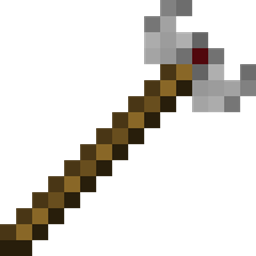
Wrenchest adds a single item, the Chest Wrench. With it you can connect and disconnect chests without having to break and place them again. To connect two chests together, just rightclick a chest with the chest wrench on the side that is facing towards the chest you want to connect to. Both chests have to be single chests, otherwise connecting will not work. To disconnect two chests, just rightclick any of the chests with the chest wrench. Note, that you don't have to take out any items, they will stay in the chests when you dis-/connect them. You can control which way the connected chests will be facing by clicking the corresponding area on the respective side. This is shown in the video below. Note, that when the crosshair is placed further back on the side, the chests will be facing away from the player. When the crosshair is placed further towards the front, the chests will face towards the player.
Showcase
Here are two short videos of the mod in action. The texture is missing in the second video, because it was created during development. The functionality of the mod is still the same, however.
Recipe
The chest wrench can be crafted as shown below. It has 256 uses and can be repaired with iron ingots in the anvil.
Q: Can you backport this to xxx? A: No.
Q: Does this work with ender chests? A: No, as ender chests can only be single chests.
Q: Does this work with trapped chests? A: Yes. In fact, it should work with any chest that extends the vanilla chest.
Q: Does this work with modded chests? A: See previous answer.
Thanks to julian on MMD for the name.
You are allowed to use this mod in any modpack.
Come join me on Discord! https://discord.gg/kgZUAxK
Follow me on Twitter for mod updates and other shenanigans! https://twitter.com/bl4ckscor3
Wrenchestのインストール方法
With Millida Launcher
Install Millida Launcher
The launcher is free: download it at millida.net/launcher and sign in with any nickname.
Click “Install” on this page
The launcher opens and installs the mod for Minecraft 1.20–26.3 on Fabric, Forge, NeoForge or Quilt automatically.
Launch the game
A profile with it appears in the launcher: click “Play”.
Manually
Install Fabric, Forge, NeoForge or Quilt
The loader must match the game version of the mod file, for example Minecraft 26.3. After installing it, a separate profile appears in your launcher.
Download the file for your version
In the version list above, pick the file wrenchest-fabric-26.3-1.1.jar (17 KB) for your game version and loader.
Put it in the mods folder
The folder is inside .minecraft (Windows: %appdata%\.minecraft\mods). If it does not exist, create it.
Launch the loader profile
Open “Mods” in the main menu: Wrenchest should be in the list.
バージョン
依存関係あり
| Minecraft | ローダー | ファイル | 日付 | 操作 |
|---|---|---|---|---|
| 26.3 | Fabric, Quilt | wrenchest-fabric-26.3-1.1.jar17 KB 1 | ||
| 26.3 | NeoForge | wrenchest-neoforge-26.3-1.1.jar16.2 KB | ||
| 1.20.1 | Forge | wrenchest-1.20.1-1.0.1.jar10 KB |
FAQ
Which Minecraft versions does Wrenchest work on?
There are files for 26.3, 1.20.1, 1.20. The newest is 26.3.
Is Wrenchest for Forge or Fabric?
There are files for Fabric: 26.3, for Forge: 1.20–1.20.1, for NeoForge: 26.3 and for Quilt: 26.3.
Does Wrenchest need other mods?
The author lists no required dependencies: the Fabric, Forge, NeoForge or Quilt loader is enough.
Where can I download Wrenchest safely?
On this page: the file wrenchest-fabric-26.3-1.1.jar (17 KB) is stored on Millida’s server, with no link shorteners. SHA-1 checksum: 47e3da5de7f781ab4419d82568df7983cec2712e.
レビュー
Wrenchestの最初の評価を書きませんか


