
- 閲覧
- 8 閲覧
- 更新日
- 更新日 18.10.2026
- 1.12 — 1.12.2
 Forge
Forge
Description
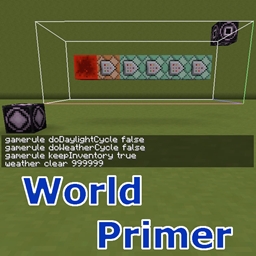
World Primer can automatically run a set of commands when a new world is first created, or every time a world is loaded, or every time a dimension gets loaded.
Configuration
The commands to run are set in the following config options. They can all be also configured via the in-game config menu:
- dimensionLoadingCommands - commands to run each time a dimension gets loaded
- earlyWorldCreationCommands - Commands to run on initial world creation, before the spawn chunks have been generated or loaded. If dimension load tracking is enabled, then this happens even before any dimensions have been loaded/initialized yet.
- earlyWorldLoadingCommands - Commands to run every time the world gets loaded (ie. when the server is starting). These are run when the server is starting, before any worlds have been loaded.
- postWorldCreationCommands - Commands to run on initial world creation, after the spawn chunks have been generated and loaded.
- postWorldLoadingCommands - Commands to run every time the world gets loaded (ie. when the server is starting). These are run when the server has started and the overworld spawn chunks have been loaded.
There are also separate config options to enable or disable all of these, without having to remove all the commands if you want to temporarily disable them:
- enableDimensionLoadingCommands
- enableDimensionLoadTracking - enables tracking the number of times dimensions have loaded, and how many times the server has started (ie. how many times the world has been loaded).
- enableEarlyWorldCreationCommands - Enables early world creation commands, which are executed before any dimensions have been loaded and thus before any chunks have been generated or loaded
- enableEarlyWorldLoadingCommands - Enables early world loading commands, which are executed once at each server start, before any dimensions have been loaded
- enablePostWorldCreationCommands - Enables late world creation commands, which are executed after the dimension have loaded, and the overworld spawn chunks have been generated
- enablePostWorldLoadingCommands - Enables late world loading commands, which are executed once at each server start, after all the dimensions and also the overworld spawn chunks have been loaded.
In addition to these, there is also the enableDebugLogging option, which prints log messages from the various events, so it is easy to track what happens and when.
Dimension loading commands
The dimension loading commands can be targeted to only run when a specific dimension loads, by specifying the command like this: worldprimer-dim-command <dim id> <the actual command>. So for example: worldprimer-dim-command 1 say The End dimension has loaded!
If you just give a command without the prefix, then it will be run every time ANY dimension loads, for example: say Some dimension has loaded!
As of version 0.3.0, there is now also another dimension loading command variant, which can run the command on a specific number of dimension loads, or on any multiple of the given value. Note: This variant requires the option enableDimensionLoadTracking to be enabled! The syntax for these is: worldprimer-dim-command-nth <dim id> <load count> <the actual command>
So to only run a command when the Nether loads for the very first time, you could use: worldprimer-dim-command-nth -1 1 say The Nether has loaded for the first time!
Or when the End loads for the 6th time: worldprimer-dim-command-nth 1 6 say The End has loaded for the sixth time!
To run a command on any multiple of the given value, prefix the value with a '%': worldprimer-dim-command-nth 1 %5 say The End has loaded a multiple of 5 times!
As of version 0.4.0, there is also support for substituting the dimension id, or the current world spawn coordinates into the commands. The substitution strings are: {DIMENSION}, {SPAWNX}, {SPAWNY} and {SPAWNZ}. They also support simple addition and subtraction of constant numeric values.
So for example, you can now do this in postWorldCreationCommands, to make the player spawn in a 5x5x3 room under ground: gameRule spawnRadius 0 (this sets the spawn fuzz to 0, so the player fill spawn exactly in the center of that small room, and not randomly somewhere around that spot, on the surface) setworldspawn {SPAWNX} 7 {SPAWNZ} (moves the world spawnpoint down to y = 7) fill {SPAWNX}-2 7 {SPAWNZ}-2 {SPAWNX}+2 9 {SPAWNZ}+2 minecraft:air (makes a 5x5x3 room of air inside the ground, or whatever happens to be at that spot)
Built-in commands
As of version 0.5.0 there is a new built-in command: worldprimer-load-chunks <chunkXMin> <chunkZMin> <chunkXMax> <chunkZMax>.
It can be used to load a range of chunks, so that some other commands can actually work. For example the vanilla /fill command only works in loaded chunks, so this can be used to load the chunks before executing the fill command. The chunks are also immediately queued for unloading, so they shouldn't stay loaded even until the next world save happens (every 45 seconds), but instead unload on the next game tick.
The coordinates are chunk coordinates (so block coordinates divided by 16). The range is inclusive, meaning from the minimum up to and including the maximum. Note that this isn't an actual registered command, and is thus not usable via chat/server console, but instead it's only used internally if found in one of the configured commands.
Here is an example of how to build a bedrock box at 0,0 in the End dimension when it loads for the first time. These would be added as dimensionLoadingCommands: worldprimer-dim-command-nth 1 1 worldprimer-load-chunks -1 -1 0 0 worldprimer-dim-command-nth 1 1 fill 10 0 10 -10 7 -10 minecraft:bedrock worldprimer-dim-command-nth 1 1 fill 9 1 9 -9 6 -9 minecraft:air worldprimer-dim-command-nth 1 1 say Finished building your box!
Command: /worldprimer spread-player
This command exists starting from version 0.6.0-dev.20190814.220944. Here is the description of the available options, and how the command works:
/worldprimer spread-player [options] <playername1 playername2 ...> The command has two location search/selection modes: grid, and random. If the grid option is given with the grid size, then the grid mode is used. Otherwise the randomized location mode is used.
Options:
- --find-surface=<true | false> - If true, then the y-position is set to the top solid block on the found x/z position.
- --grid=<integer> - If given, then an outwards spriraling grid search pattern is used instead of randomized locations.
- --max-radius=<integer> - The maximum distance from [0, 0] (per axis, not the absolute distance).
- --min-separation=<integer> - The minimum distance to previous player spread positions and any currently online players in the same dimension.
- --new - If given, then if the command is run again for a player who was spread previously, then a new location is generated, instead of teleporting them
- back to the original spread location.
- --y=<integer> - If given, then this fixed y height is used.
- --y-offset=<integer> - If given, and --find-surface=true, then this offset value will be added to the surface y position.
- This allows the position to be offset a certain distance under ground for example.
- --y-max=<integer> - Limits the (possibly offset) y position from the --find-surface=true case.
- --y-min=<integer> - Limits the (possibly offset) y position from the --find-surface=true case.
If you have ideas or questions or feedback, or maybe you just want to hang out, you can join us on Discord:
World Primerのインストール方法
With Millida Launcher
Install Millida Launcher
The launcher is free: download it at millida.net/launcher and sign in with any nickname.
Click “Install” on this page
The launcher opens and installs the mod for Minecraft 1.12–1.12.2 on Forge automatically.
Launch the game
A profile with it appears in the launcher: click “Play”.
Manually
Install Forge
The loader must match the game version of the mod file, for example Minecraft 1.12.2. After installing it, a separate profile appears in your launcher.
Download the file for your version
In the version list above, pick the file worldprimer-1.12.2-0.6.0-dev.20200122.211517.jar (99 KB) for your game version.
Put it in the mods folder
The folder is inside .minecraft (Windows: %appdata%\.minecraft\mods). If it does not exist, create it.
Launch the loader profile
Open “Mods” in the main menu: World Primer should be in the list.
Minecraft 1.12.2 runs on Java 8: with a different Java version the game may close right after launch.
バージョン
依存関係あり
| Minecraft | ローダー | ファイル | 日付 | 操作 |
|---|---|---|---|---|
| 1.12.2 | Forge | worldprimer-1.12.2-0.6.0-dev.20200122.211517.jar98.8 KB | ||
| 1.12.2 | — | worldprimer-1.12.2-0.6.0-dev.20190525.121747.jar91.9 KB | ||
| 1.12.2 | — | worldprimer-1.12.2-0.6.0-dev.20180503.005000.jar82.7 KB | ||
| 1.12.1 | — | worldprimer-1.12.2-0.5.0.jar24.6 KB |
FAQ
Which Minecraft versions does World Primer work on?
There are files for 1.12.2, 1.12.1, 1.12. The newest is 1.12.2.
Is World Primer for Forge or Fabric?
Only for Forge: 1.12.2. There are no files for Fabric or NeoForge: a mod for another loader will not start.
Does World Primer need other mods?
The author lists no required dependencies: the Forge loader is enough.
Which Java does World Primer need?
Minecraft 1.12.2 runs on Java 8. If the game closes right after launch, the usual cause is the wrong Java version in the profile settings.
Where can I download World Primer safely?
On this page: the file worldprimer-1.12.2-0.6.0-dev.20200122.211517.jar (99 KB) is stored on Millida’s server, with no link shorteners. SHA-1 checksum: 4a8a76e897b0b03623b51f5f0d737cd36e237e54.
レビュー
World Primerの最初の評価を書きませんか


