
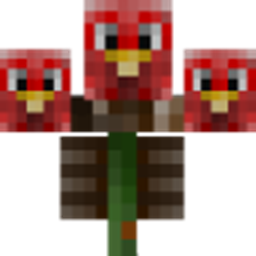
WitherCrumbs MODについて
お気に入りのMinecraftプレイヤーのスキンを持つウィザーを作るには、HeadCrumbsのスカルを3つ使うだけです!
このMODにはHeadCrumbsが必要です!!
ウィザーの例:
また、表現するユーザー名に基づいてウィザー用のカスタムアイテムドロップを追加することもできます。以下はCustomWithers.jsonのサンプルです:
{ "Turkey2349":{ "DropItem":{"id":"minecraft:stonesword","Count":1,"tag":{"display":{"Name":"Best sword evaaaaa!"}}} } }
これは通常のjson形式に従っているため、通常のjson形式と同様にカンマで区切るだけで、好きなだけユーザー名エントリを追加できることに注意してください。また、"DropItem"の値はjson形式とnbt形式の両方であるため、必要なnbtコンテンツをすべて含めるように構造化し、json形式も通過することを確認してください。
WitherCrumbsのインストール方法
With Millida Launcher
Install Millida Launcher
The launcher is free: download it at millida.net/launcher and sign in with any nickname.
Click “Install” on this page
The launcher opens and installs the mod for Minecraft 1.12.2 automatically.
Launch the game
A profile with it appears in the launcher: click “Play”.
Manually
Download the file for your version
In the version list above, pick the file witherCrumbs-1.12.2-0.11.jar (32 KB) for your game version.
Put it in the mods folder
The folder is inside .minecraft (Windows: %appdata%\.minecraft\mods). If it does not exist, create it.
Launch the loader profile
Open “Mods” in the main menu: WitherCrumbs should be in the list.
Minecraft 1.12.2 runs on Java 8: with a different Java version the game may close right after launch.
バージョン
依存関係あり
| Minecraft | ローダー | ファイル | 日付 | 操作 |
|---|---|---|---|---|
| 1.12.2 | — | WitherCrumbs 1.12.2-0.1132.2 KB |
FAQ
Which Minecraft versions does WitherCrumbs work on?
Only Minecraft 1.12.2: there are no files for other versions.
Which Java does WitherCrumbs need?
Minecraft 1.12.2 runs on Java 8. If the game closes right after launch, the usual cause is the wrong Java version in the profile settings.
Where can I download WitherCrumbs safely?
On this page: the file witherCrumbs-1.12.2-0.11.jar (32 KB) is stored on Millida’s server, with no link shorteners. SHA-1 checksum: 24dd12c5238be091bcfe9fe88e5f64609c65eace.
レビュー
WitherCrumbsの最初の評価を書きませんか


