

Minecraft 1.20.1, 1.21.4用Where Is It MOD
近くのインベントリからアイテムを探せます。現在はサーバー側でのみ動作します!
 Fabric
 Quilt
Where Is It
Minecraft mod to locate items in nearby inventories. Press Y over an item to search.
Requirements
- Fabric API
- YACL
Also embeds JackFredLib and MixinExtras.
Features
- Not required - vanilla clients can join without restricting mod users.
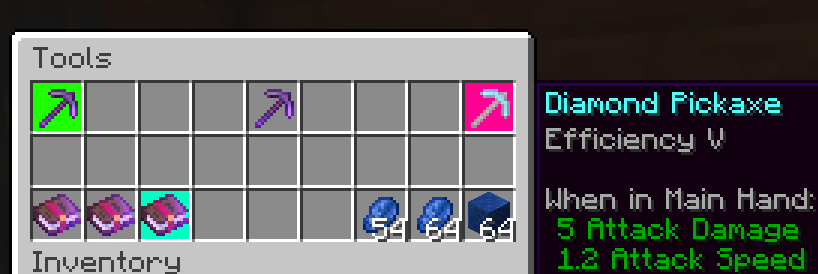
- Detailed searching - search by item ID, name, item tag, fluid contents, enchantment, potions, and more, and any combination of the previous.
- Server-side functionality - clients without the mod can use the command /whereis (default, changeable) to use the mod.
- Support for recipe viewers, including the vanilla Recipe Book, and for JEI, REI, EMI:
- Ability to search for items containing specific fluids, and tags for recipes.
- Custom searches (search for enchantments using enchanted books, and potion effects using potions).
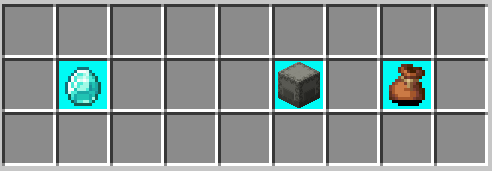
- Smart favourite handling - add a named Shulker Box in your favourites, and search for it regardless of the contents.
Usage
Press Y (by default) to search by item ID.
Inventory
Hold shift to also search for NBT data.
Recipes (Recipe Book / JEI / REI / EMI)
Will search for tags in the recipe if applicable. If hovered over a fluid, will search for items containing said fluid.
Item Overlays (JEI / REI / EMI)
Normally matches the inventory, however certain items contain different behavior:
- Enchanted books will search for any items with that enchantment. Holding shift will specify the level as well.
- Potions will search for the potion effect on any item. Holding shift will match the specific item.
Item Favourites/Bookmarks (JEI / REI / EMI)
Will try to look for the specific item by looking at name, enchantments or potion effects.
Where Is Itのインストール方法
With Millida Launcher
Install Millida Launcher
The launcher is free: download it at millida.net/launcher and sign in with any nickname.
Click “Install” on this page
The launcher opens and installs the mod for Minecraft 1.20–1.21.4 on Fabric or Quilt automatically.
Launch the game
A profile with it appears in the launcher: click “Play”.
Manually
Install Fabric or Quilt
The loader must match the game version of the mod file, for example Minecraft 1.21.4. After installing it, a separate profile appears in your launcher.
Download the file for your version
In the version list above, pick the file whereisit-2.6.4+1.21.2.jar (437 KB) for your game version and loader.
Put it in the mods folder
The folder is inside .minecraft (Windows: %appdata%\.minecraft\mods). If it does not exist, create it.
Launch the loader profile
Open “Mods” in the main menu: Where Is It should be in the list.
Minecraft 1.21.4 runs on Java 21: with a different Java version the game may close right after launch.
バージョン
依存関係あり
| Minecraft | ローダー | ファイル | 日付 | 操作 |
|---|---|---|---|---|
| 1.21.4 | Fabric, Quilt | [1.21.2+] Where Is It 2.6.4+1.21.2437 KB 1 | ||
| 1.20.1 | Fabric, Quilt | [1.20/.1] Where Is It 2.3.1+1.20.1408 KB | ||
| 1.20.2 | Fabric, Quilt | [1.20.2] Where Is It 2.3.1+1.20.2409 KB |
レビュー
Where Is Itの最初の評価を書きませんか


