
- 閲覧
- 14 閲覧
- 更新日
- 更新日 18.10.2026
- 1.17.1 — 1.18.1
 Fabric
Universal Graves
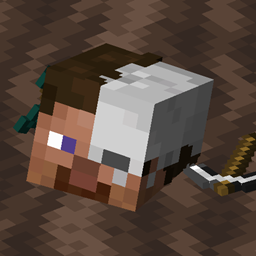
シンプルながら非常にカスタマイズ性の高い墓/デスチェストMODです!メッセージ、ブロック、ホログラムのテキストを変更したり、保護される時間、期限切れ後にアイテムをドロップするかどうかなどを自由にカスタマイズできます。
このMODはサーバー側だけで動作させることもできますが、モデルサポートのためにクライアント側にもMODが必要です!
このMODはFabricとQuiltでのみ動作します!
質問がある場合は、私のDiscordで聞いてください。
私の他のMODやプロジェクトもぜひチェックしてみてください。役に立つかもしれません!
2.x/1.19.x以前を使用していますか?
正しいreadmeを表示するにはここをクリックしてください!
画像
コマンド(および権限):
- /graves - メインコマンド。プレイヤーの墓のリストを表示します(universalgraves.list、デフォルトで使用可能)
- /graves player <player> - 選択したプレイヤーの墓のリストをGUIで開きます(universalgraves.listothers)
- /graves modify <player> - 実行者自身の墓のリストをGUIで開き、変更できるようにします(universalgraves.modify)
- /graves reload - 設定とスタイルを再読み込みします(universalgraves.reloadが必要)
さらに、universalgraves.teleport権限を持っていれば、任意の墓にテレポートできます。
Universal Gravesのインストール方法
With Millida Launcher
Install Millida Launcher
The launcher is free: download it at millida.net/launcher and sign in with any nickname.
Click “Install” on this page
The launcher opens and installs the mod for Minecraft 1.17.1–1.18.1 on Fabric automatically.
Launch the game
A profile with it appears in the launcher: click “Play”.
Manually
Install Fabric
The loader must match the game version of the mod file, for example Minecraft 1.18.1. After installing it, a separate profile appears in your launcher.
Download the file for your version
In the version list above, pick the file graves-2.0.0-rc.2+1.18.1.jar (882 KB) for your game version.
Put it in the mods folder
The folder is inside .minecraft (Windows: %appdata%\.minecraft\mods). If it does not exist, create it.
Launch the loader profile
Open “Mods” in the main menu: Universal Graves should be in the list.
Minecraft 1.18.1 runs on Java 17: with a different Java version the game may close right after launch.
バージョン
依存関係あり
| Minecraft | ローダー | ファイル | 日付 | 操作 |
|---|---|---|---|---|
| — | Fabric | UniversalGraves 3.13.0+26.3753 KB | ||
| 1.18.1 | Fabric | graves-2.0.0-rc.2+1.18.1.jar882 KB | ||
| 1.18.1 | Fabric | graves-2.0.0-beta.3+1.18.jar844 KB | ||
| 1.17.1 | — | graves-1.1.2+1.17.1.jar466 KB |
レビュー
Universal Gravesの最初の評価を書きませんか


