
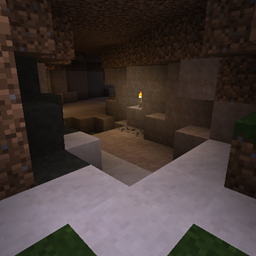
 NeoForge
 Forge
ForgeUnderground Biomes MODについて
以前の説明
これはUndergroundBiomesConstructs modを1.12.2に移植したものです
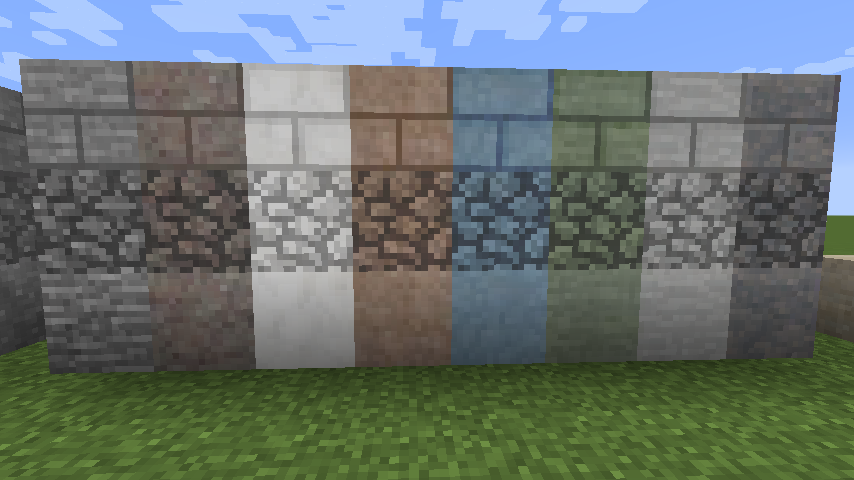
追加要素
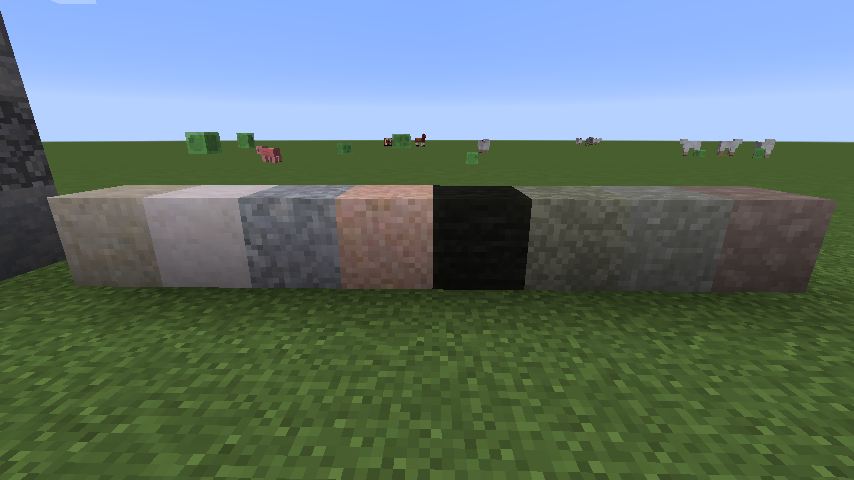
- 24種類の石
- 24種類の砂利のバリエーション
- 24種類の砂
- 16種類の丸石
- レンガ
- ハーフブロック
- 壁
- 階段
- ボタン
- BOPの草に覆われた石
- 苔むした丸石
- モンスターエッグ
- MinecraftおよびModの鉱石は、周囲の石に合わせて統合されます(または統合可能です)。
Modの鉱石の追加方法については、こちらを参照してください。
1.14.xに関する注意:これらのビルドは初期アルファ版です。バグが発生する可能性があります... Githubのイシュートラッカーで報告してください!古いビルドからビルド32にアップグレードする場合は、config/undergroundbiomesフォルダを削除してください!
これはUndergroundBiomesConstructs modを1.12.2以降に移植したものです。
このmodはあなたの地下に大きな多様性をもたらします。
- 変成岩、火成岩、堆積岩スタイルの24種類の新しい石を追加します。
- バニラや他のmodの村などの構造物や鉱石も、ワールド生成時に現地の石のバリエーションに変換されます。
- これらの24種類のバリエーションは、丸石、砂利、砂、砂岩、粘土、モンスターエッグ、草に覆われた石、レンガ、苔むしたレンガと丸石、ハーフブロック、壁、階段、ボタンにも展開されます。
- このmodは現実世界にインスパイアされており、さらに多様性を追加します。花崗岩のような火成岩は少し壊れにくく、亜炭は安価な石炭として使用でき、堆積岩の丸石は存在せず、採掘中に化石が見つかることもあります。
- 多くのmodの鉱石がすでにネイティブでサポートされています。
- QuarkのSpeleothemもサポートされています。
- シンプルでありながら広範な設定により、シンプルなjson設定を通じて他のmodの新しい鉱石を追加したり(wikiを参照)、特定のブロックのバリエーションを無効にしたりできます。
Underground Biomes modを使ったサーバーを手間なく構築したい場合は、BisectHostingでサーバーを取得し、新規顧客としてコードkreezxilを使用すると最初の月が25%オフになります
Underground Biomesのインストール方法
With Millida Launcher
Install Millida Launcher
The launcher is free: download it at millida.net/launcher and sign in with any nickname.
Click “Install” on this page
The launcher opens and installs the mod for Minecraft 1.12.2–1.21.1 on Forge or NeoForge automatically.
Launch the game
A profile with it appears in the launcher: click “Play”.
Manually
Install Forge or NeoForge
The loader must match the game version of the mod file, for example Minecraft 1.21.1. After installing it, a separate profile appears in your launcher.
Download the file for your version
In the version list above, pick the file undergroundbiomes-1.21-1.4.0.jar (3.0 MB) for your game version and loader.
Put it in the mods folder
The folder is inside .minecraft (Windows: %appdata%\.minecraft\mods). If it does not exist, create it.
Launch the loader profile
Open “Mods” in the main menu: Underground Biomes should be in the list.
Minecraft 1.21.1 runs on Java 21: with a different Java version the game may close right after launch.
バージョン
依存関係あり
| Minecraft | ローダー | ファイル | 日付 | 操作 |
|---|---|---|---|---|
| 1.21.1 | NeoForge | 1.21-1.4.03 MB 1 | ||
| 1.12.2 | Forge | 1.12-1.3.141.3 MB 2 | ||
| 1.14.4 | Forge | 1.14.4-1.0-53986 KB |
FAQ
Which Minecraft versions does Underground Biomes work on?
There are files for 1.21.1, 1.14.4, 1.12.2. The newest is 1.21.1.
Is Underground Biomes for Forge or Fabric?
There are files for Forge: 1.12.2–1.14.4 and for NeoForge: 1.21.1. There are no files for Fabric: a mod for another loader will not start.
Does Underground Biomes need other mods?
The author lists no required dependencies: the Forge or NeoForge loader is enough.
Which Java does Underground Biomes need?
Minecraft 1.21.1 runs on Java 21. If the game closes right after launch, the usual cause is the wrong Java version in the profile settings.
Where can I download Underground Biomes safely?
On this page: the file undergroundbiomes-1.21-1.4.0.jar (3.0 MB) is stored on Millida’s server, with no link shorteners. SHA-1 checksum: 95f400153a4146b872f4ae355546600bc11cd1fd.
レビュー
Underground Biomesの最初の評価を書きませんか


