

 NeoForge
 Fabric
 Quilt
QuiltTierTagger
The official nametag-tiering mod!
This mod is officially supported by mctiers.com
Icon by SakuraFX
NOTE: This mod depends on ukulib to work!
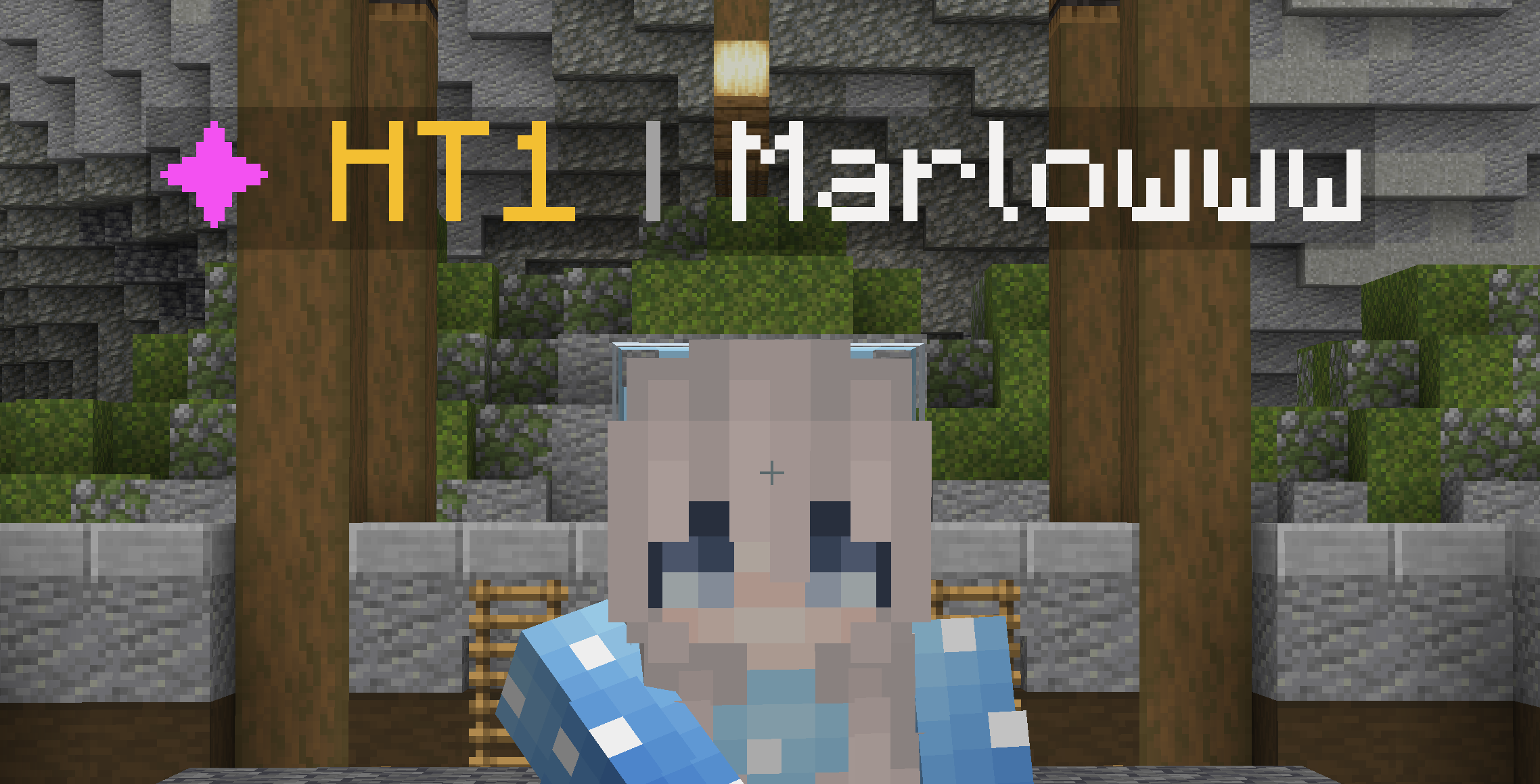
TierTagger is a mod that displays a player's PvP Tier in their nametag. TierTagger supports all 8 MCTIERS game modes. Other tierlists (such as SubTiers) are also supported since version 2.0! The default gamemode to display is configurable. If a player is unranked in a specified game mode, TierTagger will display their highest Tier overall.
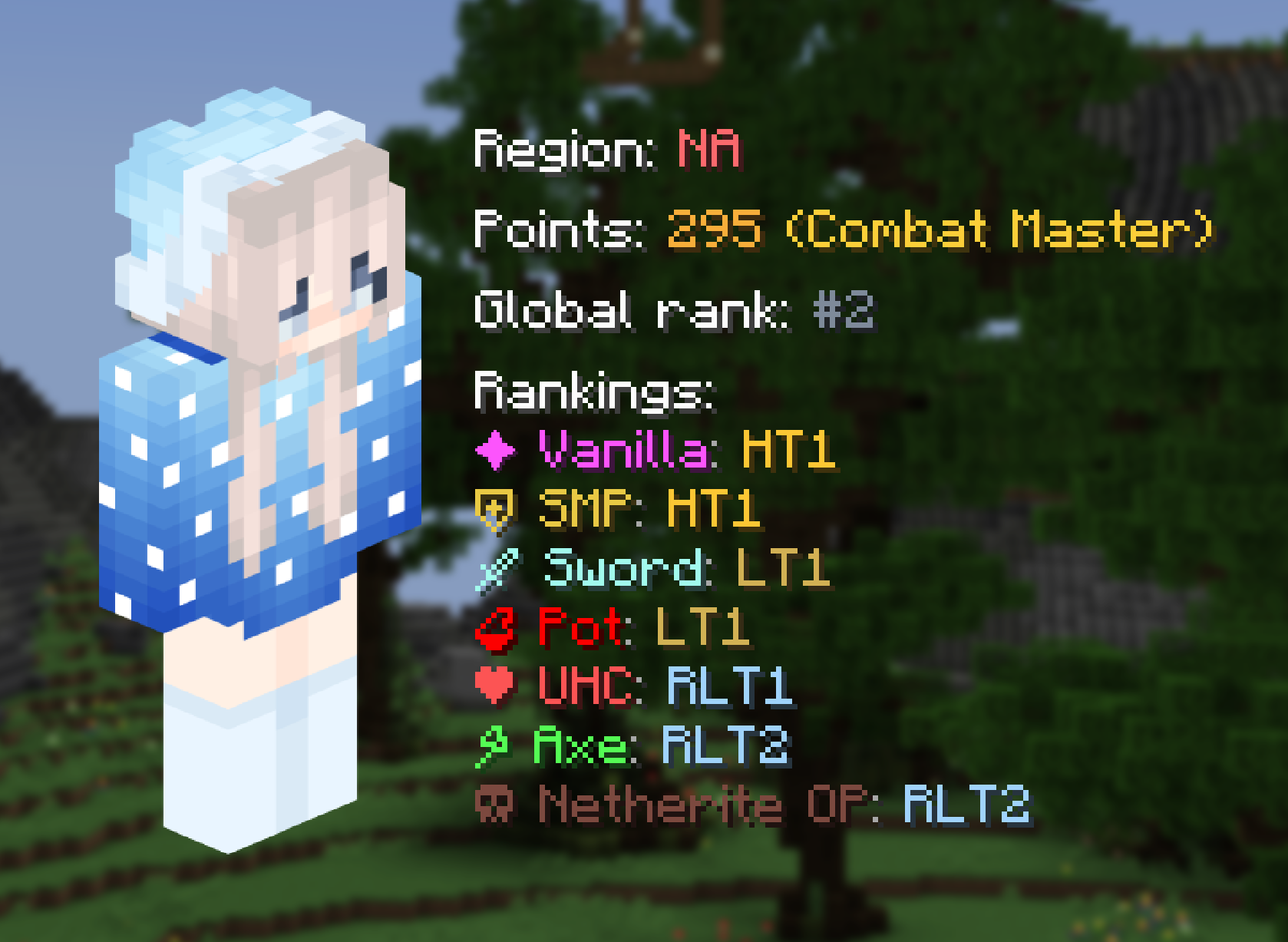
TierTagger also has a built-in system to view a player's profile!
Minecraft version support
Currently supported versions: 1.21 through 1.21.11
Future version support: once Mojang switches to the new versioning system next year, the last 4 minor releases will be supported. During the transition phase (until 26.4), 1.21.1 and 1.21.11 will remain supported.

Forking
You are allowed to fork this mod and repurpose it for your own tierlists, under a few conditions:
- The mod is licensed under the MPL-2.0, which means you need to keep your fork open source with the same license and give proper credit to the original work
- The icons currently bundled with the mod (gamemode and website icons) come from MCTiers and SubTiers and permission was explicitly granted for usage in this mod only, you cannot use them in your fork.
Tier Taggerのインストール方法
With Millida Launcher
Install Millida Launcher
The launcher is free: download it at millida.net/launcher and sign in with any nickname.
Click “Install” on this page
The launcher opens and installs the mod for Minecraft 26.1–26.3 on Fabric, NeoForge or Quilt automatically, together with its dependencies: Dependency.
Launch the game
A profile with it appears in the launcher: click “Play”.
Manually
Install Fabric, NeoForge or Quilt
The loader must match the game version of the mod file, for example Minecraft 26.3. After installing it, a separate profile appears in your launcher.
Download the file for your version
In the version list above, pick the file tiertagger-neoforge-2.7.0+mc26.3.jar (171 KB) for your game version and loader.
Put it in the mods folder
The folder is inside .minecraft (Windows: %appdata%\.minecraft\mods). If it does not exist, create it. Required dependencies go there too: Dependency.
Launch the loader profile
Open “Mods” in the main menu: Tier Tagger should be in the list.
Tier Tagger works on the player’s side only: there is no need to install it on a server.
バージョン
依存関係あり
| Minecraft | ローダー | ファイル | 日付 | 操作 |
|---|---|---|---|---|
| 26.3 | NeoForge | 26.3171 KB | ||
| 26.3 | Fabric, Quilt | 26.3175 KB | ||
| 26.2 | NeoForge | 26.2171 KB | ||
| 26.2 | Fabric, Quilt | 26.2175 KB | ||
| 26.1.2 | Fabric, Quilt | 26.1.2175 KB 1 | ||
| 26.1.2 | NeoForge | 26.1.2171 KB | ||
| 26.1.2 | Fabric, Quilt | 26.1.2175 KB | ||
| 26.1.2 | NeoForge | 26.1.2171 KB |
動作に必要なもの
- Dependency必須
FAQ
Is Tier Tagger for Forge or Fabric?
There are files for Fabric: 26.1–26.3, for NeoForge: 26.1–26.3 and for Quilt: 26.1–26.3. There are no files for Forge: a mod for another loader will not start.
What does Tier Tagger need to work?
Required: Dependency. Without it the mod will not start: dependencies go into the same mods folder.
Do I need to install Tier Tagger on a server?
No. Tier Tagger works on the player’s side only: there is no need to install it on a server.
Where can I download Tier Tagger safely?
On this page: the file tiertagger-neoforge-2.7.0+mc26.3.jar (171 KB) is stored on Millida’s server, with no link shorteners. SHA-1 checksum: 08114654356149d35c05186dbbf060443910ac1a.
レビュー
Tier Taggerの最初の評価を書きませんか


