
 Fabric
 Quilt
Quilt NeoForge
 Forge
ForgeFunctionality
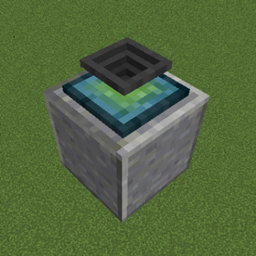
The Plopper is a block that will pick up any items in its general vicinity that are about to despawn. It will do so at a set range, which is 2 by default, but can be changed by adding upgrades. Each upgrade will add 2 blocks to the range, with a maximum of 16 blocks in total (7 upgrades). The range affects all directions (north, south, east, west, up, and down) and is cubical. Here's an image showing a cross-section of the plopper's range (white is default, black is fully upgraded):
You can access the picked up items by rightclicking the block, or piping items out of the bottom. But do note, that you can only pull items out of the plopper, and not put any into it. It's not supposed to be a storage solution :)
Showcase
Here is a video showing off the block. The birch planks represent the area in which the plopper in the video can pick up the items (note that the items dropped outside of the range don't disappear with smoke particles).
As you can see, the block comes with a sound and particles. Both can be turned off via the configuration file.
Like previously mentioned, the plopper works with pipes (in this example, Itemducts from Thermal Expansion)! By default, you can only extract from the bottom of the block, but that's toggleable as well. (The lever is not required for the plopper)
Recipes
The Plopper is crafted like shown (shapeless):
The Range Upgrade is crafted like shown (shapeless):
Config
bypassOutputSide - If set to true, the plopper will output items to e.g. pipes at all sides instead of just the bottom (Default: false)
displayParticles - Whether particles should show up every time the plopper picks up an item (Default: true)
playSound - Whether a sound should be played when an item gets picked up by the plopper (Default: true)
You are allowed to use this mod in any modpack.
Come join me on Discord! https://discord.gg/kgZUAxK
Follow me on Twitter for mod updates and other shenanigans! https://twitter.com/bl4ckscor3
The Plopperのインストール方法
With Millida Launcher
Install Millida Launcher
The launcher is free: download it at millida.net/launcher and sign in with any nickname.
Click “Install” on this page
The launcher opens and installs the mod for Minecraft 1.20–26.3 on Fabric, Forge, NeoForge or Quilt automatically.
Launch the game
A profile with it appears in the launcher: click “Play”.
Manually
Install Fabric, Forge, NeoForge or Quilt
The loader must match the game version of the mod file, for example Minecraft 26.3. After installing it, a separate profile appears in your launcher.
Download the file for your version
In the version list above, pick the file theplopper-fabric-26.3-1.5.jar (268 KB) for your game version and loader.
Put it in the mods folder
The folder is inside .minecraft (Windows: %appdata%\.minecraft\mods). If it does not exist, create it.
Launch the loader profile
Open “Mods” in the main menu: The Plopper should be in the list.
バージョン
依存関係あり
| Minecraft | ローダー | ファイル | 日付 | 操作 |
|---|---|---|---|---|
| 26.3 | Fabric, Quilt | theplopper-fabric-26.3-1.5.jar268 KB | ||
| 26.3 | NeoForge | theplopper-neoforge-26.3-1.5.jar265 KB | ||
| 1.20.1 | Forge | theplopper-1.20.1-1.3.4.jar36.9 KB |
FAQ
Which Minecraft versions does The Plopper work on?
There are files for 26.3, 1.20.1, 1.20. The newest is 26.3.
Is The Plopper for Forge or Fabric?
There are files for Fabric: 26.3, for Forge: 1.20–1.20.1, for NeoForge: 26.3 and for Quilt: 26.3.
Does The Plopper need other mods?
The author lists no required dependencies: the Fabric, Forge, NeoForge or Quilt loader is enough.
Where can I download The Plopper safely?
On this page: the file theplopper-fabric-26.3-1.5.jar (268 KB) is stored on Millida’s server, with no link shorteners. SHA-1 checksum: b1a95a7fe78f6ba3c907db331b5ac518f362e694.
レビュー
The Plopperの最初の評価を書きませんか


