

- ダウンロード
- 7 ダウンロード
- 閲覧
- 23 閲覧
- いいね
- 1 いいね
- 更新日
- 更新日 22.10.2026
- 1.15.2 — 1.18.2
 Forge
Forge
概要:
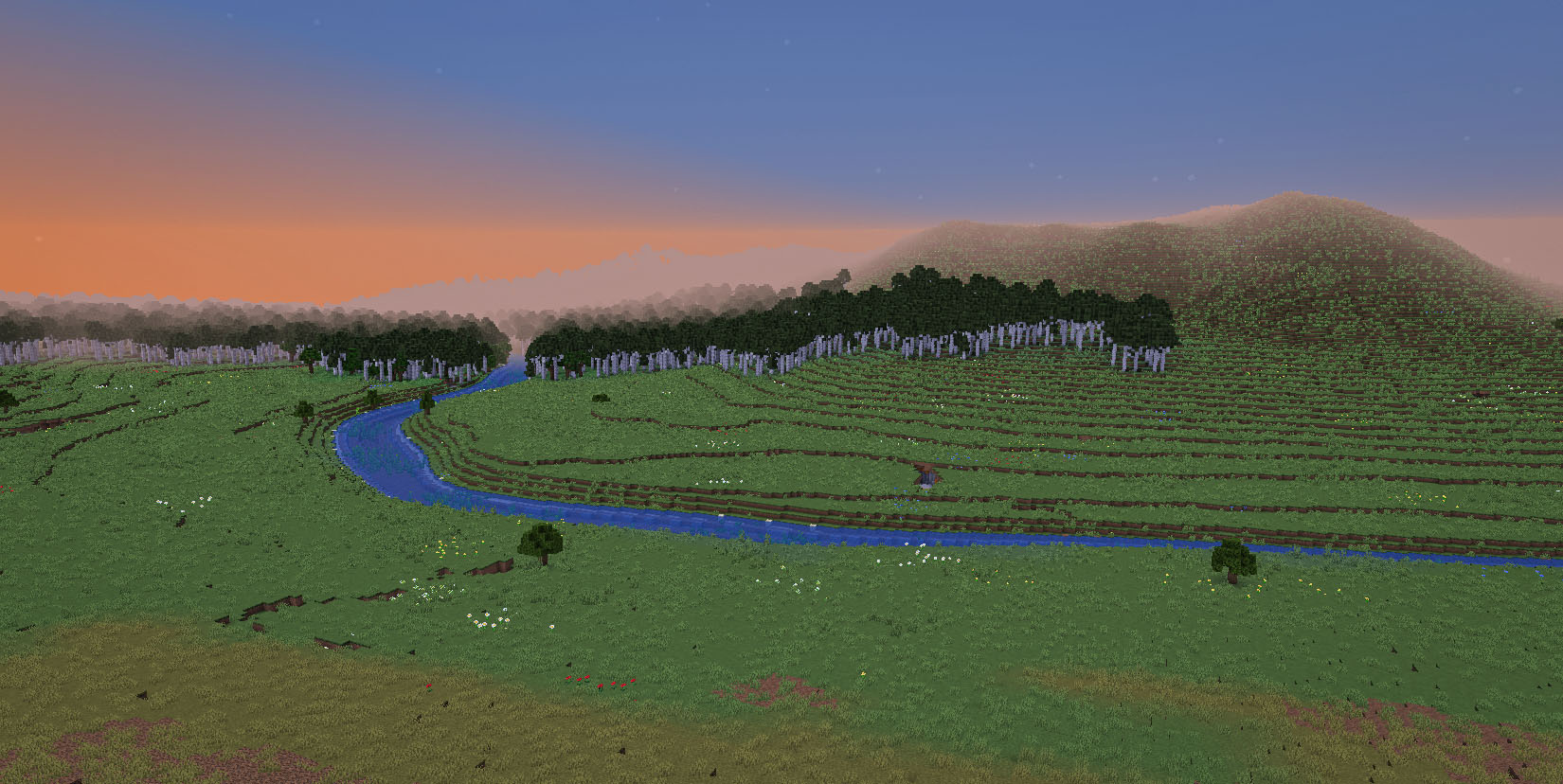
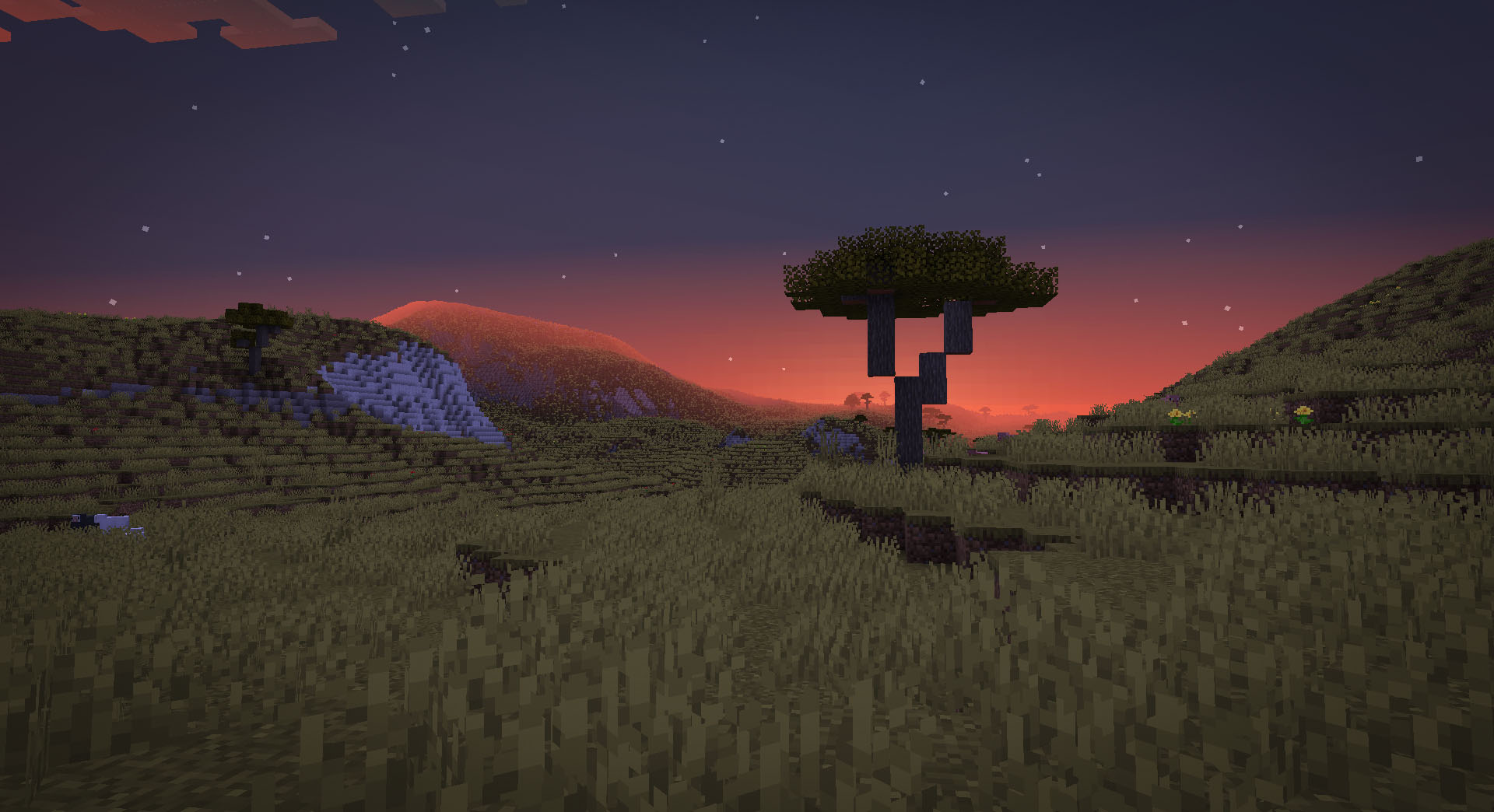
TerraForgedは、Minecraft(Java Edition)用のワールド生成Modで、より没入感があり刺激的な探索できる世界を作り出します。バニラの生成システムを一新し、まったく新しい地形、より良い河川、カスタムバイオームの特徴、そして大量の設定オプションまで備えています!
Discord:
https://discord.gg/petc6SF6P2
インストール:
- 対象のMinecraftバージョン(例: 1.15.2)用のForgeをインストールする
- TerraForgedのMod jarをプロフィールのmodsフォルダに追加する
- 新しいワールドを作成する際に「TerraForged」ワールドタイプを選択する
FAQ:
- 「これは他のModのバイオームでも動作しますか?」
はい、動作するはずです。「TerraForged」をワールドタイプとして選択すると、利用可能なすべてのオーバーワールドバイオーム(バニラおよびMod)を探し、可能な限りワールド生成に組み込みます。
- 「これを自分のサーバーで使うにはどうすればいいですか?」
Forgeサーバーを実行している必要があります。TerraForgedのMod jarをサーバーのmodsフォルダに追加し、server.propertiesファイルでlevel-type=terraforgedを設定してください(サーバーを起動する前にこれを行ってください)
- 「これはFabric/Bukkit/Spigot/Spongeや古いMinecraftバージョンに移植されますか?」
いいえ。ただし、他のMod作者がそうすることを歓迎します
Mod作者向け情報
- バイオーム - TerraForgedにワールド生成でカスタムバイオームを使用させたい場合は、この情報をご覧ください
- ブロック - TerraForgedの地層レイヤーにカスタムブロックを表示させたい場合は、この情報をご覧ください
TerraForgedのインストール方法
With Millida Launcher
Install Millida Launcher
The launcher is free: download it at millida.net/launcher and sign in with any nickname.
Click “Install” on this page
The launcher opens and installs the mod for Minecraft 1.15.2–1.18.2 on Forge automatically.
Launch the game
A profile with it appears in the launcher: click “Play”.
Manually
Install Forge
The loader must match the game version of the mod file, for example Minecraft 1.18.2. After installing it, a separate profile appears in your launcher.
Download the file for your version
In the version list above, pick the file TerraForged-1.18.2-0.3.1-alpha-2.jar (1.1 MB) for your game version.
Put it in the mods folder
The folder is inside .minecraft (Windows: %appdata%\.minecraft\mods). If it does not exist, create it.
Launch the loader profile
Open “Mods” in the main menu: TerraForged should be in the list.
Minecraft 1.18.2 runs on Java 17: with a different Java version the game may close right after launch.
バージョン
依存関係あり
| Minecraft | ローダー | ファイル | 日付 | 操作 |
|---|---|---|---|---|
| 1.16.5 | Forge | 0.2.161.6 MB 4 | ||
| 1.18.2 | Forge | 0.3.1-ALPHA-21.1 MB 1 | ||
| 1.16.5 | Forge | 0.2.16-BETA-21.6 MB | ||
| 1.15.2 | — | 0.0.5920 KB 2 |
FAQ
Which Minecraft versions does TerraForged work on?
There are files for 1.18.2, 1.16.5, 1.15.2. The newest is 1.18.2.
Is TerraForged for Forge or Fabric?
Only for Forge: 1.16.5–1.18.2. There are no files for Fabric or NeoForge: a mod for another loader will not start.
Does TerraForged need other mods?
The author lists no required dependencies: the Forge loader is enough.
Which Java does TerraForged need?
Minecraft 1.18.2 runs on Java 17. If the game closes right after launch, the usual cause is the wrong Java version in the profile settings.
How do I download TerraForged?
With Millida Launcher: it installs TerraForged into a modpack by itself, for the right game version and loader. The launcher is free.
レビュー
TerraForgedの最初の評価を書きませんか


