

Minecraft 1.20.1, 1.21.1用Sounds MOD
書いてある通りのものです。UI、アイテム、ブロックなどに170以上の新しい効果音を追加し、MinecraftのSFXを完全にアップグレードします。
 NeoForge
 Fabric
書いてある通りの内容です。
Soundsは、ゲームにさまざまな新しい効果音を追加しつつ、しっくりこなかった既存の効果音も改善するMODです。まさにゲームチェンジャーで、これに慣れるとバニラが物足りなく感じられます。
またこのMODは、ExtraSounds、Auditory、QualitySoundsの精神的後継でもあります。これらのMODの機能の大部分は拡張され、高度に設定可能になっています。
MRU & Yet Another Config Libが必要です

機能
- UI、チャットメッセージ、ゲーム内アクション、ブロックの音など、ゲーム全体にわたる170以上の効果音改善を収録。
- Zapsplatから入手した高品質な効果音を、最高の効果音体験のために手作業で調整。
- 完全にクライアントサイドのみで動作し、サーバーにインストールする必要はありません!
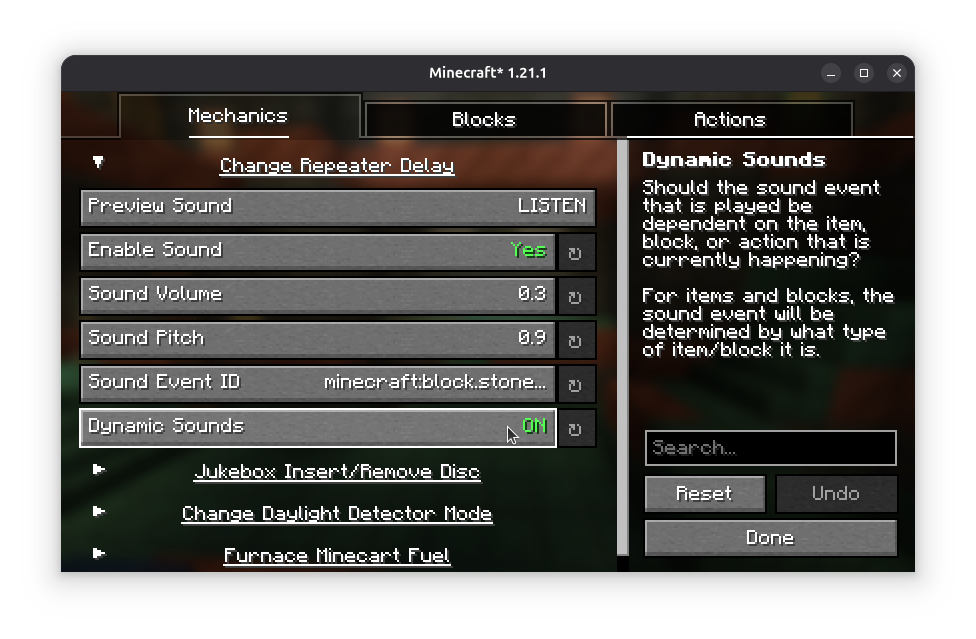
- 高度にカスタマイズ可能で、使用するサウンドイベントを変更でき、リソースパックを通じて動的なブロックやアイテムのサウンドを調整することもできます。特にコンテンツMOD用のアドオンを作成する際に便利です。'
対応バージョン
FabricとNeoForgeの最新安定版(26.1)およびFabricの最新ベータ版(26.3)のみがサポートされています。
設定
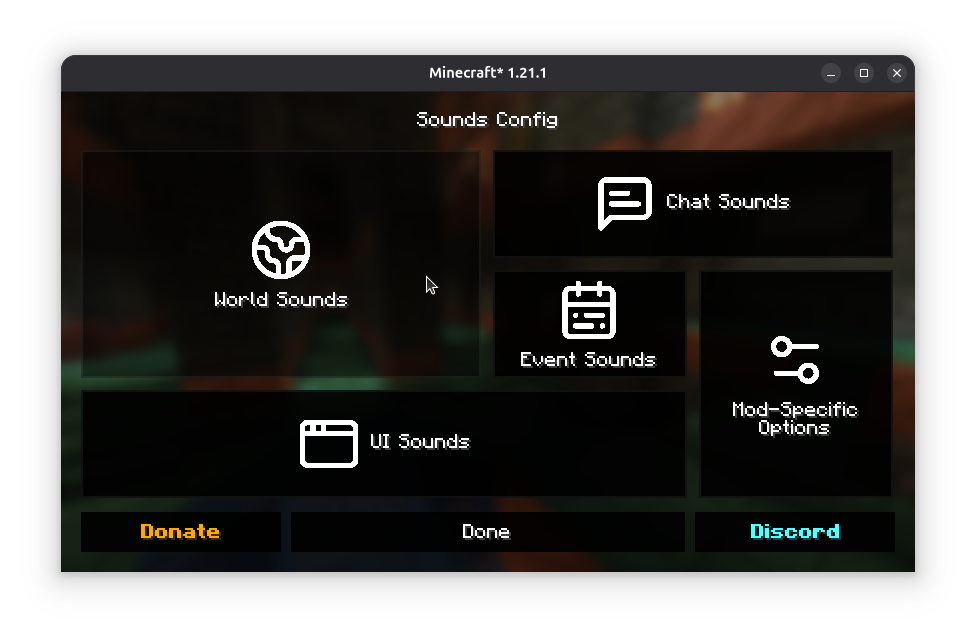
前述のとおり、Soundsは高度にカスタマイズ可能です。シンプルな効果音は、ゲームインスタンスのconfig/sounds/フォルダにある設定ファイルか、設定画面から編集できます。
Fabric版のMODで設定画面にアクセスするには、Mod Menuが必要です。
MODコンテンツへの対応追加
アイテム、画面、ブロック用の動的サウンド定義の作成について詳しくは、Sounds Documentationを参照してください。
カスタム効果音は、Gold Members向けのZapSplat Standard Licenseの下でZapsplatから取得しています。
私のMODを使用することで、エンドユーザーライセンス契約に同意したものとみなされます。EULAが守られている限り、ModrinthおよびCurseForgeのMODパック内でこのMODを自由に使用できます。
Soundsのインストール方法
With Millida Launcher
Install Millida Launcher
The launcher is free: download it at millida.net/launcher and sign in with any nickname.
Click “Install” on this page
The launcher opens and installs the mod for Minecraft 1.20–26.3 on Fabric or NeoForge automatically, together with its dependencies: YetAnotherConfigLib (YACL), Fabric API, MRU.
Launch the game
A profile with it appears in the launcher: click “Play”.
Manually
Install Fabric or NeoForge
The loader must match the game version of the mod file, for example Minecraft 26.3. After installing it, a separate profile appears in your launcher.
Download the file for your version
In the version list above, pick the file sounds-2.6.0+26.3-neoforge.jar (7.7 MB) for your game version and loader.
Put it in the mods folder
The folder is inside .minecraft (Windows: %appdata%\.minecraft\mods). If it does not exist, create it. Required dependencies go there too: YetAnotherConfigLib (YACL), Fabric API, MRU.
Launch the loader profile
Open “Mods” in the main menu: Sounds should be in the list.
Sounds works on the player’s side only: there is no need to install it on a server.
バージョン
依存関係あり
| Minecraft | ローダー | ファイル | 日付 | 操作 |
|---|---|---|---|---|
| 26.3 | NeoForge | 26.37.7 MB 5 | ||
| 26.3 | Fabric | 26.37.8 MB 192 | ||
| 26.1.2 | Fabric | 26.1.27.8 MB 17 | ||
| 26.1.2 | NeoForge | 26.1.27.7 MB 1 | ||
| 26.3 | Fabric | 26.37.8 MB 2 | ||
| 26.1.2 | NeoForge | 26.1.27.7 MB | ||
| 26.1.2 | Fabric | 26.1.27.8 MB 10 | ||
| 26.2 | Fabric | 26.27.8 MB 96 | — |
動作に必要なもの
- YetAnotherConfigLib (YACL)必須
- Fabric API必須
- Dependency任意
- MRU必須
これを必要とするコンテンツ
FAQ
Which Minecraft versions does Sounds work on?
There are files for 1.20–26.3, 10 versions in total. The newest is 26.3.
Is Sounds for Forge or Fabric?
There are files for Fabric: 1.20–26.3 and for NeoForge: 26.1–26.3. There are no files for Forge: a mod for another loader will not start.
What does Sounds need to work?
Required: YetAnotherConfigLib (YACL), Fabric API, MRU. Without them the mod will not start: dependencies go into the same mods folder. Optional: Dependency.
Do I need to install Sounds on a server?
No. Sounds works on the player’s side only: there is no need to install it on a server.
Where can I download Sounds safely?
On this page: the file sounds-2.6.0+26.3-neoforge.jar (7.7 MB) is stored on Millida’s server, with no link shorteners. SHA-1 checksum: 4d36f480ce5706c83516c7b44ff9b8534b2bbdd7.
レビュー
Soundsの最初の評価を書きませんか


