
Minecraft 1.20.1, 1.21.1用Sophisticated Storage Create Integration MOD
Createのコントラプション上で動作する全機能のSophisticated Storage
 NeoForge
 Forge
ForgeSophisticated Storage Create Integration MODについて
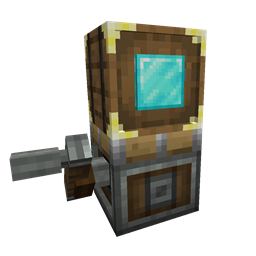
Sophisticated Storage Create IntegrationはCreateとの完全な統合を実現するアドオンで、Sophisticated StorageのブロックをCreateの装置上で単なる収納ブロックとしてだけでなく、その豊富なインベントリ機能のすべてと、ほぼすべてのアップグレードを完全に機能させた状態で使用できるようにします。このアドオンモッドは、Sophisticated Storageのパワーと柔軟性をCreateの動く世界に持ち込み、収納ブロックが列車、回転プラットフォーム、飛行機械などの上を移動できるようにします。しかも、高度な機能を一切失うことはありません。
装置上のストレージ
すべてのSophisticated Storageブロック(バレル、チェスト、シュルカーボックス)をCreateの装置に取り付けられるようになり、移動中も完全な互換性を維持します。収納内容は移動後も保持され、アップグレード、アップグレード設定、インベントリ設定(記憶したスロットなど)も維持されます。
アップグレード
Sophisticated Storageのほとんどのアップグレードは、Createの装置上でもシームレスに機能します。PickupやMagnetのような位置ベースのアップグレードは、装置の動的な位置と実際のストレージの位置を使用して正しい位置で機能し、スタックアップグレードはスロット容量を拡張し、クラフトアップグレードはストレージの内容で動作します…。アップグレードは、ワールド上で装置に取り付けられたストレージを直接右クリックすることで、乗り物のストレージに追加できます。
ティアアップグレード
ティアアップグレードは、通常のストレージと同様に、ストレージを右クリックするだけで装置のストレージにも適用できます。これにより、装置が移動中でもストレージ容量を簡単に拡張できます。
ストレージツール
ストレージツールは装置に直接使用でき、通常のSophisticated Storageブロックと同様に、ロック設定やティア、アップグレードスロット、充填レベルなどの視覚的インジケーターを管理できます。
ペイントブラシ
ペイントブラシは、通常のストレージと同程度のサポートで装置のストレージを塗装できるため、ペイントブラシによる色合いの変更とバレル素材の変更の両方がサポートされています。
Sophisticated Storage Create Integrationのインストール方法
With Millida Launcher
Install Millida Launcher
The launcher is free: download it at millida.net/launcher and sign in with any nickname.
Click “Install” on this page
The launcher opens and installs the mod for Minecraft 1.20.1–1.21.1 on Forge or NeoForge automatically.
Launch the game
A profile with it appears in the launcher: click “Play”.
Manually
Install Forge or NeoForge
The loader must match the game version of the mod file, for example Minecraft 1.21.1. After installing it, a separate profile appears in your launcher.
Download the file for your version
In the version list above, pick the file sophisticatedstoragecreateintegration-1.21.1-0.1.21.209.jar (131 KB) for your game version and loader.
Put it in the mods folder
The folder is inside .minecraft (Windows: %appdata%\.minecraft\mods). If it does not exist, create it.
Launch the loader profile
Open “Mods” in the main menu: Sophisticated Storage Create Integration should be in the list.
Minecraft 1.21.1 runs on Java 21: with a different Java version the game may close right after launch.
バージョン
依存関係あり
| Minecraft | ローダー | ファイル | 日付 | 操作 |
|---|---|---|---|---|
| 1.20.1 | Forge, NeoForge | sophisticatedstoragecreateintegration-1.20.1-0.1.24.221.jar127 KB 60 | ||
| 1.21.1 | NeoForge | sophisticatedstoragecreateintegration-1.21.1-0.1.21.209.jar131 KB 94 |
FAQ
Which Minecraft versions does Sophisticated Storage Create Integration work on?
There are files for 1.21.1, 1.20.1. The newest is 1.21.1.
Is Sophisticated Storage Create Integration for Forge or Fabric?
There are files for Forge: 1.20.1 and for NeoForge: 1.20.1–1.21.1. There are no files for Fabric: a mod for another loader will not start.
Does Sophisticated Storage Create Integration need other mods?
The author lists no required dependencies: the Forge or NeoForge loader is enough.
Which Java does Sophisticated Storage Create Integration need?
Minecraft 1.21.1 runs on Java 21. If the game closes right after launch, the usual cause is the wrong Java version in the profile settings.
Where can I download Sophisticated Storage Create Integration safely?
On this page: the file sophisticatedstoragecreateintegration-1.21.1-0.1.21.209.jar (131 KB) is stored on Millida’s server, with no link shorteners. SHA-1 checksum: d8f72f22459750496008a7c2a39dc865152d075c.
レビュー
Sophisticated Storage Create Integrationの最初の評価を書きませんか


