

 NeoForge
 Fabric
 Quilt
Quilt Forge
ForgeSmooth Swapping
概要
Smooth Swappingは、インベントリ内のアイテムの動きをアニメーション化するクライアントサイドMODです。
- FabricとForgeで利用可能です(Minecraftバージョン1.19.4以降)
- Architecturyを使って書かれていますが、ForgeでもFabricでもArchitectury APIは必要ありません
- Fabric版を使う場合はFabric APIが必要で、設定メニューにアクセスするにはModMenuが必要です
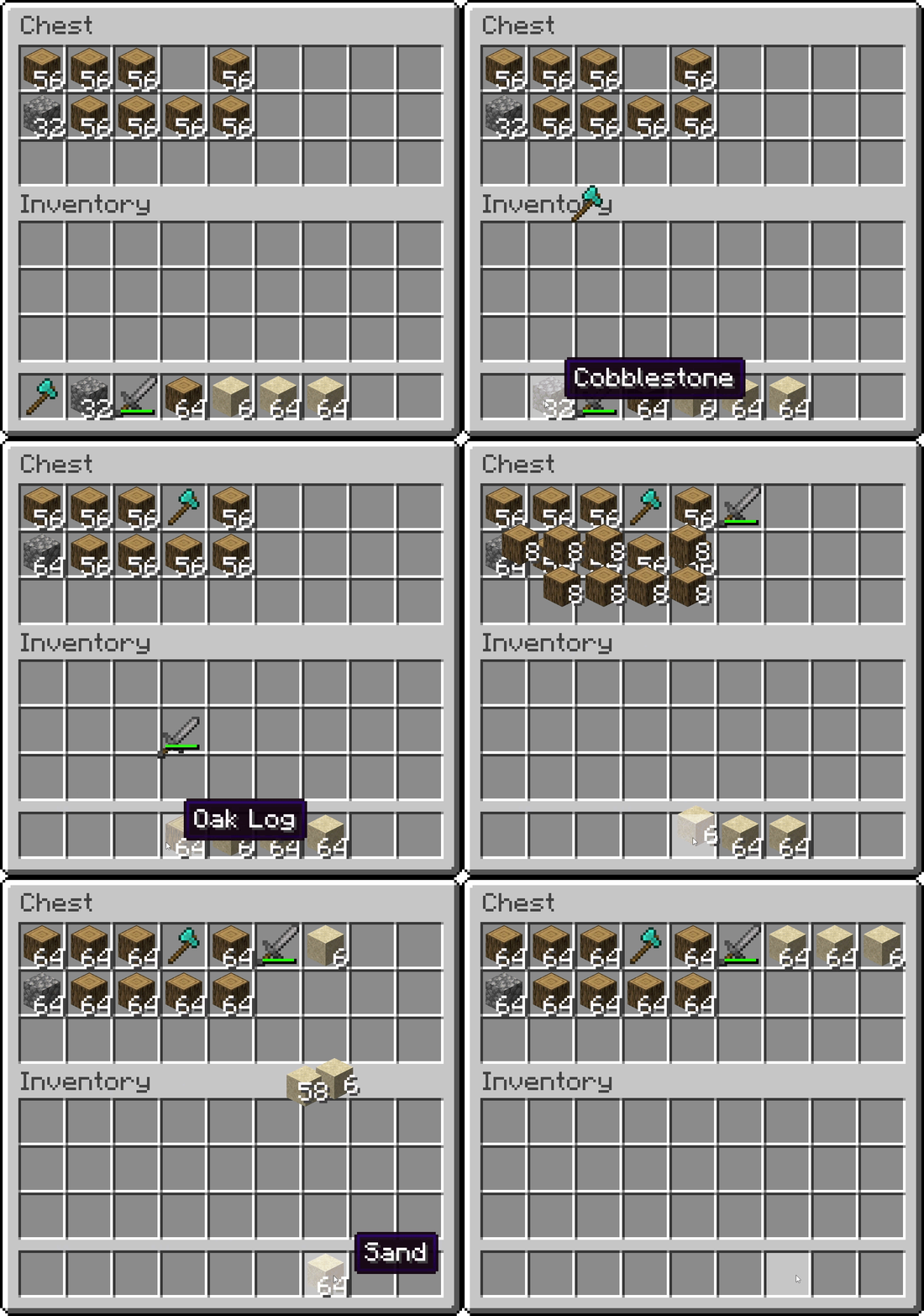
インベントリ内での滑らかなアイテムアニメーション
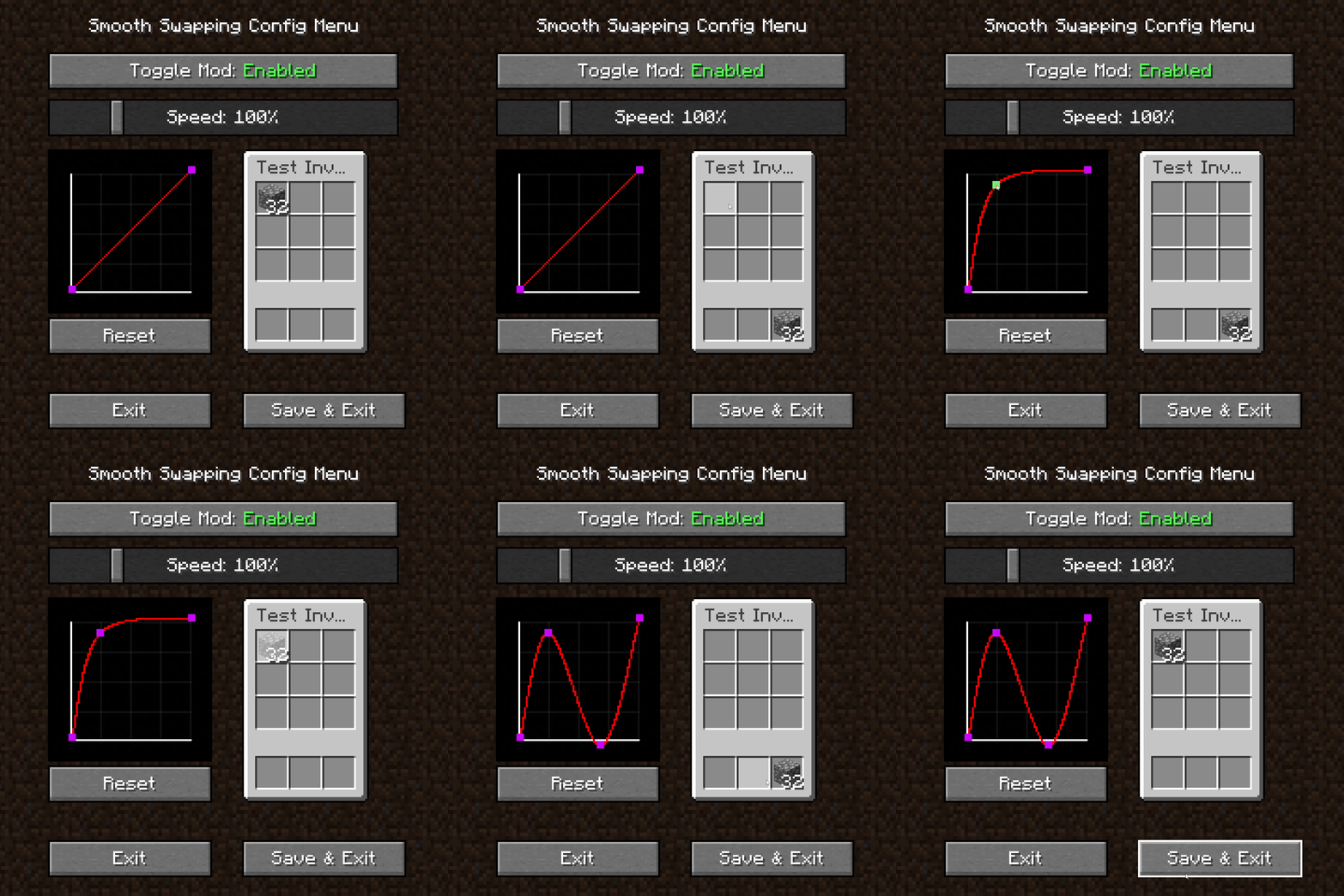
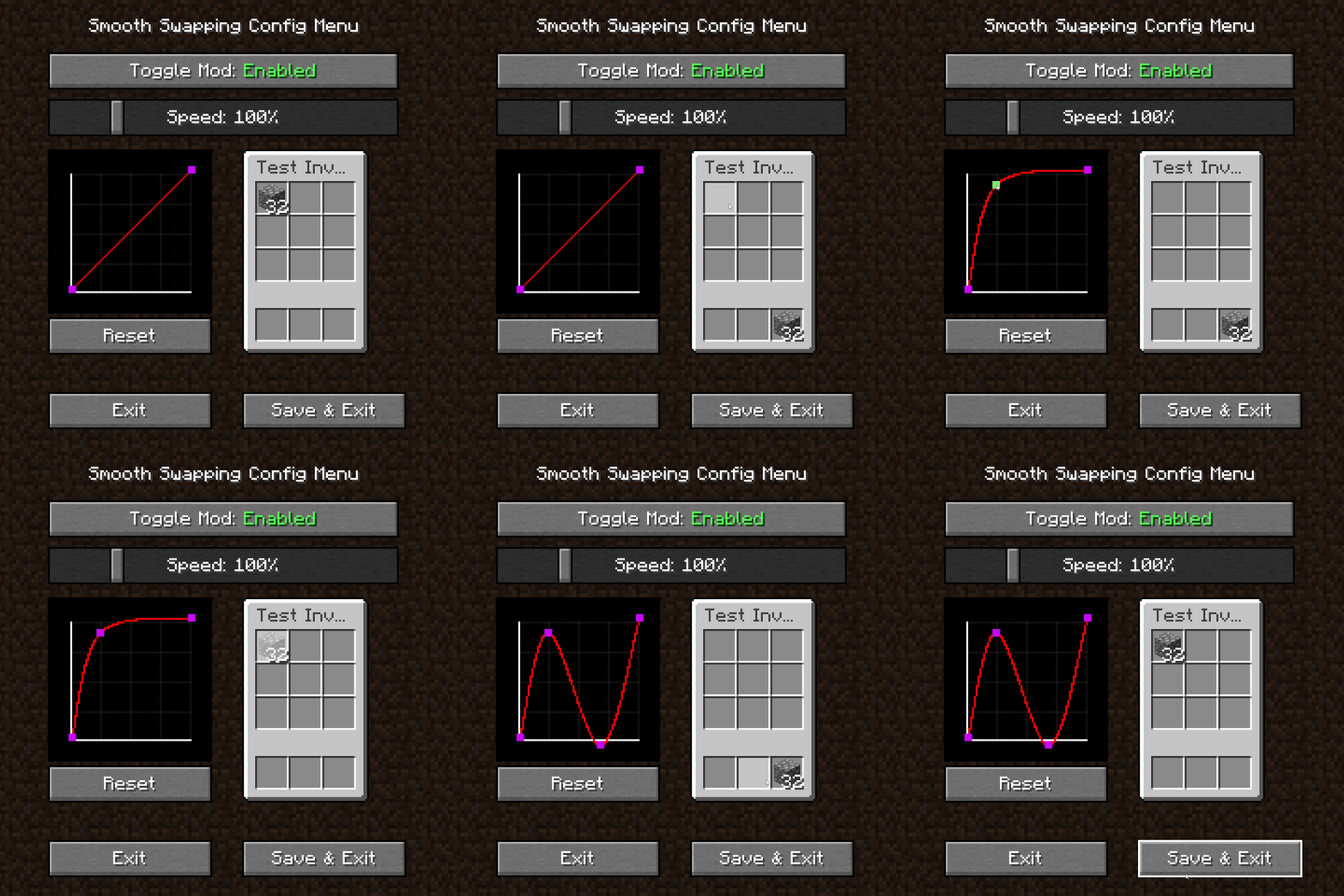
Smooth Swappingの設定メニュー
- MODを有効化・無効化するトグルボタン
- アニメーション速度を調整するスライダー
- アニメーションをテストできる小さなインベントリ
- アニメーションカーブを変更するグラフ
- マウスで空いている場所を右クリックすると、新しいカーブポイントを作成できます
- ポイントを左クリックしてドラッグすると移動できます。ただし、最初と最後のポイントは移動できません
- ポイントを右クリックすると削除できます
Smooth Swappingのインストール方法
With Millida Launcher
Install Millida Launcher
The launcher is free: download it at millida.net/launcher and sign in with any nickname.
Click “Install” on this page
The launcher opens and installs the mod for Minecraft 1.18–26.3 on Fabric, Forge, NeoForge or Quilt automatically.
Launch the game
A profile with it appears in the launcher: click “Play”.
Manually
Install Fabric, Forge, NeoForge or Quilt
The loader must match the game version of the mod file, for example Minecraft 26.3. After installing it, a separate profile appears in your launcher.
Download the file for your version
In the version list above, pick the file smoothswapping-0.9.11-26.3-neoforge.jar (66 KB) for your game version and loader.
Put it in the mods folder
The folder is inside .minecraft (Windows: %appdata%\.minecraft\mods). If it does not exist, create it.
Launch the loader profile
Open “Mods” in the main menu: Smooth Swapping should be in the list.
バージョン
依存関係あり
| Minecraft | ローダー | ファイル | 日付 | 操作 |
|---|---|---|---|---|
| 26.3 | NeoForge | [NeoForge 26.3] v0.9.1166.1 KB 23 | ||
| 26.3 | Fabric, Quilt | [Fabric 26.3] v0.9.1166 KB 531 | ||
| 1.18.1 | Forge | [Forge 1.18.2] v0.9.1.159.9 KB 13 |
レビュー
Smooth Swappingの最初の評価を書きませんか


