

 NeoForge
 Fabric
 Forge
ForgeServer Country Flags MODについて
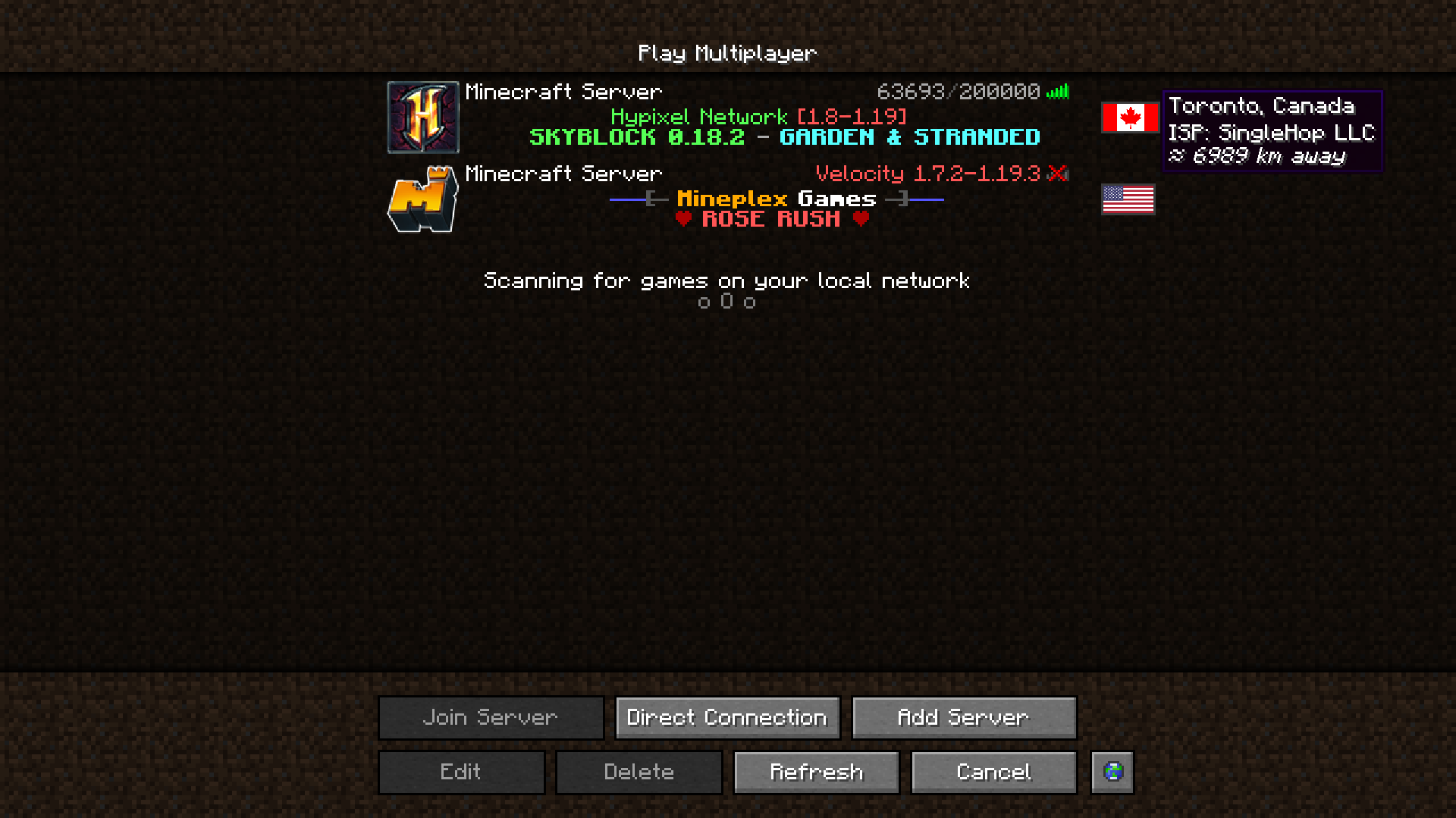
Server Country Flagsはサーバーリスト体験への素晴らしい追加要素です。サーバーリスト上で、そのMinecraftサーバーがどの国に所在しているか、そこまでのおおよその距離、そしていくつかの詳細を表示します。
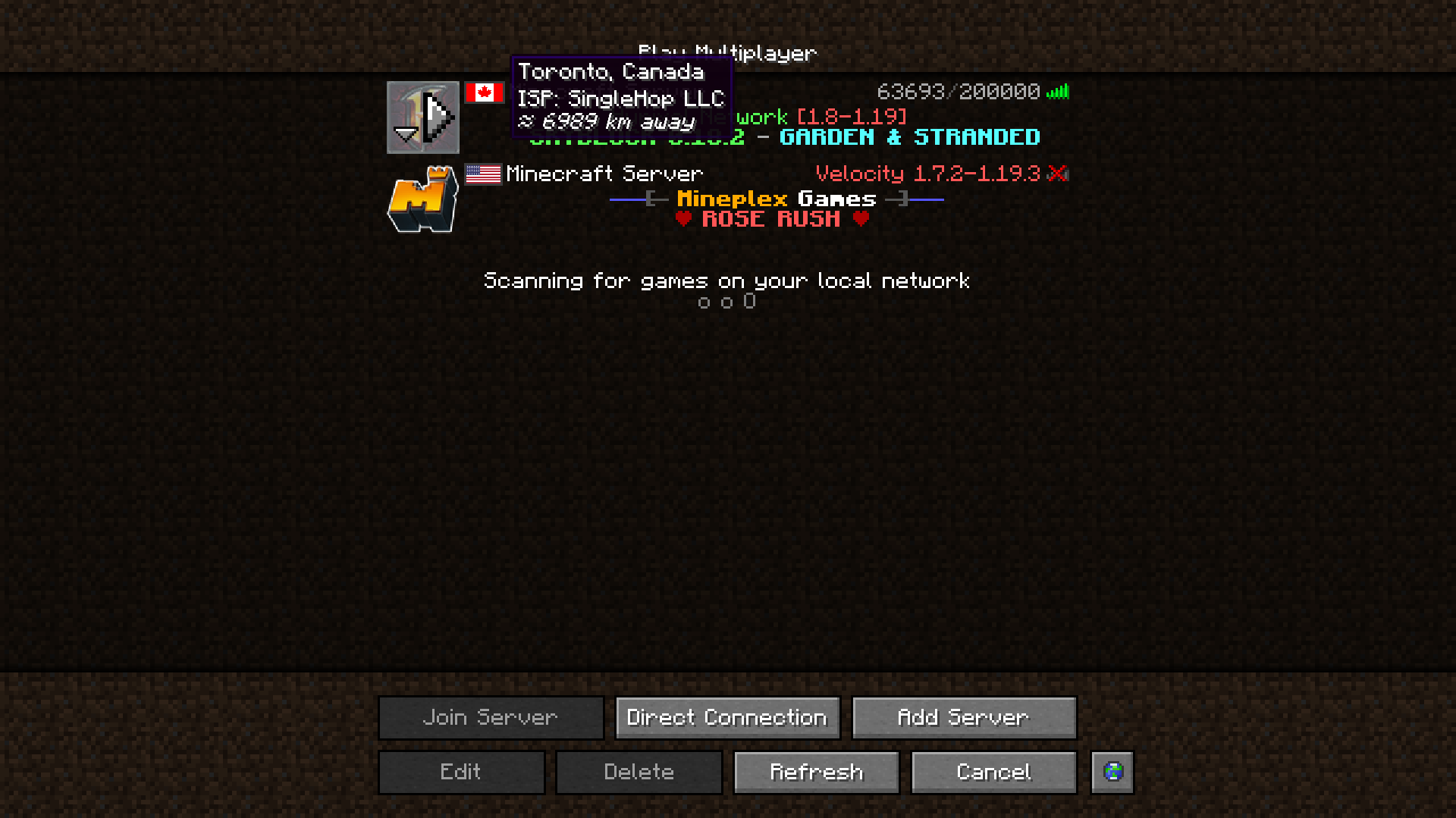
Cloth Config APIを導入している場合、ユーザーフレンドリーなGUIでこのMODの設定を調整できます。ForgeではMODリストのConfigボタンを押すことでアクセスできます。Fabricでは、Mod Menuのconfigボタンを使ってアクセスする必要があります。
このMODは、公開されている無料のIPジオロケーションIP - IP-API.comのデータを使用しています。
このMODが行えるリクエスト数は毎分45回に制限されていますが、それで全く十分です。
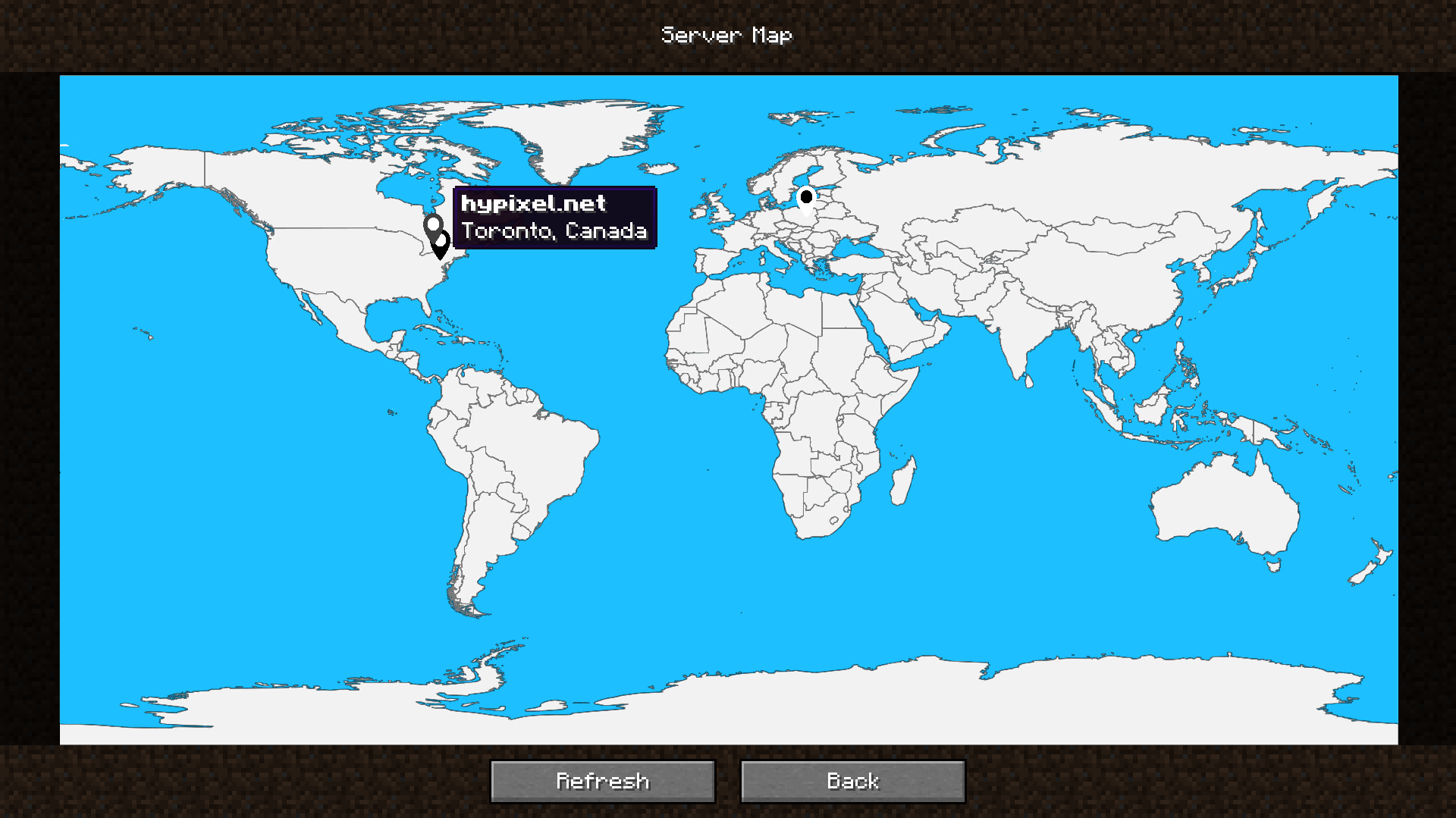
このMODには、サーバーの所在地を視覚的に把握できる内蔵のサーバーマップも含まれており、お気に入りのサーバーがどこにあるのかを一目で簡単に確認できます。
サーバーリストにあるServer Mapボタンからアクセスできます。他のボタンの隣にあります。設定で削除したり移動したりできます!
私、またはこのMODを支援したいですか?
その方法はこちらです:
- Ko-Fiで寄付する!
- BisectHostingで私のプロモコードkhajiitosを使うと25%オフ!
- コードを提供する、問題を私に知らせる、またはこのMODのGitHubページにスターを付ける!
本当にありがとうございます!
こちらはこのMODの機能を強化する依存関係、またはこのMODが強化するものです!
- Fabric API(Fabricでは必須)
- Cloth Config API(ゲーム内のConfigページを提供)
- Mod Menu(FabricでConfigページにアクセスするために必要)
- Server Browser(あなたに最も近いサーバーを見つけやすくするために、Server Browserに国旗を追加します!)
MODパック用のサーバーを探している場合でも、友達と遊ぶだけの場合でも - BisectHostingは最も信頼できて手頃な選択肢の一つです!MODパックのインストールはほんの数クリックで完了します。コードkhajiitosで25%オフ!
Server Country Flagsのインストール方法
With Millida Launcher
Install Millida Launcher
The launcher is free: download it at millida.net/launcher and sign in with any nickname.
Click “Install” on this page
The launcher opens and installs the mod for Minecraft 1.17–26.1 on Fabric, Forge or NeoForge automatically.
Launch the game
A profile with it appears in the launcher: click “Play”.
Manually
Install Fabric, Forge or NeoForge
The loader must match the game version of the mod file, for example Minecraft 26.1. After installing it, a separate profile appears in your launcher.
Download the file for your version
In the version list above, pick the file servercountryflags-1.10.4-26.1-NEOFORGE.jar (2.3 MB) for your game version and loader.
Put it in the mods folder
The folder is inside .minecraft (Windows: %appdata%\.minecraft\mods). If it does not exist, create it.
Launch the loader profile
Open “Mods” in the main menu: Server Country Flags should be in the list.
バージョン
依存関係あり
| Minecraft | ローダー | ファイル | 日付 | 操作 |
|---|---|---|---|---|
| 26.1 | NeoForge | [NeoForge] Server Country Flags 1.10.4 - 26.12.3 MB | ||
| 26.1 | Fabric | [Fabric] Server Country Flags 1.10.4 - 26.12.3 MB | ||
| 1.20.4 | Forge | [Forge] Server Country Flags 1.10.1 - 1.20.42.3 MB | ||
| 1.17.1 | Fabric | Server Country Flags 1.6.3 - 1.17.x-1.19.x859 KB | ||
| 1.19.4 | Fabric | Server Country Flags 1.5.0a - 1.19.x1.7 MB |
FAQ
Which Minecraft versions does Server Country Flags work on?
There are files for 1.17–26.1, 12 versions in total. The newest is 26.1.
Is Server Country Flags for Forge or Fabric?
There are files for Fabric: 1.17–26.1, for Forge: 1.20.4 and for NeoForge: 26.1.
Does Server Country Flags need other mods?
The author lists no required dependencies: the Fabric, Forge or NeoForge loader is enough.
Where can I download Server Country Flags safely?
On this page: the file servercountryflags-1.10.4-26.1-NEOFORGE.jar (2.3 MB) is stored on Millida’s server, with no link shorteners. SHA-1 checksum: c248966226c7b62e7e147bcfb19d28cb8825d6d2.
レビュー
Server Country Flagsの最初の評価を書きませんか


