
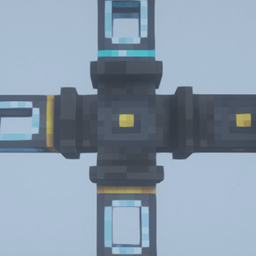
Minecraft 1.18.2用Refined Pipes MOD
MOD環境のMinecraftで最高のアイテム、液体、エネルギーの輸送パイプを目指すMOD
- ダウンロード
- 1 ダウンロード
- 閲覧
- 42 閲覧
- 更新日
- 更新日 22.10.2026
- 1.15.2 — 1.18.2
 Forge
Refined Pipes
Refined Pipesはアイテム、液体、エネルギーのパイプを追加するMinecraftのMODです。
注意: 時間が足りないため、Refined Pipesは今後さらなるアップデートやメンテナンスを受けることはありません。この状況は将来的に変わる可能性があります。
目標は、最高のスタンドアロンのアイテム、液体、エネルギーパイプを実現することです。
外部依存や特別な鉱石/インゴットは必要ありません。
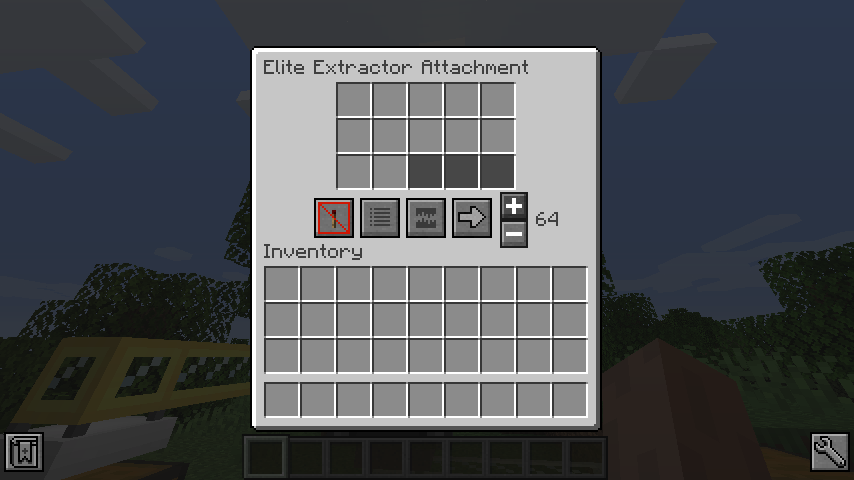
Refined Pipesのインストール方法
With Millida Launcher
Install Millida Launcher
The launcher is free: download it at millida.net/launcher and sign in with any nickname.
Click “Install” on this page
The launcher opens and installs the mod for Minecraft 1.15.2–1.18.2 on Forge automatically.
Launch the game
A profile with it appears in the launcher: click “Play”.
Manually
Install Forge
The loader must match the game version of the mod file, for example Minecraft 1.18.2. After installing it, a separate profile appears in your launcher.
Download the file for your version
In the version list above, pick the file refinedpipes-0.6.2.jar (316 KB) for your game version.
Put it in the mods folder
The folder is inside .minecraft (Windows: %appdata%\.minecraft\mods). If it does not exist, create it.
Launch the loader profile
Open “Mods” in the main menu: Refined Pipes should be in the list.
Minecraft 1.18.2 runs on Java 17: with a different Java version the game may close right after launch.
バージョン
依存関係あり
| Minecraft | ローダー | ファイル | 日付 | 操作 |
|---|---|---|---|---|
| 1.18.2 | Forge | v0.6.2316 KB 1 | ||
| 1.15.2 | Forge | v0.4.2314 KB | ||
| 1.15.2 | Forge | v0.3.0241 KB |
レビュー
Refined Pipesの最初の評価を書きませんか


