

Minecraft 1.12.2, 1.19.2用ReAuth MOD
セッションが無効になったときにクライアントを再起動しなければならない問題を修正します
- ダウンロード
- 1 ダウンロード
- 閲覧
- 39 閲覧
- 更新日
- 更新日 17.10.2026
- 1.7.2 — 1.19.3
 Forge
Forge
ReAuth MODについて
これはReAuthのForge版です。Fabric版は分離されており、こちらから入手できます。
1.7.10から1.19まで、ReAuthでMicrosoftアカウントを使用できるようになりました。1.4.7から1.7.2のバージョンは後日対応する可能性があります。
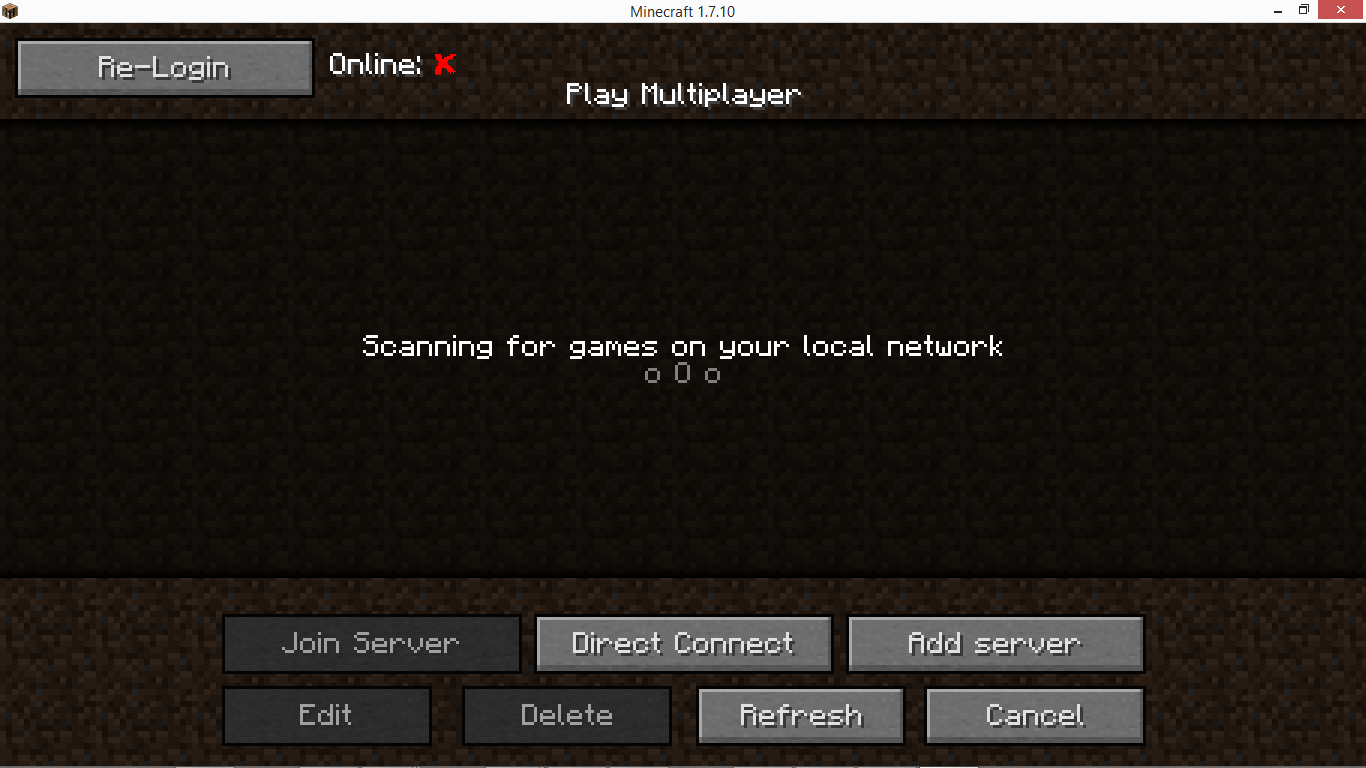
概要:
- セッションが無効なときにクライアントを再起動しなければならない問題を修正します
- セッションが有効かどうかを表示します
- 接続に失敗した場合のログインと再試行
- Minecraftの実行中にアカウントを変更
- オフラインプレイ用にユーザー名を変更
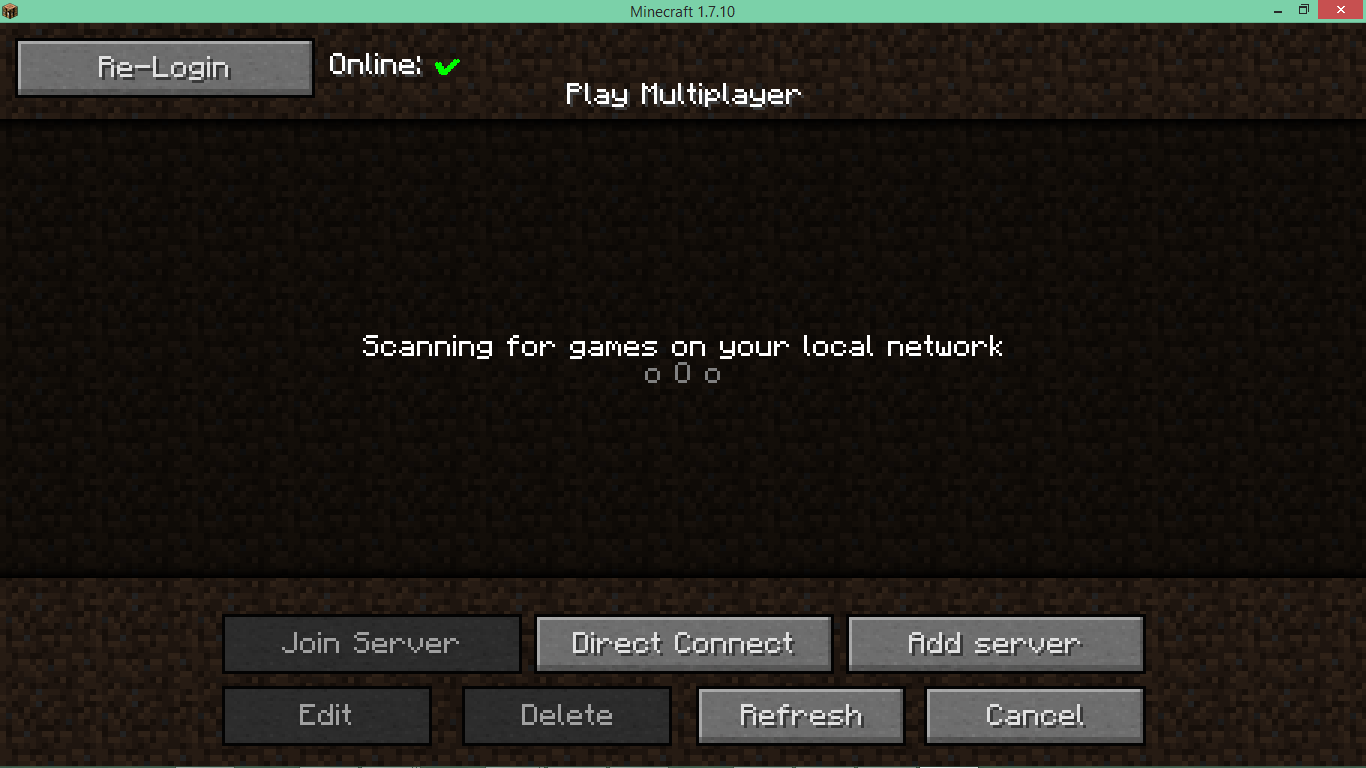
説明:
このModはクライアント専用です。サーバーのmodフォルダに入れても効果はありません。
「見知らぬ」Modにログイン情報を入力するのは危険に思えるかもしれませんが、コードを自分で確認することをお勧めします。そのため、コードはGithubで公開されています。Javaデコンパイラ(JD-GUI)はこちらから入手できます。
このModを変更せず、ModPackが無料で配布され、MojangのEULAに従っている限り、任意のModPackにこのModを含めることができます。
機能:
- マルチプレイヤー画面の上部にセッションインジケーターが表示されるようになりました。赤い場合は再度ログインする必要があります。
- ログイン画面では、ログインして、必要に応じてパスワードをconfigに保存できます。認証情報はconfigに保存される前に暗号化されますが、悪意のあるプログラムがその方法でパスワードにアクセスする可能性があることに注意してください。暗号化はAESベースで、キーはファイルの場所から導出されます。シンボリックリンクを使用してconfigを移動したり、インスタンス間で共有したりできます。
- 無効なセッションが原因でサーバーへの接続に失敗した場合、エラー画面に2つのボタンが追加されます。1つ目はログイン画面を開くためのものです。もう1つは、認証情報がconfigに保存されている場合に、素早く「ログインして再試行」する機能を提供します。
- 1.7.2以降では、CustomMainMenuで使用するための隠しボタンがメインメニュー(id 17325)に用意されています。

ReAuthのインストール方法
With Millida Launcher
Install Millida Launcher
The launcher is free: download it at millida.net/launcher and sign in with any nickname.
Click “Install” on this page
The launcher opens and installs the mod for Minecraft 1.7.2–1.19.3 on Forge automatically.
Launch the game
A profile with it appears in the launcher: click “Play”.
Manually
Install Forge
The loader must match the game version of the mod file, for example Minecraft 1.19.3. After installing it, a separate profile appears in your launcher.
Download the file for your version
In the version list above, pick the file ReAuth-1.19-Forge-4.0.7.jar (169 KB) for your game version.
Put it in the mods folder
The folder is inside .minecraft (Windows: %appdata%\.minecraft\mods). If it does not exist, create it.
Launch the loader profile
Open “Mods” in the main menu: ReAuth should be in the list.
Minecraft 1.19.3 runs on Java 17: with a different Java version the game may close right after launch.
バージョン
依存関係あり
| Minecraft | ローダー | ファイル | 日付 | 操作 |
|---|---|---|---|---|
| 1.19.3 | Forge | ReAuth-4.0.7 Forge 1.19169 KB 1 | ||
| 1.12.1 | — | ReAuth-3.6.0 1.1229.7 KB | ||
| 1.7.2 | — | ReAuth-3.4.1 1.7.225.6 KB |
FAQ
Which Minecraft versions does ReAuth work on?
There are files for 1.7.2–1.19.3, 7 versions in total. The newest is 1.19.3.
Is ReAuth for Forge or Fabric?
Only for Forge: 1.19–1.19.3. There are no files for Fabric or NeoForge: a mod for another loader will not start.
Does ReAuth need other mods?
The author lists no required dependencies: the Forge loader is enough.
Which Java does ReAuth need?
Minecraft 1.19.3 runs on Java 17. If the game closes right after launch, the usual cause is the wrong Java version in the profile settings.
Where can I download ReAuth safely?
On this page: the file ReAuth-1.19-Forge-4.0.7.jar (169 KB) is stored on Millida’s server, with no link shorteners. SHA-1 checksum: a77cdb9dda452c0b7e3ef225d04c1aa0bf99e3b7.
レビュー
ReAuthの最初の評価を書きませんか


