
Minecraft 1.21.1, 1.19.2用Raw's Visual keybinder MOD
キーバインドのための視覚的なソリューション。
 NeoForge
 Forge
ForgeRaw's Visual keybinder MODについて
このMODは、多数のキー割り当てがある大きなMODパック向けの解決策です。
キー割り当てを管理する追加の方法を提供します。オプションメニューにあるデフォルトの「キー割り当て編集ボタン」の隣のボタンからアクセスできる追加画面が用意されます。
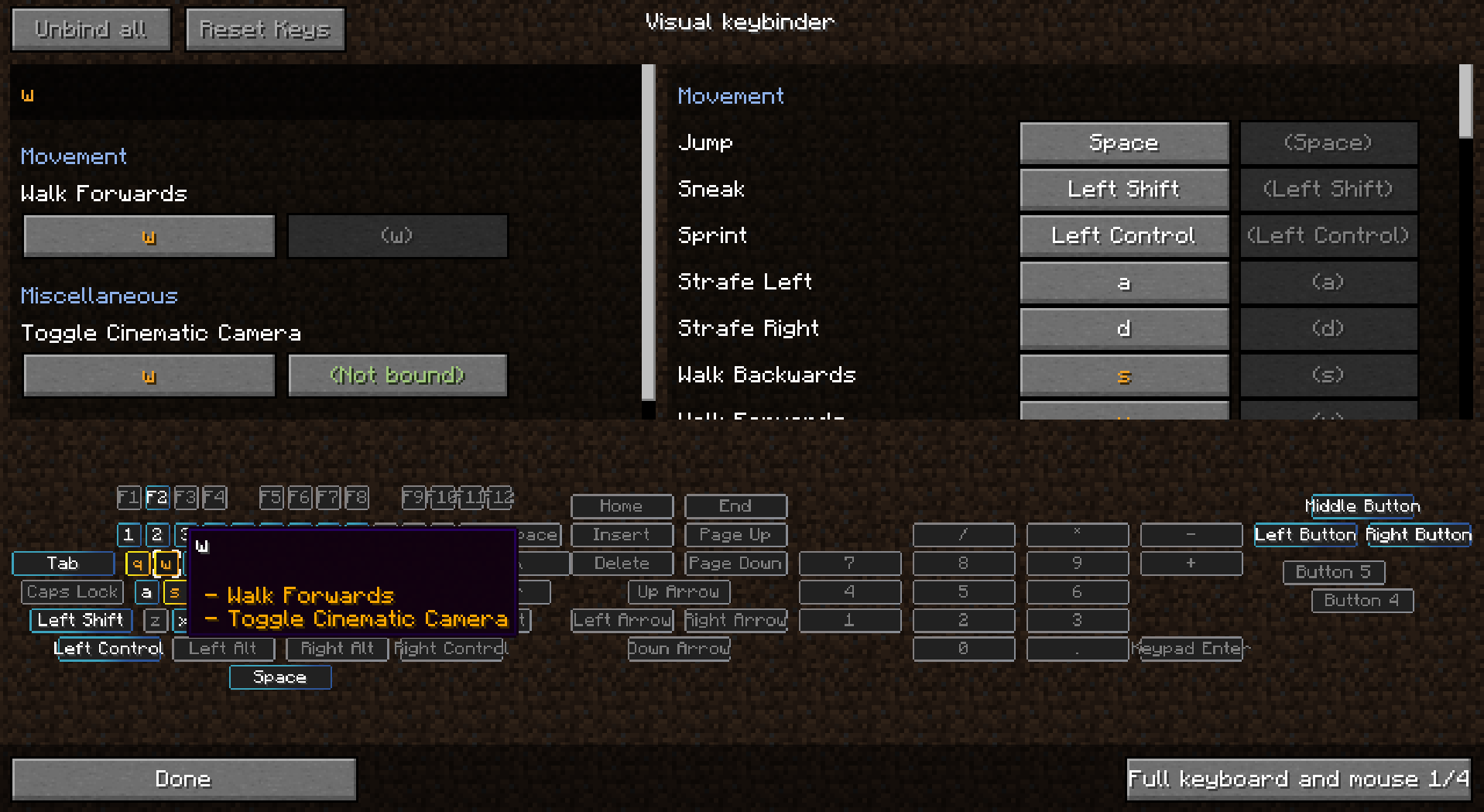
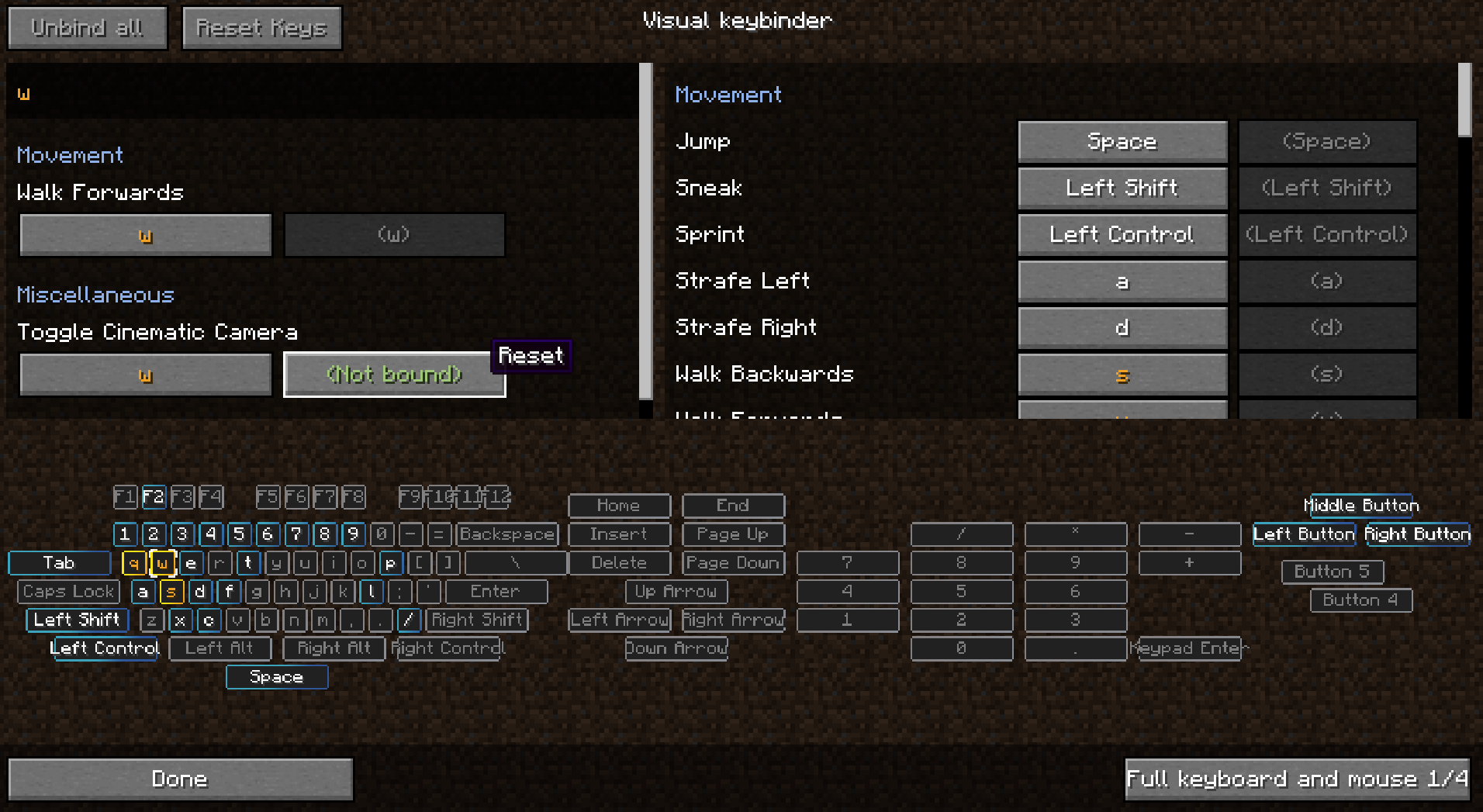
この画面はキーボードのようなレイアウトで、競合しているボタンや使用中のボタンがすべて強調表示されます。これにより、どのキーがまだ使用可能で、どれに注意が必要かをプレイヤーが把握しやすくなります。
このMODを作成した副次的な効果として、Shift+左クリックのようにマウスボタンと修飾キーを組み合わせて使うこともできます。状況によっては役立つかもしれません。
複数のレイアウトが利用可能で、レイアウトは設定で変更または追加できます。
クライアントMODです。サーバーに導入する必要はありません。
スクリーンショットは画像を参照してください。
プリセット
プリセットは読み込みと保存ができます。保存場所は.minecraftフォルダ内の「keybinding presets」です。
お気に入りのプリセットにキー割り当てを設定しておくと、素早く切り替えられます。
初回起動時にプリセットを読み込ませる方法
「presettoloadonfirststartup.txt」を使って、起動時に読み込むキー割り当てを指定します。これらの割り当ては起動時に読み込まれます。initialized.datファイルはプレイヤーが初めてゲームを起動したときに作成されます。このファイルが存在する場合、presettoloadonfirststartup.txtのプリセットは読み込まれません。
プリセットを読み取り専用にする
メモ帳でプリセットを開き、最初の行に「readonly」というテキストを追加して保存します。
キー割り当てをMODパックに同梱する
- keybinding presetフォルダをエクスポートすることを確認してください
- keybinding presets/initialized.datはエクスポートしないでください
- ゲーム内でプリセットを保存する
- 作成されたファイルをメモ帳で編集する
- ファイルの先頭に「readonly」というテキストの新しい行を挿入する
- それだけです、それ以上でもそれ以下でもありません
- 次に、presettoloadonfirststartup.txtファイルの2行目に、プリセット名を記入します。これはファイル名の末尾にあるpreset.txtを除いたファイル名です。
MODパックには複数のプリセットを同梱できますが、起動時に読み込めるプリセットは1つだけです。ファイル名に大文字を使用することも可能です。
MODパックでの使用は許可申請なしで可能です
1.18.2へのバックポートをしてくれたRadimousに感謝します!
1.21.1 Neoforgeへの移植をしてくれたBubin7766に感謝します!
Raw's Visual keybinderのインストール方法
With Millida Launcher
Install Millida Launcher
The launcher is free: download it at millida.net/launcher and sign in with any nickname.
Click “Install” on this page
The launcher opens and installs the mod for Minecraft 1.19.2–1.21.1 on Forge or NeoForge automatically.
Launch the game
A profile with it appears in the launcher: click “Play”.
Manually
Install Forge or NeoForge
The loader must match the game version of the mod file, for example Minecraft 1.21.1. After installing it, a separate profile appears in your launcher.
Download the file for your version
In the version list above, pick the file visual_keybinder-1.21.1-0.1.13-neoforge.jar (345 KB) for your game version and loader.
Put it in the mods folder
The folder is inside .minecraft (Windows: %appdata%\.minecraft\mods). If it does not exist, create it.
Launch the loader profile
Open “Mods” in the main menu: Raw's Visual keybinder should be in the list.
Minecraft 1.21.1 runs on Java 21: with a different Java version the game may close right after launch.
バージョン
依存関係あり
| Minecraft | ローダー | ファイル | 日付 | 操作 |
|---|---|---|---|---|
| 1.19.2 | Forge | visual_keybinder-1.19.2 - 0.1.12.jar252 KB | ||
| 1.21.1 | NeoForge | visual_keybinder-1.21.1-0.1.13-neoforge.jar345 KB 8 |
FAQ
Which Minecraft versions does Raw's Visual keybinder work on?
There are files for 1.21.1, 1.19.2. The newest is 1.21.1.
Is Raw's Visual keybinder for Forge or Fabric?
There are files for Forge: 1.19.2 and for NeoForge: 1.21.1. There are no files for Fabric: a mod for another loader will not start.
Does Raw's Visual keybinder need other mods?
The author lists no required dependencies: the Forge or NeoForge loader is enough.
Which Java does Raw's Visual keybinder need?
Minecraft 1.21.1 runs on Java 21. If the game closes right after launch, the usual cause is the wrong Java version in the profile settings.
Where can I download Raw's Visual keybinder safely?
On this page: the file visual_keybinder-1.21.1-0.1.13-neoforge.jar (345 KB) is stored on Millida’s server, with no link shorteners. SHA-1 checksum: 58204c60c8f8b983dcb184b6104193ebf488b79f.
レビュー
Raw's Visual keybinderの最初の評価を書きませんか


