
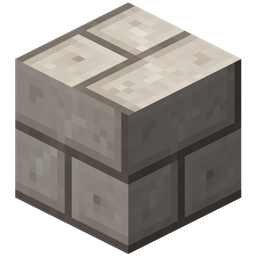
Minecraft 1.20.1, 1.21.1用Project Red - Exploration MOD
Project Redシリーズの探索モジュール
 NeoForge
 Forge
ForgeProject Red - Exploration MODについて
配線、論理ゲート、集積回路などによってレッドストーン回路を大幅に改善することを目的とした、Minecraft Forge 向けのMOD集です。Eloraam による Red Power に大きく影響を受けています。このMODは CB Multipart と非常によく統合されます。すべてのタイルは、同じブロックスペース内の他のタイルと共存できるように作られています。
依存関係
Project Red が動作するには、いくつかの外部ライブラリMODが必要です:
- Code Chicken Lib
- CB Multipart
注意:
- Scorge への依存は、Minecraft 1.16 のどこかの時点で削除されました。
- MrTJPCore への依存は、Minecraft 1.15 で削除されました
モジュール
以下は Project Red のモジュール一覧と、それぞれが追加する内容の概要です。インストールするものを自由に選べます。
- Core: 他のモジュールで共有される共通ライブラリ。単体ではあまり追加しませんが、インストールが必須です。
- Expansion: 機械、フレーム、モーター、発電。
- Exploration: ワールド生成、鉱石、ツール、装飾ブロックなど。
- Illumination: 装飾用の、レッドストーンで制御できる照明
- Integration: 非常に大きなマルチブロック回路を置き換えられるレッドストーン論理ゲート。
- Transmission: 壁を登り、角を回って接続し、束ねられたケーブルへと合流できるレッドストーン配線。
- Fabrication: カスタム集積回路を設計・製造し、単一の高性能ゲートとして設置できます (注: Integration と Transmission が必要です)。
コミュニティ
- Github Discussions - 機能リクエスト、質問、その他の開発関連の議論向け
- Chickenbones Mods Discord - 雑談や DM を送りたい場合 (私はここ CurseForge のメッセージやコメントを通常は追っていません。迅速な返信が必要な場合は上記のいずれかをご利用ください)
MODパック
私のMODはMODパックで自由に使用してかまいません。このページへのリンクを掲載していただけると嬉しいです :)
依存関係の管理がずっと簡単になるため、公式の CurseForge Launcher をおすすめします!
Project Red - Explorationのインストール方法
With Millida Launcher
Install Millida Launcher
The launcher is free: download it at millida.net/launcher and sign in with any nickname.
Click “Install” on this page
The launcher opens and installs the mod for Minecraft 1.12.2–1.21.1 on Forge or NeoForge automatically.
Launch the game
A profile with it appears in the launcher: click “Play”.
Manually
Install Forge or NeoForge
The loader must match the game version of the mod file, for example Minecraft 1.21.1. After installing it, a separate profile appears in your launcher.
Download the file for your version
In the version list above, pick the file ProjectRed-1.21.1-4.23.0-beta+8-exploration.jar (507 KB) for your game version and loader.
Put it in the mods folder
The folder is inside .minecraft (Windows: %appdata%\.minecraft\mods). If it does not exist, create it.
Launch the loader profile
Open “Mods” in the main menu: Project Red - Exploration should be in the list.
Minecraft 1.21.1 runs on Java 21: with a different Java version the game may close right after launch.
バージョン
依存関係あり
| Minecraft | ローダー | ファイル | 日付 | 操作 |
|---|---|---|---|---|
| 1.21.1 | NeoForge | ProjectRed-1.21.1-4.23.0-beta+8-exploration.jar507 KB 2 | ||
| 1.21.1 | NeoForge | ProjectRed-1.21.1-4.22.0-exploration.jar507 KB | ||
| 1.21.1 | NeoForge | ProjectRed-1.21.1-4.22.0-alpha+11-exploration.jar507 KB | ||
| 1.20.1 | Forge, NeoForge | ProjectRed-1.20.1-4.21.0-exploration.jar489 KB 1 | ||
| 1.19.2 | NeoForge, Forge | ProjectRed-1.19.2-4.19.0-beta+33-exploration.jar478 KB | ||
| 1.12.2 | — | ProjectRed-1.12.2-4.9.4.120-world489 KB |
FAQ
Which Minecraft versions does Project Red - Exploration work on?
There are files for 1.21.1, 1.20.1, 1.19.2, 1.12.2. The newest is 1.21.1.
Is Project Red - Exploration for Forge or Fabric?
There are files for Forge: 1.19.2–1.20.1 and for NeoForge: 1.19.2–1.21.1. There are no files for Fabric: a mod for another loader will not start.
Does Project Red - Exploration need other mods?
The author lists no required dependencies: the Forge or NeoForge loader is enough.
Which Java does Project Red - Exploration need?
Minecraft 1.21.1 runs on Java 21. If the game closes right after launch, the usual cause is the wrong Java version in the profile settings.
Where can I download Project Red - Exploration safely?
On this page: the file ProjectRed-1.21.1-4.23.0-beta+8-exploration.jar (507 KB) is stored on Millida’s server, with no link shorteners. SHA-1 checksum: 49d139841d385bffb05460b4c59cc564cafb5bc4.
レビュー
Project Red - Explorationの最初の評価を書きませんか


