

 NeoForge
 Forge
ForgeProductive Trees MODについて
Minecraft用MOD「Productive Trees」の紹介です。これはForestryの樹木育種ミニゲームの精神的後継作です。このMODでは、樹木育種の技術に取り組めるようになり、異なる樹種を交配してユニークなハイブリッド品種を育てることができます。退屈な旧来のバニラの木から木材を集めて建築する時代は終わり、160種類以上の新しいユニークな木材セットが追加されます。
Productive Treesでは、美しい木材の種類を生み出すために戦略的に樹木を育種する力があなたにあります。さまざまな組み合わせを試して、たくさんのわくわくする可能性を発見し、解放しましょう。希少な木材を提供するだけでなく、おいしい果実や木の実も実らせる木を収穫する姿を想像してみてください!
林業スキルを高め、あなた独自の樹種を作り出し、ゲーム内の世界をカスタム栽培の驚異があふれる thriving な生態系へと変えましょう。今すぐProductive Trees MODをダウンロードして、Minecraftの広大なピクセルの風景の中で、樹木の革新の旅に出かけましょう。
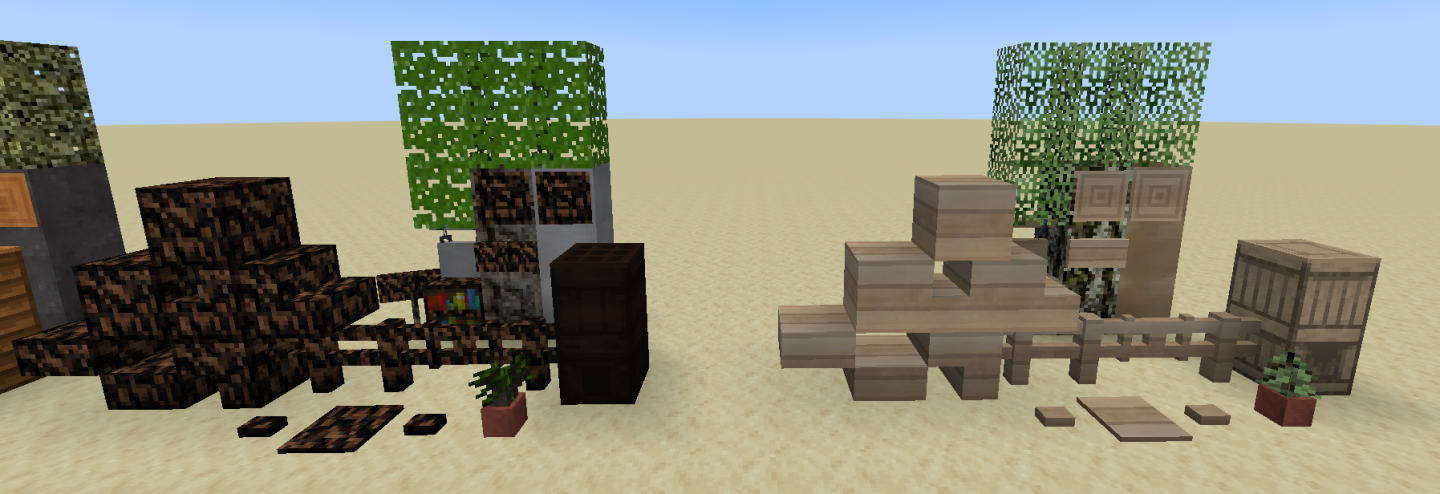
このMODはベータ版であり、まだ完成していません。特に欠けているのは樹木の特徴(成長したときの見た目)です。
助けが必要な場合や、立ち寄ってテクスチャを褒めたい場合は、Discordサーバーがあります。
「木材が多すぎて医療機関のお世話になるだろう」 - 匿名
Productive Treesのインストール方法
With Millida Launcher
Install Millida Launcher
The launcher is free: download it at millida.net/launcher and sign in with any nickname.
Click “Install” on this page
The launcher opens and installs the mod for Minecraft 1.20.1–1.21.1 on Forge or NeoForge automatically.
Launch the game
A profile with it appears in the launcher: click “Play”.
Manually
Install Forge or NeoForge
The loader must match the game version of the mod file, for example Minecraft 1.21.1. After installing it, a separate profile appears in your launcher.
Download the file for your version
In the version list above, pick the file productivetrees-1.21.1-1.1.1.jar (13 MB) for your game version and loader.
Put it in the mods folder
The folder is inside .minecraft (Windows: %appdata%\.minecraft\mods). If it does not exist, create it.
Launch the loader profile
Open “Mods” in the main menu: Productive Trees should be in the list.
Minecraft 1.21.1 runs on Java 21: with a different Java version the game may close right after launch.
バージョン
依存関係あり
| Minecraft | ローダー | ファイル | 日付 | 操作 |
|---|---|---|---|---|
| 1.21.1 | NeoForge | productivetrees-1.21.1-1.1.1.jar13.4 MB 2 | ||
| 1.21.1 | NeoForge | productivetrees-1.21.1-0.6.0.jar3.2 MB | ||
| 1.20.1 | NeoForge, Forge | productivetrees-1.20.1-0.2.6.jar14 MB | ||
| 1.20.1 | NeoForge, Forge | productivetrees-1.20.1-0.1.0.jar13.3 MB |
FAQ
Which Minecraft versions does Productive Trees work on?
There are files for 1.21.1, 1.20.1. The newest is 1.21.1.
Is Productive Trees for Forge or Fabric?
There are files for Forge: 1.20.1 and for NeoForge: 1.20.1–1.21.1. There are no files for Fabric: a mod for another loader will not start.
Does Productive Trees need other mods?
The author lists no required dependencies: the Forge or NeoForge loader is enough.
Which Java does Productive Trees need?
Minecraft 1.21.1 runs on Java 21. If the game closes right after launch, the usual cause is the wrong Java version in the profile settings.
Where can I download Productive Trees safely?
On this page: the file productivetrees-1.21.1-1.1.1.jar (13 MB) is stored on Millida’s server, with no link shorteners. SHA-1 checksum: 33b7f304e4e13297fdbbef4822f8b178d73868cc.
レビュー
Productive Treesの最初の評価を書きませんか


