

Minecraft 1.20.1, 1.21.1用Potions Master MOD
Minecraftのポーションを拡張
 NeoForge
 Forge
ForgePotions Master MODについて
このMODは新しいティアのポーションを追加します:OreSight。各ポーションはその特定の鉱石に対するX線視界を短時間得られるようにします。通常、スプラッシュ、残留のバリエーションがあります。
現在、バニラの鉱石に対応しています(石炭、鉄、レッドストーン、ラピスラズリ、金、ダイヤモンド、エメラルド、ネザークォーツ)
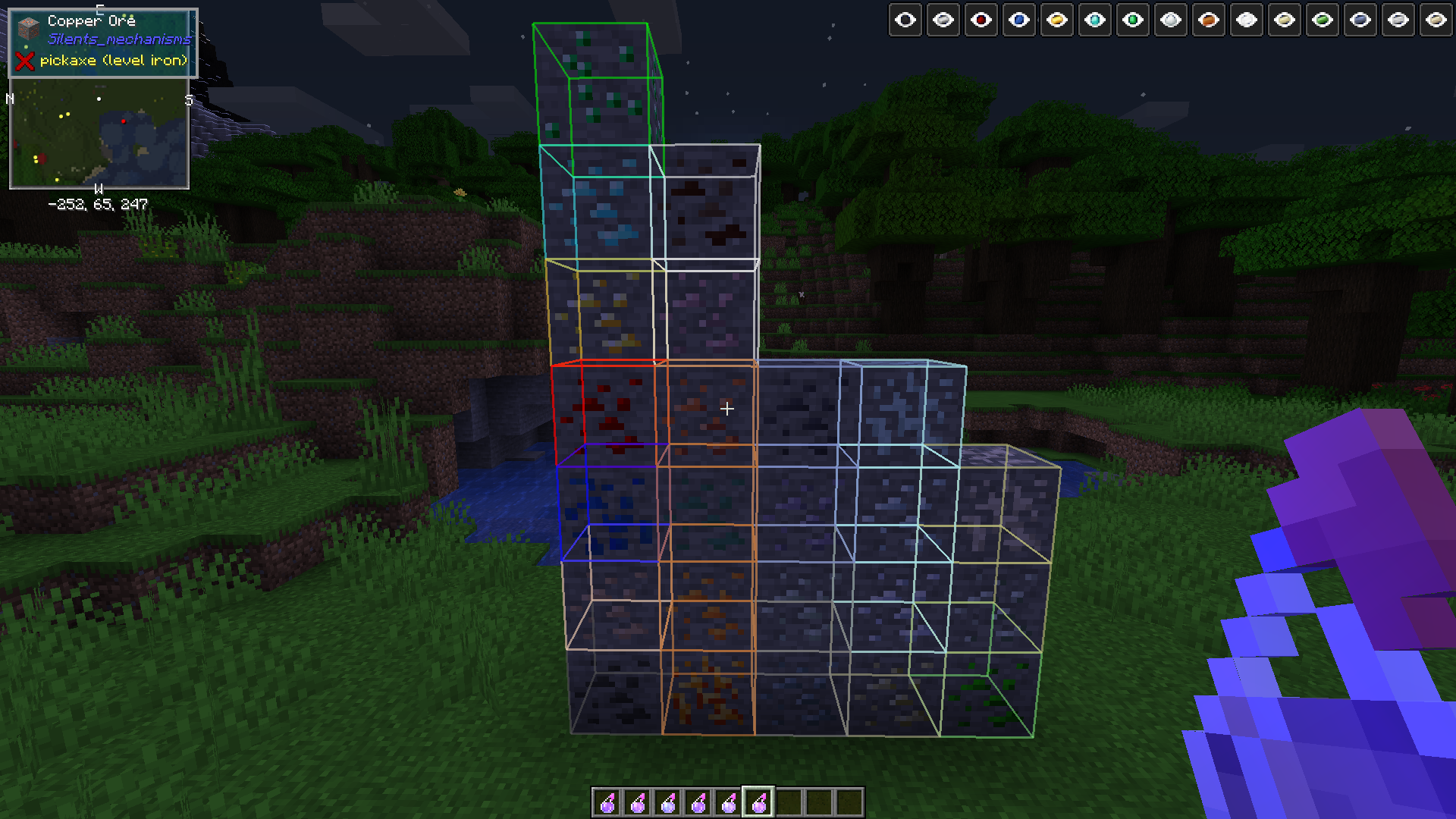
MOD対応:アルミニウム、銅、鉛、ニッケル、銀、スズ、ウラン、亜鉛(オスミウム、クリムゾンアイアン、ビスマス、プラチナ、1.15.1+)
このMODは、これらの鉱石を提供し、正しいForgeタグを登録する任意のMODで動作するはずです。
まず乳棒を作成します。レシピはJEI/JERで確認してください
乳鉢を作成します。レシピはJEI/JERで確認してください
粉のレシピはJEIにあります
作業台で乳棒と乳鉢を使って、目的のポーション用のインゴット(またはレッドストーンパウダー/ダイヤモンドの宝石/エメラルドの宝石)をクラフトすると粉が得られます。または
乳鉢を世界に設置し、オフハンドにインゴット/宝石/石炭/レッドストーン/ラピスラズリなどを持ち、メインハンドに乳棒を持ちます。乳鉢を右クリックすると粉が得られます
粉をかまどで精錬すると、Calcinated <OreType> Powderが得られます
その粉を3つのありふれたポーションと醸造すると、OreSightポーションが得られます。
粉、乳棒、醸造のレシピは、お気に入りのレシピMOD(JEI/JERなど)で確認できます
ATM4 MODパックでテスト済みで、そのパックに含まれる前述の鉱石バリエーションに対応しています。(Silents Mechanisms、Tinkers Mechworks、MysticalWorlds、Blue Power)
該当する場合はUsefulResourcesにも対応しています
また、特定のネガティブなステータス効果を除去する3つの新しいアイテム(スタック数16)を追加します:
Bezoars:羊からドロップし、摂取すると毒を治療します
Polar Bear Gall Bladders:ホッキョクグマからドロップし、採掘疲労を治療します
Activated Charcoal:Charcoal Powder(レシピはお気に入りのレシピビューアで確認)を精錬し、摂取するとウィザー効果を除去します
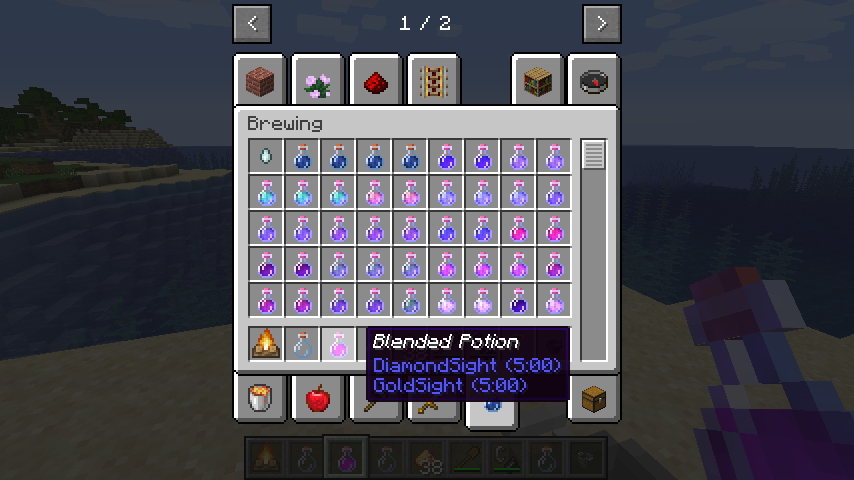
バージョン0.1.0 + 新メカニクス:ポーションの混合!大釜を焚き火の上に置き、任意の2つのポーションと1つのグロウストーンで大釜を右クリックします。焚き火がまだ点火されていない場合は点火します。混合物が減るまで待ち、空の瓶で大釜の上部を右クリックします。得られたポーションは再び入れて他のポーションと組み合わせることができます。
空手で大釜を右クリックすると中身が消去されリセットされます。注意して使用してください
追加のポーション効果も現在作業中です。
透明化ポーションと長時間透明化ポーションはパーティクル効果を生成しなくなり、真に透明になりました
このMODは1.12以前ではサポートされません。申し訳ありません。かなりバグが多いと予想されますが、ワールドが破損することはありません。
CurseForgeエコシステム内であれば、お好みのMODパックでこのMODを自由に使用してください。クライアントとサーバーの両方で必要です
Potions Masterのインストール方法
With Millida Launcher
Install Millida Launcher
The launcher is free: download it at millida.net/launcher and sign in with any nickname.
Click “Install” on this page
The launcher opens and installs the mod for Minecraft 1.14.4–26.1.2 on Forge or NeoForge automatically.
Launch the game
A profile with it appears in the launcher: click “Play”.
Manually
Install Forge or NeoForge
The loader must match the game version of the mod file, for example Minecraft 26.1.2. After installing it, a separate profile appears in your launcher.
Download the file for your version
In the version list above, pick the file potionsmaster-26.1.2.100-2.0.0.jar (215 KB) for your game version and loader.
Put it in the mods folder
The folder is inside .minecraft (Windows: %appdata%\.minecraft\mods). If it does not exist, create it.
Launch the loader profile
Open “Mods” in the main menu: Potions Master should be in the list.
バージョン
依存関係あり
| Minecraft | ローダー | ファイル | 日付 | 操作 |
|---|---|---|---|---|
| 26.1.2 | NeoForge | potionsmaster-26.1.2.100-2.0.0.jar215 KB | ||
| 1.21.1 | NeoForge | potionsmaster-21.1.113-1.0.1.jar212 KB 1 | ||
| 1.20.1 | NeoForge, Forge | potionsmaster-1.20.1-47.1.70-0.6.0.jar288 KB | ||
| 1.19.2 | Forge | potionsmaster-0.6.0-1.19.2-43.1.1.jar286 KB | ||
| 1.15.2 | — | potionsmaster-0.1.10-1.15.2-31.2.0.jar340 KB | ||
| 1.14.4 | Forge | PotionsMaster 0.0.1 Alpha164 KB |
FAQ
Which Minecraft versions does Potions Master work on?
There are files for 26.1.2, 1.21.1, 1.20.1, 1.19.2, 1.15.2, 1.14.4. The newest is 26.1.2.
Is Potions Master for Forge or Fabric?
There are files for Forge: 1.14.4–1.20.1 and for NeoForge: 1.20.1–26.1.2. There are no files for Fabric: a mod for another loader will not start.
Does Potions Master need other mods?
The author lists no required dependencies: the Forge or NeoForge loader is enough.
Where can I download Potions Master safely?
On this page: the file potionsmaster-26.1.2.100-2.0.0.jar (215 KB) is stored on Millida’s server, with no link shorteners. SHA-1 checksum: 9ee49aad9324a758c3518d299d15ff8bd0db54b2.
レビュー
Potions Masterの最初の評価を書きませんか


