
 NeoForge
 Fabric
 Quilt
Quilt Forge
ForgePaintings++
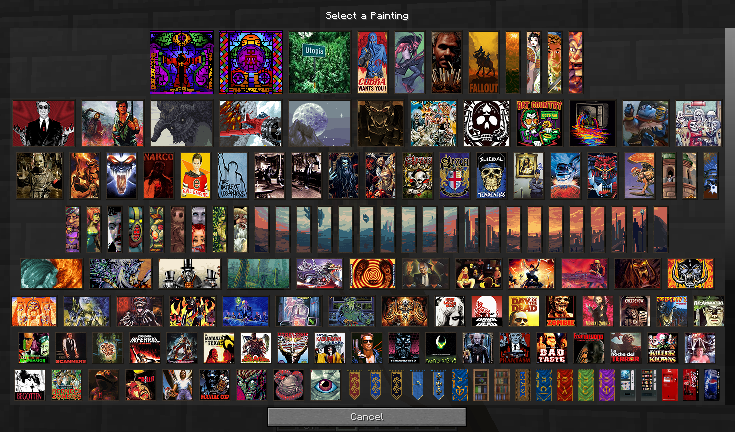
ゲームに絵画を追加し、壁に飾りたい絵画を正確に選べる便利な選択GUIを提供するMODです。
ファイル
Forge : ここをクリック
NeoForge : ここをクリック
Fabric : ここをクリック
FABRICはFabric APIとCloth Config APIが必要です
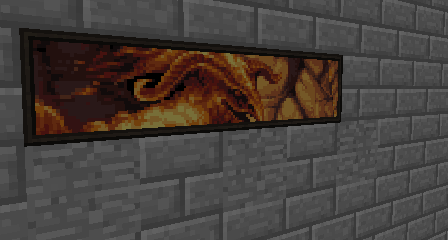
透明性をサポート (1.19+)
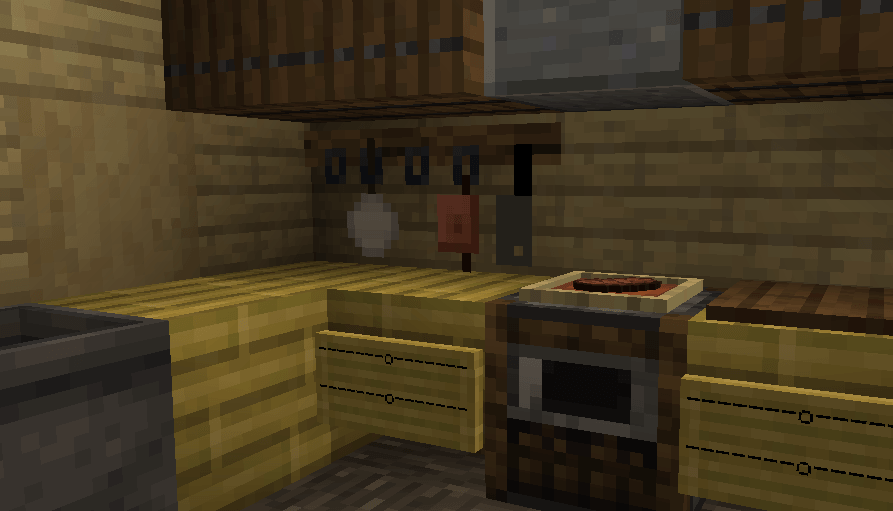
- この絵画はプレゼンテーション用の提案です。この画像の絵画はMODに同梱されていません
CurseForgeアプリを使用すると、サポートMODが自動的にダウンロードされます!クライアントを全く使用していない場合は、ここから入手してください。
絵画をさらに追加する
wikiのチュートリアルを確認してください。
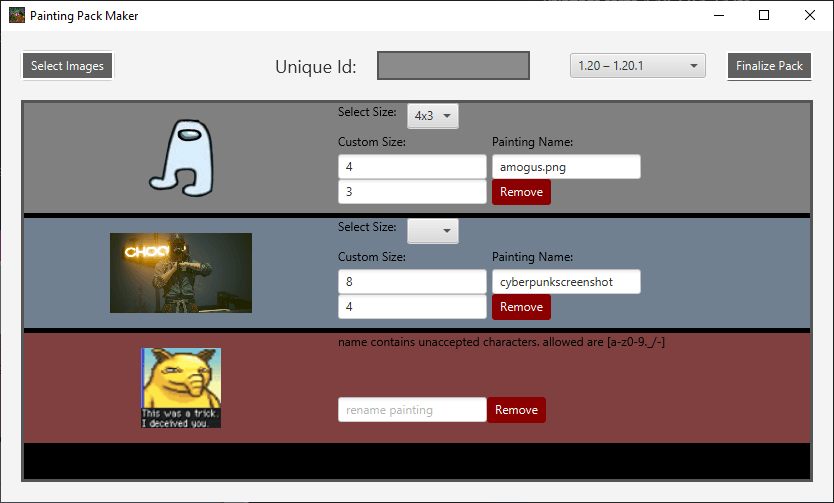
Painting Pack Makerも使用できます。これはMinecraftバージョン1.17以降用のPainting Packを作成するためのビジュアルインターフェースです。PPMのプロジェクトページはこちらをご覧ください。ダウンロードは上記のプロジェクトページで可能です。
絵画リソースパック
パックを作成しましたか?世界と共有したいですか?CurseForgeにリソースパックを投稿してください。いつでも私にPMを送るか、コメントにリンクを貼っていただければ、ここであなたのパックを紹介します!
Absolem Jackdaw ベーシック絵画パック
ベースの絵画は1.20.4(12.0.0.5以降)でベースMODから削除され、100%のカスタマイズ性のために絵画リソースパックとして追加できるようになりました!
1.21以前のリソースパック https://curseforge.com/minecraft/texture-packs/painting-base-painting-pack
1.21以降のデータパック https://curseforge.com/minecraft/data-packs/absolems-base-pack
ForeckのRotten絵画パック
Foreck制作 このパックは現在、伝統的なピクセルアート技法と参考資料を用いて作られた、あらゆる種類、スタイル、サイズの106点の絵画を追加します。RotNの伝承のシーンやキャラクターを描いたり、他の資料からインスピレーションを得てRotNの世界に適応させたものです。アートワークはすべてForeckによる手作りです。https://www.curseforge.com/minecraft/texture-packs/forecks-rotten-painting-pack
ポーションガイド絵画
rootbeerdrinker1制作 このパックは、ポーション調合の図解ガイドを描いた絵画をいくつか追加します!https://www.curseforge.com/minecraft/texture-packs/brewingcanvas-potion-guide
バロックパック
LykiaOokami制作 このパックにはバロック様式の絵画が含まれています。https://www.curseforge.com/minecraft/texture-packs/renaissance-and-baroque-painting-pack
Oliver Remund絵画パック
アーティストOliver Remund本人の同意を得て、Absolem Jackdaw(私自身)が制作した絵画パックです。https://www.curseforge.com/minecraft/texture-packs/oliver-remund-painting-pack
オリジナルアートについてはRemundのウェブサイトをチェックしてください!
Leichenengelのフラクタル絵画パック
Leichenengelの自作絵画パックをチェックしてください。アートはすべて彼によるものです。パックには70点以上の絵画が含まれています!https://www.curseforge.com/minecraft/texture-packs/fractal-painting-pack-bright-and-colorful-part-1
あなたのパックを紹介してほしいですか?リンクをコメントするか、PMを送ってください!
質問がありますか?絵画パックの問題ですか?Discordで私に連絡してください!!
Paintings ++のインストール方法
With Millida Launcher
Install Millida Launcher
The launcher is free: download it at millida.net/launcher and sign in with any nickname.
Click “Install” on this page
The launcher opens and installs the mod for Minecraft 1.12.1–1.21.11 on Fabric, Forge, NeoForge or Quilt automatically.
Launch the game
A profile with it appears in the launcher: click “Play”.
Manually
Install Fabric, Forge, NeoForge or Quilt
The loader must match the game version of the mod file, for example Minecraft 1.21.11. After installing it, a separate profile appears in your launcher.
Download the file for your version
In the version list above, pick the file paintings-neoforge-1.21.11-17.1.0.jar (102 KB) for your game version and loader.
Put it in the mods folder
The folder is inside .minecraft (Windows: %appdata%\.minecraft\mods). If it does not exist, create it.
Launch the loader profile
Open “Mods” in the main menu: Paintings ++ should be in the list.
Minecraft 1.21.11 runs on Java 21: with a different Java version the game may close right after launch.
バージョン
依存関係あり
| Minecraft | ローダー | ファイル | 日付 | 操作 |
|---|---|---|---|---|
| 1.21.11 | NeoForge | Paintings ++-neo-1.21.11-17.1.0102 KB 2 | ||
| 1.21.11 | Fabric, Quilt | Paintings ++-fabric-1.21.11-17.1.0102 KB 45 | ||
| 1.12.1 | Forge | Legacy-PSG-1.12.2-1.1.0.1.jar69.8 KB | ||
| 1.20.4 | Fabric | Paintings-fabric-1.20.4-12.0.0.4.jar116 KB | ||
| 1.20.4 | NeoForge | Paintings-neoforge-1.20.4-12.0.0.4.jar121 KB | ||
| 1.19.2 | Forge | Paintings-forge-1.19.2-10.2.3.0.jar171 KB 1 | ||
| 1.14.4 | — | paintings-1.14.4-6.0.1.5.jar318 KB | ||
| 1.14.4 | — | paintings-1.14.4-6.0.1.3.jar318 KB |
レビュー
Paintings ++の最初の評価を書きませんか


