
 NeoForge
 Forge
ForgePackMenu MODについて
概要
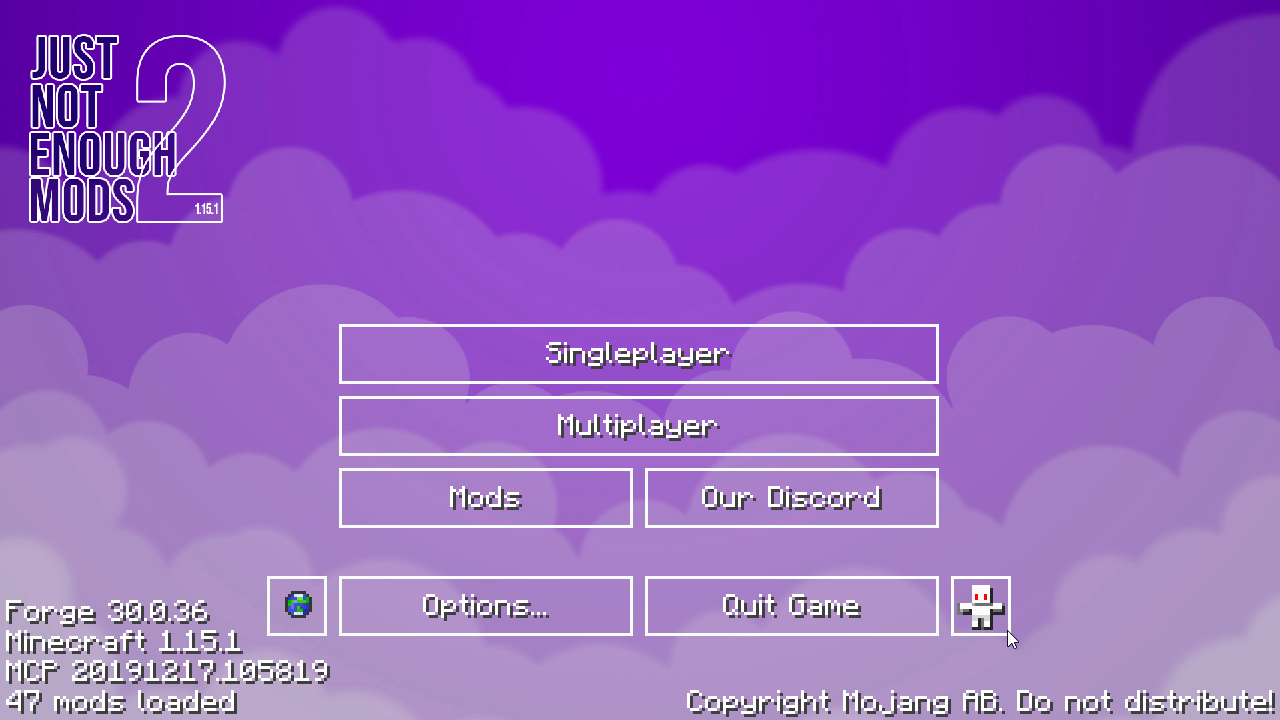
Pack Menuは、Minecraftのメインメニューの見た目をユーザーが変更できるようにするものです。これはMinecraft 1.14以降でCustom Main Menuの代替として開発されました。
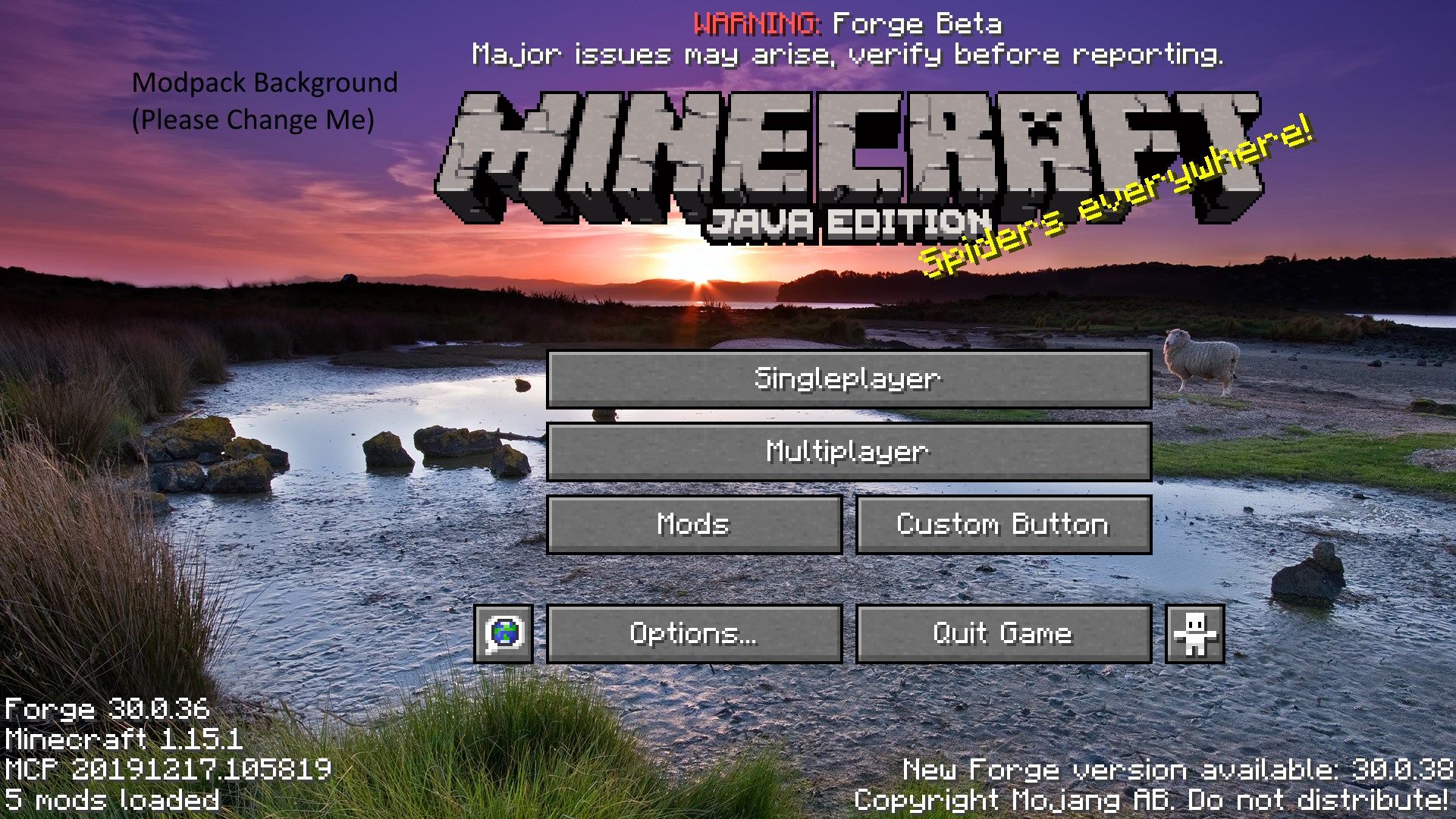
Pack Menuには以下の機能があります:
- メインメニューの背景画像の変更
- タイトル画像、スプラッシュテキスト、パノラマのフェードなど、あらゆるメニュー要素の再配置や無効化。
- カスタムボタンの作成、そしてそれを通じてメニュー上のボタンを完全に作り変える機能。ボタンはJSONファイルを使用して作成され、デフォルトのものは提供されるリソースパックに同梱されています。
- 背景とは別にカスタムロゴを表示する機能。このロゴにはスプラッシュテキストを添付でき、デフォルトではなくカスタムのスプラッシュテキストリストから描画することもできます。
任意の数の画像を使用したカスタム背景スライドショーの作成。
- バニラのパノラマアセットを上書きすることによるカスタムパノラマの作成。
PackMenuはテクスチャを読み込むためにリソースパックを使用します。このリソースパックは<gamedir>/packmenu/resources(フォルダとして)にあります。
これはつまり、PackMenuを使って、あなたのmodpackが何らかの理由で必要とするあらゆるアセットを読み込むこともできるということです。
「Resource Path」を求められた場合、packmenuはそれらをバニラのリソース形式で要求することに注意してください。これらの領域に絶対パスを入れないでください。また、リソースパックの一部として読み込まれていないアセットにアクセスしようとしないでください。
参考までに、リソースの変換は次のように行われます: リソースパス minecraft:textures/gui/background.png は(リソースzip内で) assets\minecraft\textures\gui\background.png に変換されます。
最後に、PackMenuはバニラのアセットを再同梱しません。つまり、生成されたpackmenuリソースパック内にはバニラのアセットは見つかりません。一般的なリソースパスのリストを以下に示します。
重要なリソースパス(上書き用):
- カスタム背景画像の場所は packmenu:textures/gui/background.png です。この画像は1920x1080である必要があります。
- ボタンはデフォルトで、フォルダ minecraft:textures/gui/sprites/widget 内のさまざまなファイルを使用します。
- これはメインメニュー以外のボタンで使用されるため、上書きすることはお勧めできません。ボタンのテクスチャを上書きしたい場合は、まず必要なファイルのコピーを作成する必要があります。
- ボタンは packmenu:buttons/ から読み込まれます。このディレクトリ内のすべてのjsonファイルは、ボタンであるかのように扱われます(advancementsやrecipesに似ていますが、このディレクトリ内にあります)。ボタンのJSONスキーマはこちらで入手できます。
- Minecraftタイトルテクスチャのパスは minecraft:textures/gui/title/minecraft.png です。
- Java Editionテクスチャのパスは minecraft:textures/gui/title/edition.png です。
連絡先
Discord: Shadows' Mods
PackMenuのインストール方法
With Millida Launcher
Install Millida Launcher
The launcher is free: download it at millida.net/launcher and sign in with any nickname.
Click “Install” on this page
The launcher opens and installs the mod for Minecraft 1.18–1.21.1 on Forge or NeoForge automatically.
Launch the game
A profile with it appears in the launcher: click “Play”.
Manually
Install Forge or NeoForge
The loader must match the game version of the mod file, for example Minecraft 1.21.1. After installing it, a separate profile appears in your launcher.
Download the file for your version
In the version list above, pick the file PackMenu-1.21.1-7.0.4.jar (524 KB) for your game version and loader.
Put it in the mods folder
The folder is inside .minecraft (Windows: %appdata%\.minecraft\mods). If it does not exist, create it.
Launch the loader profile
Open “Mods” in the main menu: PackMenu should be in the list.
Minecraft 1.21.1 runs on Java 21: with a different Java version the game may close right after launch.
バージョン
依存関係あり
| Minecraft | ローダー | ファイル | 日付 | 操作 |
|---|---|---|---|---|
| 1.21.1 | NeoForge | PackMenu-1.21.1-7.0.4.jar524 KB 2 | ||
| 1.20.1 | NeoForge, Forge | PackMenu-1.20.1-6.1.2.jar531 KB 3 | ||
| 1.19.2 | Forge | PackMenu-1.19.2-5.0.2.jar565 KB | ||
| 1.18.1 | — | PackMenu-1.18-4.0.0.jar528 KB 1 |
FAQ
Which Minecraft versions does PackMenu work on?
There are files for 1.21.1, 1.20.1, 1.19.2, 1.18.1, 1.18. The newest is 1.21.1.
Is PackMenu for Forge or Fabric?
There are files for Forge: 1.19.2–1.20.1 and for NeoForge: 1.20.1–1.21.1. There are no files for Fabric: a mod for another loader will not start.
Does PackMenu need other mods?
The author lists no required dependencies: the Forge or NeoForge loader is enough.
Which Java does PackMenu need?
Minecraft 1.21.1 runs on Java 21. If the game closes right after launch, the usual cause is the wrong Java version in the profile settings.
Where can I download PackMenu safely?
On this page: the file PackMenu-1.21.1-7.0.4.jar (524 KB) is stored on Millida’s server, with no link shorteners. SHA-1 checksum: c54b788cf7fd6700efe8881e0bdf1b5dfaaba433.
レビュー
PackMenuの最初の評価を書きませんか


