

Ore Prospectors MODについて
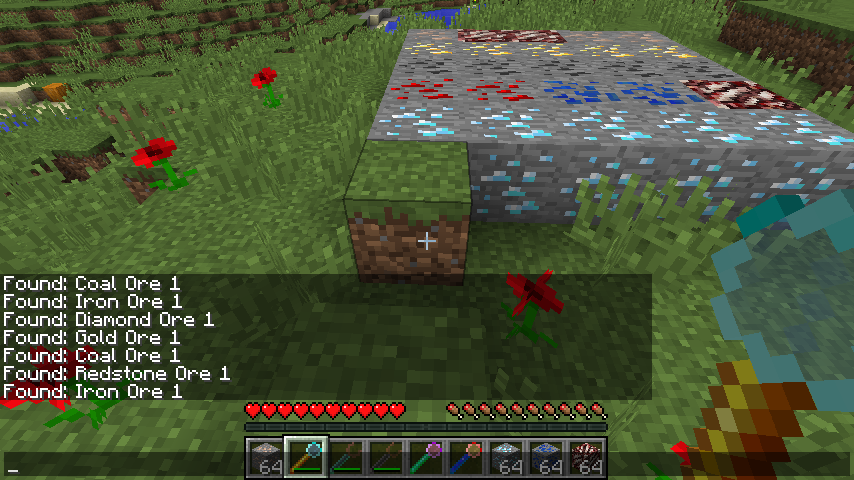
近くのエリアで鉱石を探し出します。ブロックをクリックするだけで、反対方向を探索してくれます。
デフォルトでは、最も弱いアイテムは石炭と鉄しか見つけられず、上位のレベルになるとより良い鉱石を見つけられます。
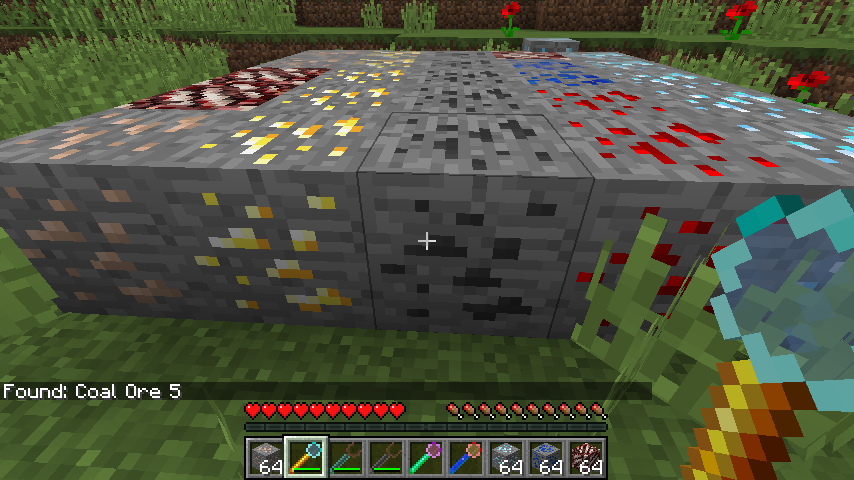
コンフィグファイルで必要なものはすべて制御できます。現在はこのようになっています
https://github.com/PrinceOfAmber/Prospectors/blob/master/prospectors.cfg
バニラでもMODでも、あらゆる鉱石やブロックをコンフィグファイルに追加できます。いずれは最も一般的な鉱石のいくつかに標準対応を追加するかもしれません。
イシュートラッカーのリンクは上記のとおりです。フィードバックや改善点があれば知らせてください。
テクスチャは変更される可能性があります
Modpackの許可について: どうぞご自由に。
Ore Prospectorsのインストール方法
With Millida Launcher
Install Millida Launcher
The launcher is free: download it at millida.net/launcher and sign in with any nickname.
Click “Install” on this page
The launcher opens and installs the mod for Minecraft 1.12.2 automatically.
Launch the game
A profile with it appears in the launcher: click “Play”.
Manually
Download the file for your version
In the version list above, pick the file prospectors-1.0.2.jar (20 KB) for your game version.
Put it in the mods folder
The folder is inside .minecraft (Windows: %appdata%\.minecraft\mods). If it does not exist, create it.
Launch the loader profile
Open “Mods” in the main menu: Ore Prospectors should be in the list.
Minecraft 1.12.2 runs on Java 8: with a different Java version the game may close right after launch.
バージョン
依存関係あり
| Minecraft | ローダー | ファイル | 日付 | 操作 |
|---|---|---|---|---|
| 1.12.2 | — | prospectors-1.0.2.jar19.9 KB |
FAQ
Which Minecraft versions does Ore Prospectors work on?
Only Minecraft 1.12.2: there are no files for other versions.
Which Java does Ore Prospectors need?
Minecraft 1.12.2 runs on Java 8. If the game closes right after launch, the usual cause is the wrong Java version in the profile settings.
Where can I download Ore Prospectors safely?
On this page: the file prospectors-1.0.2.jar (20 KB) is stored on Millida’s server, with no link shorteners. SHA-1 checksum: 57c1c05c73f6e5a159ed7f3a218638ed605c505b.
レビュー
Ore Prospectorsの最初の評価を書きませんか


