
Minecraft 1.20.1, 1.21.1用Not Enough Wands MOD
Minecraftに様々な非常に設定可能なユーティリティワンドを追加します
 NeoForge
 Forge
ForgeNot Enough Wands MODについて
これはMinecraftに様々な便利なワンドを追加するMODです。このMODの主な強みは設定の自由度にあります。各ワンドについて以下の設定を構成できます:
- 入手方法 (入手不可、クリエイティブのみ、簡単なレシピ、難しいレシピ)
- 耐久値を使用するかどうか
- XPを使用するかどうか
- RFを使用するかどうか
- チェストに生成されるかどうか (およびその頻度)
さらに一部のワンドには固有の設定オプションがあります。これにより、このMODはどのワンドをどのように利用可能にするかを細かく制御したいMODパックに最適です。
現在利用可能なワンドは以下の通りです:
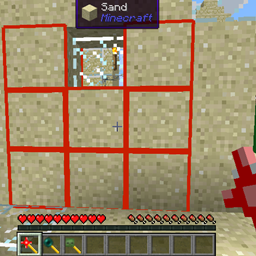
- 入れ替えワンド: ブロックを選択し、そのブロックをインベントリに十分に持っていることを確認します。その後、他のブロックをそのブロックに置き換えることができます。シングルモード、3x3モード、5x5モード、7x7モードがあります (Wand of Equal Tradeに少し似ています)。将来的にはこのワンドに元に戻す機能も追加される予定です。
- テレポートワンド: 前方を右クリックすると (デフォルトで) 30ブロックテレポートします。ブロックを右クリックすると、スペースがあればプレイヤーはそのブロックの上にテレポートします。スペースがなければプレイヤーはそのブロックの隣にテレポートします。
- 捕獲ワンド: 左クリックで任意の生きているモブ (敵対的かどうかを問わず) を捕獲します。右クリックで再び解放します。
- 建築ワンド: このワンドで建築を簡単に拡張できます。いくつかのモードがあり、直近2回の建築操作を元に戻す機能も備えています。もう床を誤って二重にすることはありません。
- 照明ワンド: このワンドで暗い場所を簡単に照らせます。
- 移動ワンド: ブロック (通常のブロックだけでなく、チェスト、かまど、スポナー、オーラノードなどのタイルエンティティも) を持ち上げて別の場所に設置します。一部のブロックの移動をより高コストにするよう設定でき、移動を禁止するブロックをブラックリストに登録することも可能です。
- 変位ワンド: ブロックまたはブロックの矩形を押したり引いたりします。タイルエンティティにも機能します。
- 保護ワンド: ブロックを爆発や採取の試みから保護します。各ワンドは同じワンドで保護されたブロックのみ保護を解除できます。ワンドのバックアップを作成できます。
- マスター保護ワンド: このワンドは他のあらゆるワンドで保護されたブロックの保護を解除できます。
- 加速ワンド: このワンドはブロックのティック (作物、苗木など) およびタイルエンティティのティック (スポナー、かまどなど) を加速します。加速の速さに関連する3つのモードがあります。
さらに多くのワンドが計画されています。これはほんの始まりにすぎません。
このMODの一部のワンドには異なるモードがあります。ワンドのモードは「=」キーで変更できます (デフォルト。キーバインドで変更可能です)。
MODパックポリシー: MODパックへの導入に制限はありません。どのMODパックでも自由に使用してください。
Issue Tracker: github issue tracker
DireWolf20によるMOD紹介:
Not Enough Wandsのインストール方法
With Millida Launcher
Install Millida Launcher
The launcher is free: download it at millida.net/launcher and sign in with any nickname.
Click “Install” on this page
The launcher opens and installs the mod for Minecraft 1.12.2–1.21.1 on Forge or NeoForge automatically.
Launch the game
A profile with it appears in the launcher: click “Play”.
Manually
Install Forge or NeoForge
The loader must match the game version of the mod file, for example Minecraft 1.21.1. After installing it, a separate profile appears in your launcher.
Download the file for your version
In the version list above, pick the file notenoughwands-1.21-7.0.3.jar (204 KB) for your game version and loader.
Put it in the mods folder
The folder is inside .minecraft (Windows: %appdata%\.minecraft\mods). If it does not exist, create it.
Launch the loader profile
Open “Mods” in the main menu: Not Enough Wands should be in the list.
Minecraft 1.21.1 runs on Java 21: with a different Java version the game may close right after launch.
バージョン
依存関係あり
| Minecraft | ローダー | ファイル | 日付 | 操作 |
|---|---|---|---|---|
| 1.21.1 | NeoForge | NotEnoughWands - 1.21-7.0.3204 KB 1 | ||
| 1.20.1 | Forge | NotEnoughWands - 1.20-6.0.2179 KB 2 | ||
| 1.20.1 | Forge | NotEnoughWands - 1.20-6.0.1177 KB | ||
| 1.14.1 | — | notenoughwands-1.14-1.7.5.beta.jar172 KB 1 | ||
| 1.12.2 | — | NotEnoughWands - 1.12-1.8.1161 KB | ||
| — | — | notenoughwands-1.14-1.7.3.alpha.jar171 KB |
FAQ
Which Minecraft versions does Not Enough Wands work on?
There are files for 1.21.1, 1.20.1, 1.14.1, 1.12.2. The newest is 1.21.1.
Is Not Enough Wands for Forge or Fabric?
There are files for Forge: 1.20.1 and for NeoForge: 1.21.1. There are no files for Fabric: a mod for another loader will not start.
Does Not Enough Wands need other mods?
The author lists no required dependencies: the Forge or NeoForge loader is enough.
Which Java does Not Enough Wands need?
Minecraft 1.21.1 runs on Java 21. If the game closes right after launch, the usual cause is the wrong Java version in the profile settings.
Where can I download Not Enough Wands safely?
On this page: the file notenoughwands-1.21-7.0.3.jar (204 KB) is stored on Millida’s server, with no link shorteners. SHA-1 checksum: ee2eda8201f57e1cb4858dad03db52062e304488.
レビュー
Not Enough Wandsの最初の評価を書きませんか


