
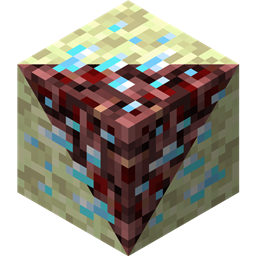
Netherending Ores MODについて
概要 ネザーとエンドに鉱石と精錬変換レシピを追加する、また別のMODです。バージョン1.4以降の機能:
- 爆発する鉱石
- ネザーフィッシュモブ
- ネザーフィッシュとエンダーマイトのモンスターエッグ
- 鉱石がアイテムをドロップできるようになり、経験値も含む
- 鉱石を直接アイテムに精錬できるようになり、経験値も含む
- 設定ファイルを書き直し
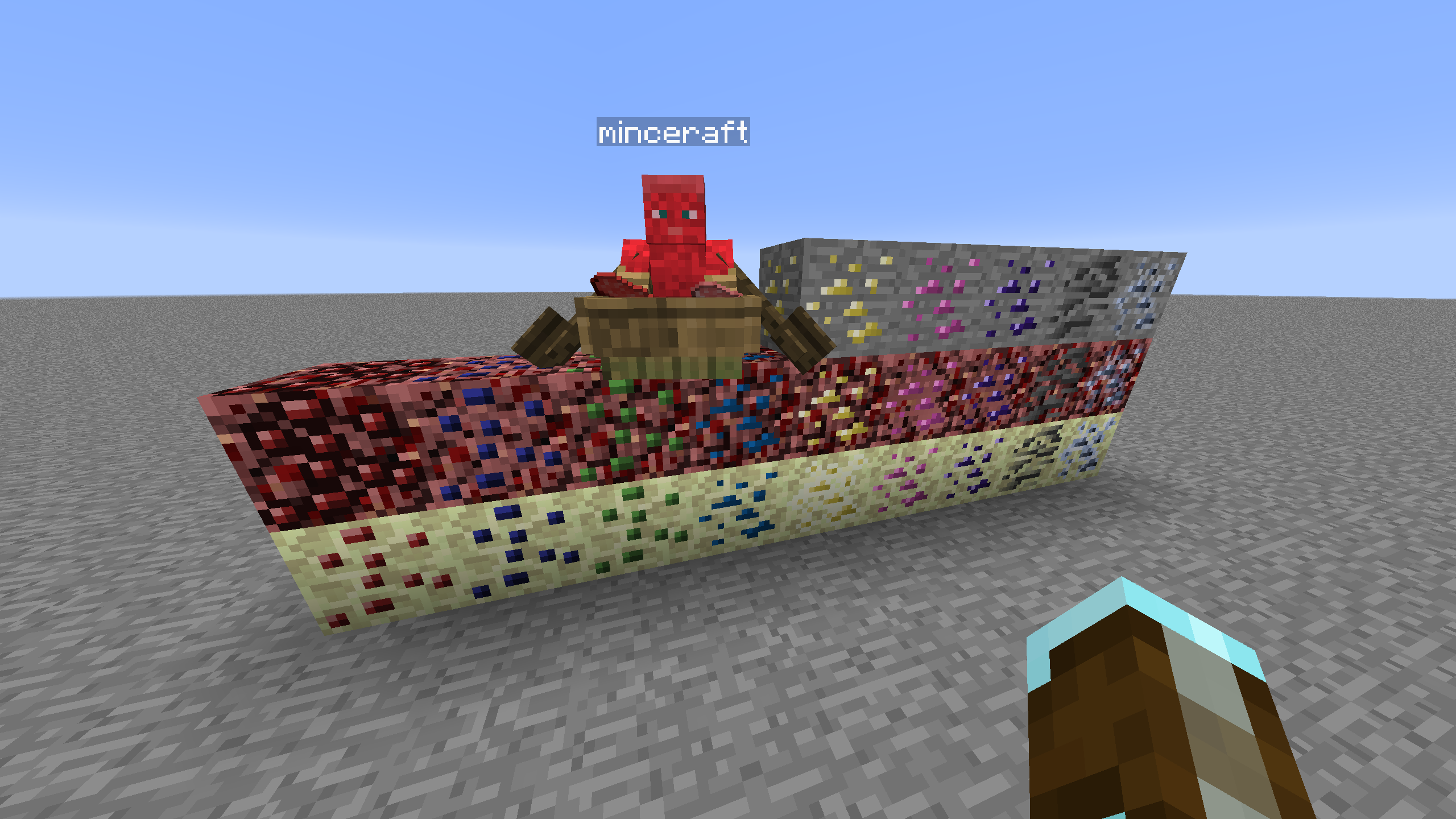
鉱石生成 鉱石の生成を制御するには、CoFH Worldなどの他のMODが必要です。CoFH World用のサンプル設定が用意されています。こちらを確認してください。提供されたzipファイルから鉱石生成設定を展開し、MODパックのインスタンスのconfig\cofh\world\に配置すると使用できます。ネザーの鉱石生成は、MC 1.7.10向けのskyboy026/powercrystalsによるNether Ores MODの最終リリースの設定に基づいています。そのMODには存在しなかった鉱石の追加など、いくつかの小さな変更があります。エンドはネザーと同様の設定を使用しますが、自然生成されるエンドストーンの高さ範囲がはるかに狭いため、サイズと数は削減されています。
レシピ ネザーとエンドの鉱石を、最も近い鉱石辞書に一致する鉱石に精錬するための精錬レシピです。出力される鉱石ブロックの量は、設定のレシピ倍率に基づいて変化します。オーバーワールドを起源としない鉱石は、レシピ上ではオーバーワールドの鉱石のシルクタッチ版のように動作します。これはバランスを取るためですが、再設定可能です。
機械処理 Tinkers' Construct、Thermal Expansion、IC2、Mekanism、Immersive Engineeringの基本的なレシピが利用でき、鉱石を直接処理できます。Thermal Expansionのレシピには、強化がバランスを改善することを補正できる設定があります。不要な場合は設定で連携を無効にできます。
ブロック一覧 以下は現在対応しているブロック、次元、鉱石グラフィックの提供元の一覧です。
- Coal | Nether/End | Vanilla
- Diamond | Nether/End | Vanilla
- Emerald | Nether/End | Vanilla
- Gold | Nether/End | Vanilla
- Iron | Nether/End | Vanilla
- Lapis | Nether/End | Vanilla
- Redstone | Nether/End | Vanilla
- Quartz | Overworld/End | Vanilla
- Aluminum | Nether/End | Thermal Foundation
- Copper | Nether/End | Thermal Foundation
- Iridium | Nether/End | Thermal Foundation
- Lead | Nether/End | Thermal Foundation
- Mithril | Nether/End | Thermal Foundation
- Nickel | Nether/End | Thermal Foundation
- Platinum | Nether/End | Thermal Foundation
- Silver | Nether/End | Thermal Foundation
- Tin | Nether/End | Thermal Foundation
- Certus Quartz | Nether/End | Applied Energistics
- Charged Certus Quartz | Nether/End | Applied Energistics
- Osmium | Nether/End | Mekanism
- Uranium | Nether/End | Original art (based off iron)
- Yellorite | Nether/End | Extreme Reactors
- Zinc | Nether/End | Railcraft
- Dilithium | Nether/End | Matter Overdrive
- Tritanium | Nether/End | Matter Overdrive
- Ruby | Nether/End | Project: Red
- Sapphire | Nether/End | Project: Red
- Peridot | Nether/End | Project: Red
- Electrotine | Nether/End | Project: Red
- Ardite | Overworld/End | Tinkers' Construct
- Cobalt | Overworld/End | Tinkers' Construct
- Ambrosium | Overworld/Nether/End | Aether II
- Gravitite | Overworld/Nether/End | Aether II
- Zanite | Overworld/Nether/End | Aether II
- Arkenium | Overworld/Nether/End | Aether II
- Icestone | Overworld/Nether/End | Aether II
- Netherfish Monster Egg | Nether | Vanilla (disguised as Netherrack)
- Endermite Monster Egg | End | Vanilla (disguised as End Stone)
Netherending Oresのインストール方法
Install Millida Launcher
The launcher is free: download it at millida.net/launcher and sign in with any nickname.
Click “Install” on this page
The launcher opens and installs the mod for Minecraft 1.12.2 automatically.
Launch the game
A profile with it appears in the launcher: click “Play”.
Minecraft 1.12.2 runs on Java 8: with a different Java version the game may close right after launch.
バージョン
依存関係あり
| Minecraft | ローダー | ファイル | 日付 | 操作 |
|---|---|---|---|---|
| 1.12.2 | — | Netherending Ores 1.4.2359 KB | ||
| 1.12.2 | — | Netherending Ores 1.1.2111 KB |
FAQ
Which Minecraft versions does Netherending Ores work on?
Only Minecraft 1.12.2: there are no files for other versions.
Which Java does Netherending Ores need?
Minecraft 1.12.2 runs on Java 8. If the game closes right after launch, the usual cause is the wrong Java version in the profile settings.
How do I download Netherending Ores?
With Millida Launcher: it installs Netherending Ores into a modpack by itself, for the right game version and loader. The launcher is free.
レビュー
Netherending Oresの最初の評価を書きませんか


